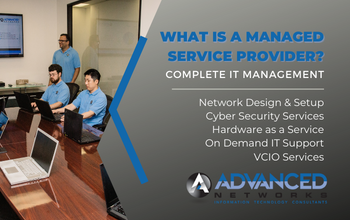
A Managed Service Provider (MSP) is an external service provider hired to oversee and administer IT services, including the management of networks, applications, infrastructure, and security, for a client company. The MSP takes on complete responsibility for these services and proactively identifies the required technologies and solutions to meet the client’s needs. Business of all sizes can utilize the skills of an MSP and they are hired to handle a set day to day task, mainly with IT help Desk, Infrastructure management, and remote monitoring.
The main selling point of an MSP is that your business’s technology will be able to running efficiently with very minimal hiccups or network interruptions.
Almost all MSPs focus on specific functions within IT, such as cyber security, employee training, network management or data storage. Other MSPs take a different way of making them stand out, they target specific industries, such as non-profit, healthcare, accounting firms or manufacturing plants.
Types of Managed Service Providers
There are 8 different types of managed service providers. They all do different things based on their expertise in the information technology field.
1. Networking and Infrastructure
For companies varying and size and storage requirements, MSPs focusing on networking and infrastructure will provide server solutions. You business will be able to rent space on the MSPs server or hosted server. The servers will also be maintained by the MSP. Having a subscription with a Managed Service Provider that offers network infrastructure will also provide a back solutions as well.
2. Help Desk Services
A MSP that specializes in Help Desk Services offers general IT Support and will fixs issues such as technical issues, PC problems and password resets. Mainly, they will only cover devices such as computer, tablets and phones.
3. Security
Managed Security Services providers focus on making sure your organization’s network and devices are secure. They actively monitor your everything through their own software and most everything they use is cloud based. For an increased security they may put physical firewalls. Products offered by Managed Security Service Providers are:
Firewall
Virtual Private Networks (VPN)
Intrusion Detection
Anti-malware
Anti-Virus
Anti-spam
Network security monitoring
4. IT Consulting
If you business or you are working for a business and you do not have an IT team, then you might want to look into an IT consulting firm. These MSPs focus on setting you up with the correct MSPs, optimize your infrastructure and create strategies to make your company successful.
5. Software as a Service
Managed SaaS takes all the communication out of software development for your business. These MSPs make sure all your software needs are taken care of by software modifications.
6. Communication Services
A MSP that specializes in communication makes sure your business has the power to communicate. They will make sure all of your communications are on the same network, monitored and accessible to all employees. Products a Managed Communications Services Provider provides:
Email
Phones
Video Conferencing
File Sharing
Instant messaging
Virtual Spaces
7. Cloud Services Provider
These Managed Service Providers build your IT infrastructure in the cloud. These MSPs will also migrate your network from a physical state to a cloud state. You might look into a cloud service provider if your business has a of of remote workers.
8. Managed Data Provider
These MSPs collect, analyze and protect user and customer data. With all the data they manage, they make sure it is easy to understand which helps you make informed business decisions.
4 ways to improve IT Spending with IT Support in Los Angeles (2024)
At Advanced Networks, our comprehensive IT Support Los Angeles package encompasses a proactive approach to Cost Analysis and Budget Optimization, ensuring that your organization maximizes efficiency and aligns IT investments with strategic objectives.
Regular Audits:
Identifying Operational Efficiencies: Through routine audits, we meticulously scrutinize your IT expenses, pinpointing areas of potential excess or redundancy. Our process focuses on streamlining operations and eliminating unnecessary costs.
Vendor Optimization: Our team evaluates vendor contracts, facilitating negotiations for favorable terms or recommending shifts to more cost-effective solutions. We ensure that your vendor relationships align with your budgetary goals.
Resource Utilization Optimization: We analyze the usage patterns of IT resources, from servers to software licenses and cloud services, identifying opportunities for consolidation and right-sizing. This optimization ensures that you only pay for resources that contribute meaningfully to your operations.
Security and Compliance Assurance: Our audits extend to verifying adherence to industry regulations and security standards, preventing potential fines and legal complications. We recommend technologies and practices that not only enhance security but also align with your budgetary constraints.
Prioritize Spending:
Strategic Alignment: Our approach emphasizes aligning IT investments with your overarching business goals. By prioritizing spending on projects that directly impact your objectives, we ensure a strategic and purposeful allocation of resources.
Risk-Informed Decision Making: Through risk assessments, we guide your organization in evaluating the potential risks and benefits of IT projects. This empowers you to make informed decisions that prioritize high-impact initiatives and address critical business needs.
ROI Analysis Expertise: Our team conducts meticulous Return on Investment (ROI) analyses for each IT initiative, allowing you to quantify expected benefits against costs. This analytical process assists in selecting projects that deliver optimal value, enhancing the efficiency of your budget allocation.
Flexibility and Adaptability: We recognize the dynamic nature of business environments. Our approach ensures flexibility in budget allocation, enabling your organization to respond swiftly to emerging opportunities or unforeseen challenges by reallocating resources as needed.
Communication Excellence: At Advanced Networks, effective communication between our IT experts and your business leaders is integral. We foster collaboration to comprehend evolving organizational needs, ensuring that our IT Support Los Angeles package aligns seamlessly with your current business priorities.
In essence, with Advanced Networks’ IT Support Los Angeles package, you can confidently entrust your IT cost analysis and budget optimization needs to a team dedicated to driving efficiency, strategic alignment, and financial prudence in every facet of your IT infrastructure.
Cloud Service Optimization
In the dynamic landscape of cloud computing, the optimization of cloud services has become a pivotal factor for businesses striving to enhance efficiency and cost-effectiveness. As we delve into the realm of Cloud Services Optimization, the proficiency of Advanced Networks in IT support in Los Angeles becomes evident, offering a comprehensive solution to harness the full potential of cloud resources.
Our Cloud Services Optimization includes:
Right-sizing Resources: Advanced Networks ensures that your cloud infrastructure is precisely tailored to meet your operational demands, striking the delicate balance between performance and cost-effectiveness. Avoid over-provisioning, which can lead to unnecessary expenses.
Reserved Instances: Particularly beneficial for predictable workloads, reserved instances provide a cost-effective alternative to on-demand pricing. By committing to a predetermined capacity for a specified duration, businesses can capitalize on significant cost savings compared to the pay-as-you-go model. This not only optimizes budget utilization but also ensures a stable and reliable performance for consistent workloads.
In the intricate world of cloud computing, Advanced Networks stands as a beacon of expertise, offering tailored solutions to elevate your organization’s cloud experience. With our IT support in Los Angeles, we navigate the complexities of cloud services optimization, ensuring that your resources are finely tuned, and your investments yield maximum returns. Embrace a future where efficiency and cost-effectiveness converge, under the expert guidance of Advanced Networks.
How Vendor Management Lowers IT Costs
Vendor Management is a critical component of effective business operations, particularly in the realm of IT. Here are two key strategies to optimize vendor relationships:
Negotiate Contracts:
Regularly reviewing contracts with IT vendors is essential to ensure that your organization is getting the best value for the services provided. By conducting periodic assessments, businesses can identify areas for improvement, negotiate for better terms, and potentially secure more favorable pricing or discounts. This proactive approach not only helps in cost savings but also ensures that the services align with the evolving needs of the organization.
Key Steps:
Regular Review: Schedule regular reviews of existing contracts to assess performance, terms, and pricing.
Benchmarking: Compare vendor offerings with industry standards and competitors to gauge the competitiveness of the current contract.
Open Communication: Maintain open communication with vendors to discuss any concerns, required modifications, or potential areas for improvement.
Renegotiation: Initiate negotiations based on the findings of the reviews, aiming for improved terms, reduced costs, or additional services.
Consolidate Vendors:
Managing multiple vendors can be challenging and time-consuming. Consolidating vendor relationships not only streamlines the management process but also provides an opportunity to take advantage of volume discounts. By consolidating vendors, businesses can simplify their procurement processes, reduce administrative overhead, and potentially negotiate better terms due to increased purchasing power.
Key Steps:
Vendor Assessment: Evaluate the performance, reliability, and cost-effectiveness of each vendor in your portfolio.
Identify Overlaps: Identify areas of overlap or redundancy in the services provided by different vendors.
Volume Discounts: Leverage the consolidation of services to negotiate volume discounts with the selected vendors.
Single Point of Contact: Simplify management by having a single point of contact for multiple services, reducing the complexity of communication and issue resolution.
Advanced Networks Managed IT Services for Vendor Management:
As part of our comprehensive Managed IT Services for Los Angeles businesses, Advanced Networks specializes in efficient vendor management. We proactively negotiate contracts with IT vendors on behalf of our clients, ensuring optimal terms and cost-effectiveness. Additionally, our team assists in the strategic consolidation of vendor relationships, streamlining processes and maximizing the benefits of volume discounts.
Improving Energy Efficiency within you IT Department
By entrusting your vendor management to Advanced Networks, you can focus on your core business activities while we handle the intricacies of contract negotiations and vendor consolidation, ensuring that your IT infrastructure operates seamlessly and cost-effectively.
Energy efficiency is a crucial aspect of sustainable and responsible business practices, particularly within the realm of Information Technology (IT). Organizations are increasingly recognizing the environmental impact of their operations and are actively adopting green IT practices to minimize their carbon footprint. Two key strategies in achieving energy efficiency are the implementation of green IT practices and the adoption of virtualization technologies.
Green IT Practices:
Implementing energy-efficient technologies and practices involves a comprehensive approach to reduce power consumption in data centers and other IT infrastructure. This includes optimizing the design and layout of data centers to enhance airflow and cooling efficiency, deploying energy-efficient hardware, and utilizing advanced power management tools. Additionally, organizations can adopt energy-efficient lighting and cooling systems to further minimize the overall energy consumption of their IT infrastructure. Green IT practices not only contribute to environmental sustainability but can also result in cost savings through reduced energy bills.
Virtualization:
Virtualization is a key strategy in the pursuit of energy efficiency, focusing on optimizing server usage and minimizing the physical hardware footprint. Through virtualization, multiple virtual machines can run on a single physical server, allowing for better resource utilization and reducing the need for additional servers. This consolidation of resources not only results in energy savings but also streamlines IT operations, leading to improved overall efficiency.
Moreover, virtualization extends beyond servers and encompasses other IT components such as storage and networking. By virtualizing these elements, organizations can achieve a more flexible and scalable infrastructure while simultaneously reducing energy consumption.
In addition to the energy efficiency benefits, virtualization contributes to enhanced disaster recovery and business continuity capabilities. Virtualized environments enable rapid deployment of backup systems and improved data replication, ensuring minimal downtime in the event of hardware failures or other disruptions.
In summary, a combination of green IT practices and virtualization is pivotal for organizations aiming to enhance energy efficiency in their IT operations. By adopting these strategies, businesses not only contribute to environmental conservation but also position themselves for long-term sustainability, cost savings, and improved operational resilience.
We are creative and artistic when it comes to working. We love to create and do what we are passionate about. Doing what we love brings us join and excitement, but that can all be taken away by the use of computers, typing and busy work. Microsoft Office 365 has notice the announce of doing busy work and did what is loves to do, create. Just released on Martin Luther King Jr. Day is Co-Pilot for Office 365. Now you can have the power and of Ai in all of your Microsoft 365 products and do what you love to do, create.
Copilot For Microsoft Office 365 is More Than a Chat Box
Microsoft Co-Pilot represents a groundbreaking advancement in the realm of software development, offering developers an innovative approach to coding assistance. At its core, Co-Pilot is an AI-powered coding assistant designed to enhance the developer experience by providing real-time suggestions and auto-completions as code is being written.
The concept revolves around leveraging machine learning models trained on vast amounts of code repositories to generate contextually relevant suggestions. As developers type, Co-Pilot predicts the next lines of code, offering a seamless and efficient coding process. This functionality significantly accelerates development tasks, reducing the time spent on repetitive coding patterns.
Integration with popular coding platforms is a key strength of Microsoft Co-Pilot. It seamlessly integrates with widely used Integrated Development Environments (IDEs) and code editors, ensuring compatibility with various workflows. This inclusivity enables developers to harness the power of Co-Pilot within their preferred coding environments, fostering a smooth and familiar coding experience.
Key features and capabilities distinguish Co-Pilot as a transformative tool in the developer’s toolkit. Its ability to understand and adapt to different programming languages, frameworks, and project contexts makes it versatile. Co-Pilot not only suggests code snippets but also provides insightful documentation, facilitating better understanding and learning for developers. Additionally, the tool is designed to foster collaboration by assisting in code reviews and enabling team members to grasp the intricacies of the codebase more efficiently.
In summary, Microsoft Co-Pilot revolutionizes the coding landscape by intelligently assisting developers throughout the coding process. Its concept of leveraging AI to understand context, seamless integration with coding platforms, and a rich set of features make it a valuable asset for developers seeking to boost productivity and streamline their coding workflows.
The Efficiency of Microsoft Co-pilot For Office 365
Microsoft Co-Pilot, as evidenced by GitHub data, stands as a powerful tool with tangible benefits for developers, unlocking unprecedented levels of productivity. According to GitHub statistics, a remarkable 88% of developers utilizing Co-Pilot attest to increased productivity. This transformative impact extends further, with 74% expressing the ability to channel their efforts into more satisfying and creative aspects of their work.
Beyond mere efficiency gains, Co-Pilot addresses the perennial challenge of information retrieval, as 77% of developers report spending less time searching for relevant information or examples. This not only streamlines the development process but also enhances the overall developer experience. GitHub Co-Pilot’s positive influence on productivity, focus, and time management underscores its pivotal role in shaping a more efficient and gratifying coding environment for developers worldwide.
What Office 365 Products Can I use With Co-Pilot?
Microsoft Co-Pilot seamlessly integrates with various Office 365 products, creating a cohesive ecosystem that enhances productivity and collaboration across different tasks. Developers leveraging Co-Pilot can seamlessly incorporate its capabilities into their workflow alongside Office 365 tools. Here’s a list of Office 365 products that can be effectively used in conjunction with Microsoft Co-Pilot:
Microsoft Word: Co-Pilot assists in generating code snippets directly within Word documents, making it convenient for developers to document and share code-related information.
Microsoft Excel: Developers can benefit from Co-Pilot’s suggestions when working on Excel macros or automating tasks, streamlining the coding process within the familiar Excel environment.
Microsoft PowerPoint: Co-Pilot aids in creating dynamic and interactive presentations by offering code suggestions for embedding scripts or automating certain functionalities.
Microsoft Outlook: Integration with Co-Pilot enhances the coding experience for email-related functionalities, allowing developers to seamlessly incorporate custom scripts or automation within Outlook.
Microsoft Teams: Co-Pilot supports collaborative coding within Teams, facilitating real-time assistance and code suggestions during team discussions and collaborations.
Microsoft SharePoint: Developers working on SharePoint-related projects can leverage Co-Pilot to expedite coding tasks, ensuring a more efficient development process.
Microsoft OneDrive: Co-Pilot’s integration with OneDrive allows developers to access their code snippets and collaborative projects from anywhere, fostering flexibility and mobility.
Microsoft Forms: Co-Pilot assists in generating code for custom form functionalities within Microsoft Forms, enhancing the customization options available to developers.
Microsoft Access: Co-Pilot can be utilized to streamline coding tasks within Access databases, improving the efficiency of database-related development work.
Microsoft Planner: Co-Pilot’s coding assistance can be beneficial for developers managing coding tasks and projects within the Planner interface, ensuring accuracy and consistency in coding practices.
The integration of Microsoft Co-Pilot with Office 365 products offers a comprehensive solution for developers, enhancing their coding experience and collaboration within the broader Microsoft ecosystem.
How to Get Microsoft Co-Pilot for Office 365
Unlock the full potential of Microsoft Co-Pilot seamlessly with Advanced Networks, your trusted Managed IT Service Provider in Los Angeles. As pioneers in Information Technology, we offer the expertise to integrate Co-Pilot into your Microsoft Office 365 environment, ensuring a streamlined and efficient coding experience. Whether you’re a developer looking to boost productivity or a business aiming to leverage the power of Co-Pilot across Office 365 products, our team at Advanced Networks is here to facilitate a seamless integration tailored to your needs. Experience the transformative impact of Co-Pilot alongside the comprehensive support and services provided by Advanced Networks. For inquiries or further assistance, don’t hesitate to reach out – your coding efficiency is our priority. Contact us today for a consultation and discover the enhanced possibilities Co-Pilot can bring to your Office 365 environment.
Managed IT Service Providers (MSPs) offer a range of workstation-related services to their clients. The specific types of workstations provided can vary based on client needs, industry requirements, and technological advancements. Here are common types of workstations that MSPs may offer:
Traditional desktop computers are suitable for office environments.
Configurations optimized for general business applications.
Desktop workstations are powerful computing systems designed to deliver optimal performance for a variety of professional tasks. These workstations, typically deployed in office environments, are equipped with robust hardware configurations tailored to handle resource-intensive applications and workflows. Featuring high-performance processors, ample RAM, and often dedicated graphics cards, desktop workstations excel in tasks such as content creation, design, engineering, and data analysis. Their stationary nature allows for consistent, reliable performance, making them ideal for professionals who require a stable computing environment. Desktop workstations offer the convenience of a fixed workspace, fostering productivity in industries where computing power and reliability are paramount. Whether used for complex simulations, 3D modeling, or software development, desktop workstations remain a cornerstone of efficient and powerful computing solutions for businesses.
Laptop WorkStations:
Portable workstations for users who need flexibility and mobility.
Configurations tailored for on-the-go professionals.
Laptop workstations represent a versatile and mobile solution for professionals who prioritize flexibility and on-the-go productivity. These portable computing devices combine the power of traditional workstations with the convenience of mobility, enabling users to work from virtually anywhere. Equipped with advanced processors, ample memory, and often dedicated graphics capabilities, laptop workstations cater to a broad range of tasks, including design, development, and business applications. With sleek designs and lightweight profiles, they offer the perfect blend of performance and portability. Ideal for professionals who need to move between meetings, collaborate on projects in various locations, or work remotely, laptop workstations empower users to maintain productivity without sacrificing computing power. Whether in the office, at a client site, or on the road, these workstations provide a seamless and efficient computing experience for modern professionals.
Thin Clients:
Lightweight terminals that rely on a central server for processing.
Suitable for environments where centralized management is key.
Thin client workstations offer a streamlined and cost-effective computing solution by offloading most of the processing tasks to a central server. These lightweight terminals rely on the server for computing power, storage, and software applications, reducing the need for extensive hardware at the user’s end. Thin client workstations are particularly beneficial in environments where centralized management, security, and resource optimization are top priorities. With minimal local processing, these workstations are easy to deploy, maintain, and secure. They are an excellent choice for organizations seeking efficient, scalable solutions that minimize hardware costs and simplify IT administration. Thin client workstations contribute to a more centralized and agile IT infrastructure, making them a preferred choice for businesses aiming to streamline operations and enhance overall efficiency.
Virtual Desktop Infrastructure (VDI):
Hosted desktop environments delivered over a network.
Enables remote access and centralized management.
Virtual Desktop Infrastructure (VDI) is a technology that enables the creation and management of virtualized desktop environments on a centralized server. In a VDI setup, individual desktop instances run as virtual machines on a server, and users access these desktops remotely using thin clients or other devices. VDI provides a flexible and scalable solution for delivering desktop experiences to end-users, allowing them to access their virtual desktops from anywhere with an internet connection.
One of the key advantages of VDI is centralization. All data and applications are stored and managed on servers in a data center, enhancing security, ease of maintenance, and resource utilization. It also offers improved flexibility, as users can access their virtual desktops from various devices, fostering mobility and remote work.
VDI is particularly valuable for businesses with diverse computing needs, as it allows for efficient resource allocation, rapid provisioning of desktops, and easier management of software updates and patches. This technology plays a crucial role in optimizing IT infrastructure, enhancing security, and providing a more agile and scalable approach to desktop computing in modern enterprises.
High-Performance Workstations:
Designed for resource-intensive tasks such as graphic design, video editing, or engineering.
Configurations with powerful processors and dedicated GPUs.
High-performance workstations are computing systems engineered to deliver exceptional speed, power, and efficiency, making them well-suited for tasks demanding substantial computational resources. Typically equipped with advanced processors, substantial RAM, and dedicated graphics cards, these workstations excel in handling resource-intensive applications such as 3D rendering, scientific simulations, video editing, and complex data analysis.
Designed to meet the demands of professionals in fields like engineering, design, content creation, and scientific research, high-performance workstations provide the computing muscle required to execute intricate tasks efficiently. These workstations often feature multiple processing cores, high-speed storage solutions, and top-tier graphics capabilities to ensure rapid data processing and visualization.
The reliability and superior processing capabilities of high-performance workstations contribute to increased productivity in industries where time-sensitive, computationally intensive work is the norm. These workstations empower professionals to tackle complex projects with ease, providing a robust foundation for innovation and demanding computational tasks. Whether in design studios, research labs, or engineering offices, high-performance workstations are indispensable tools for those who require uncompromising computing power and speed.
Cloud Workstations:
Workstations hosted in the cloud for remote access and collaboration.
Ideal for businesses transitioning to cloud-based solutions.
Cloud workstations represent a modern paradigm in computing, offering a scalable and flexible solution that leverages cloud infrastructure to deliver virtualized desktop environments. With cloud workstations, the traditional model of having physical desktop hardware is replaced by virtual machines hosted in the cloud. Users can access their desktop environments remotely, from a variety of devices, enhancing mobility and facilitating remote work.
One of the key advantages of cloud workstations is the ability to scale resources on-demand. Organizations can easily adjust computing power, storage, and other resources based on their needs without the constraints of physical hardware. This scalability makes cloud workstations a cost-effective solution, as businesses only pay for the resources they consume.
Security is another significant benefit, as data is stored centrally in data centers with robust security measures. Cloud workstations also enable collaboration and access to desktop environments from different locations, fostering a more dynamic and distributed work environment.
Overall, cloud workstations offer a versatile and efficient alternative to traditional desktop setups, providing businesses with the agility, scalability, and accessibility required in the ever-evolving landscape of modern work.
Customized Workstations:
Tailored configurations based on specific industry needs.
Customized hardware and software setups for specialized tasks.
Customized workstations refer to tailored computing solutions designed to meet specific needs and requirements of individual users or businesses. Unlike off-the-shelf or standard configurations, customized workstations are built with careful consideration of the unique tasks, applications, and performance demands of the end-user or organization.
In the realm of customized workstations, hardware components such as processors, graphics cards, memory, and storage are carefully selected and configured to optimize performance for specific workflows. This might include industries such as graphic design, video editing, 3D modeling, scientific research, or engineering, where specialized applications demand robust computing capabilities.
The customization process allows for the inclusion of features that align precisely with user preferences and business objectives. Whether it’s a focus on graphics processing, memory-intensive tasks, or storage speed, customized workstations provide a level of flexibility and performance tailoring that is particularly valuable in industries where standard solutions may fall short.
By crafting workstations based on individual needs, organizations and professionals can achieve a computing environment that not only meets the immediate requirements but is also scalable and adaptable to future technological advancements or changes in work demands. This approach ensures that computing resources are aligned with the specific demands of the user or business, ultimately enhancing efficiency and productivity.
Security-Centric Workstations:
Configurations with enhanced security features.
Includes advanced endpoint protection and data encryption.
Security-centric workstations are specialized computing systems designed with a primary focus on implementing robust cybersecurity measures to protect sensitive data and ensure a secure computing environment. These workstations are equipped with advanced security features, both in terms of hardware and software, to mitigate potential threats and vulnerabilities.
Key features of security-centric workstations may include hardware-level security mechanisms such as Trusted Platform Module (TPM) for secure storage of cryptographic keys, secure boot processes, and specialized hardware for encryption and decryption. Additionally, these workstations often come with advanced security software solutions, including endpoint protection, firewalls, intrusion detection systems, and encryption tools.
Security-centric workstations are particularly crucial in industries where data confidentiality and integrity are paramount, such as finance, healthcare, government, and research. These workstations play a critical role in safeguarding against cyber threats, unauthorized access, and data breaches.
By adopting security-centric workstations, organizations can significantly reduce the risk of cyberattacks, ensuring that their computing environments adhere to the highest standards of security compliance. This proactive approach helps to maintain the confidentiality, integrity, and availability of sensitive information, providing a secure foundation for critical business operations.
Remote Desktop Services (RDS):
Enables users to access a full desktop remotely.
Useful for businesses with remote or distributed teams.
Remote Desktop Services (RDS) is a technology that allows users to access and use desktops and applications remotely, typically over a network or the internet. RDS provides a virtualization platform for delivering desktop and application experiences to users, allowing them to interact with software and files as if they were on a local computer.
Key components and features of Remote Desktop Services include:
Remote Desktop Session Host (RDSH):
Formerly known as Terminal Services, RDSH enables the hosting of Windows-based applications or the full Windows desktop in a centralized location.
Remote Desktop Virtualization Host (RDVH):
This component allows the virtualization of desktops by providing access to virtual machines running on a hypervisor.
Remote Desktop Connection Broker (RDCB):
This service manages the connections between clients and the appropriate virtual desktop or session host.
Remote Desktop Gateway (RD Gateway):
This component enables secure remote access to RDS resources over the internet, providing a gateway for connections.
Remote Desktop Web Access (RD Web Access):
Users can access RDS resources through a web portal, facilitating easy access without needing a dedicated client.
Remote Desktop Services is widely used in business environments to enable remote work, simplify software deployment, and centralize IT management. It allows organizations to provide a consistent and secure computing experience to users, irrespective of their physical location. RDS is particularly valuable for businesses with distributed teams, branch offices, or a need for flexible remote access to applications and desktops.
Workstations for Specific Industries:
Tailored solutions for industries with unique requirements (healthcare, finance, etc.). Compliance-focused configurations to meet industry standards. Managed IT Services Providers typically work closely with their clients to assess their business requirements, evaluate the existing IT infrastructure, and recommend or provide workstations that align with the organization’s goals and operational needs. The goal is to ensure that the workstations are reliable, secure, and capable of supporting the client’s business objectives.
In the fast-paced world of technology, businesses in Los Angeles face the constant challenge of staying ahead in the digital game. Whether you are a startup seeking guidance or an established enterprise looking to enhance your IT infrastructure, finding the right IT consulting partner is crucial. For over two decades, Advanced Networks has been at the forefront of IT consulting in Los Angeles, providing unparalleled expertise and helping hundreds of clients navigate the complexities of the tech landscape.
The Advanced Networks Advantage with IT Consulting Los Angeles
A Legacy of Experience:
With a legacy spanning more than 20 years, Advanced Networks has been a trusted ally for businesses seeking IT consulting in Los Angeles. Our journey is marked by a deep understanding of evolving technologies and a commitment to staying at the cutting edge of industry trends. This wealth of experience positions us as a reliable partner for businesses of all sizes.
Tailored Solutions for Every Client:
No two businesses are alike, and Advanced Networks understands this implicitly. Our approach to IT consulting is not one-size-fits-all; instead, we take the time to understand the unique needs and challenges of each client. Whether you’re a startup, a healthcare provider, a financial institution, or part of the vibrant entertainment industry in Los Angeles, our tailored solutions ensure that your technology aligns seamlessly with your business objectives.
Proactive Problem Solving:
In the ever-evolving tech landscape, problems are inevitable. What sets Advanced Networks apart is our proactive approach to problem-solving. We don’t wait for issues to arise; instead, we anticipate potential challenges and implement strategies to mitigate them before they impact your business. This proactive stance minimizes downtime and keeps your operations running smoothly.
For startups navigating the competitive landscape of Los Angeles, the right IT foundation is crucial. Advanced Networks has been instrumental in empowering startups with strategic IT consulting, helping them set up robust infrastructure, implement scalable solutions, and lay the groundwork for long-term success.
Enhancing Healthcare Capabilities:
In the healthcare sector, compliance, security, and efficient operations are paramount. Advanced Networks has worked closely with healthcare providers, offering IT consulting that not only meets regulatory requirements but also enhances the overall delivery of patient care. Our solutions contribute to streamlined processes and improved patient outcomes.
Safeguarding Financial Institutions:
The financial sector demands a level of security and precision that is unparalleled. Advanced Networks has partnered with numerous financial institutions, providing IT consulting that goes beyond industry standards. Our focus on cybersecurity, data protection, and seamless operations has earned the trust of our financial clients, ensuring the integrity of their systems.
Navigating Entertainment Tech:
Los Angeles, synonymous with the entertainment industry, requires a specialized approach to IT consulting. Advanced Networks has been a key player in supporting studios, production houses, and creative agencies. From high-performance computing to digital content creation, our IT consulting has been the backbone of countless creative endeavors.
In the dynamic landscape of Los Angeles, finding the right IT consulting partner is not just a necessity; it’s a strategic decision that can define the trajectory of your business. With over two decades of experience, Advanced Networks has established itself as a pillar of excellence in IT consulting, helping businesses across industries thrive in the digital age. If you are looking for a trusted ally to navigate the tech landscape, Advanced Networks is here to guide you to success. Contact us today and let’s embark on a journey of innovation, efficiency, and unparalleled IT excellence.
Los Angeles, with its vibrant and diverse business landscape, is a city where staying competitive often means finding ways to cut operational costs. Information Technology (IT) is a crucial component of any business, but it can also be a significant expense. In this blog post, we’ll explore strategies specifically tailored to Los Angeles-based businesses looking to reduce IT costs effectively.
Evaluate Current IT Expenses
To begin your cost-cutting journey, it’s essential to have a clear picture of your current IT expenses. Take a comprehensive look at your hardware, software, services, and labor costs. This assessment will serve as a foundation for informed decision-making.
Embrace Cloud Services
Los Angeles businesses can benefit from the flexibility and scalability of cloud services, particularly given the city’s dynamic and evolving market. Migrating to the cloud can reduce hardware and maintenance costs, as well as provide the agility to adapt to changing business needs.
Optimize Data Center Efficiency
If your business maintains on-premises data centers, consider optimizing their efficiency. Implement virtualization technologies to consolidate servers, reduce energy consumption, and decrease maintenance costs. Los Angeles’s commitment to sustainability makes this an even more compelling strategy.
Software Licensing Optimization
Software licensing expenses can quickly add up. Review your software licenses to ensure you’re only paying for what you need. Explore open-source software options or subscription-based models to reduce software costs while maintaining productivity.
Managed IT Services
Los Angeles-based businesses can leverage managed IT services to cut labor costs and ensure top-notch IT management. These services can include help desk support, network management, and cybersecurity, providing specialized expertise for a fraction of the cost of in-house teams.
Green IT Practices
Consider the environmental and cost-saving benefits of implementing green IT practices. Los Angeles businesses can align with the city’s eco-conscious reputation by using energy-efficient servers, adopting power management policies, and reducing their carbon footprint.
Outsourcing IT Functions
Outsourcing certain IT functions, such as help desk support, can reduce labor costs while ensuring high-quality support for your business. Los Angeles is home to many reputable IT service providers, offering expertise in various domains.
Regular Maintenance and Upgrades
Preventive maintenance and timely upgrades can save you from costly downtime and repairs. Los Angeles’s fast-paced business environment demands reliability and resilience from your IT infrastructure.
Training for IT Staff
Investing in training for your IT staff can enhance efficiency and problem-solving abilities. A well-trained team can reduce support costs and minimize downtime.
Telecommunications Cost Analysis
Telecommunications costs can be substantial. Evaluate your phone lines and data plans, and consider more cost-effective providers or plans. VoIP and unified communications solutions can streamline communication and save on costs.
Robust Data Backup and Recovery
A comprehensive data backup and recovery strategy can protect your business from data loss, which can be financially devastating. Los Angeles’s emphasis on data-driven industries makes data protection a priority.
Negotiate with Vendors
Negotiating with IT vendors can often lead to cost savings. Don’t hesitate to discuss discounts, better terms, or tailored solutions that meet your specific needs.
Continuous Cost Monitoring
Cutting IT costs is an ongoing process. Regularly monitor and manage your expenses and adapt your strategies as your business evolves. Expense tracking and cost management tools can be invaluable.
Alignment with Business Goals
Ensure that your IT initiatives align with your Los Angeles business’s core objectives. Focusing on technology investments that contribute directly to your mission can help maximize resources. Explore Open Source Software
Los Angeles businesses can explore open-source software as a cost-effective alternative to proprietary solutions. Many open-source tools are robust and can meet your business needs without breaking the bank.
Los Angeles-based businesses looking to reduce IT costs have an array of strategies at their disposal. By thoughtfully optimizing their IT resources, adopting cost-effective technologies, and ensuring their IT investments align with their business goals, they can successfully cut IT expenses while maintaining or improving their technology infrastructure. The key is to strike the right balance between cost reduction and delivering efficient, secure, and reliable IT services in the City of Angels.
Break Fix IT Versus Managed IT Services: Which One is the Best for Your Business?
In the digital age, businesses rely heavily on technology to manage their operations. From email communication to cloud storage, technology is an indispensable part of everyday business. However, like any other tool, technology can fail or break down at any time. As a business owner or manager, when you encounter technology issues, you have two options. These are: Break Fix IT vs Managed IT Services.
Break Fix IT is exactly what it sounds like. It is a service that repairs or fixes an IT issue when it occurs. When you experience a problem or a breakage, you call an IT service provider who will diagnose the issue and provide an appropriate solution.
It is a reactive approach, meaning that the IT service provider will only be called upon when something goes wrong. The service is charged on a per-incident basis or hourly rate, and there is no guarantee that the problem will not happen again.
Pros of Break Fix IT:
1. Lower Cost – Break fix IT services are cost-effective compared to managed IT services because you only pay for the services that you need.
2. Experience – IT service providers that offer break fix services tend to have a wealth of experience dealing with a wide range of issues.
Cons of Break Fix IT:
1. No Proactive Support – In the break fix model, IT service providers are only called upon when a problem occurs. Thus, they don’t monitor your system for vulnerabilities or suggest improvements.
2. No Long-term Strategy – Since break fix IT providers work in reaction to a problem, they don’t have a long-term strategy for your IT infrastructure.
Managed IT Services:
Managed IT Services is a proactive approach to IT support. With Managed IT Services, an IT service provider monitors, manages, and maintains the IT infrastructure. They are responsible for providing ongoing support, minimizing downtime, and keeping your system up-to-date with the latest technology.
Managed IT Serviced Providers offer monthly or yearly contracts, and they provide ongoing support which includes patching, monitoring, and security updates.
Pros of Managed IT Services:
1. Proactive Support – With Managed IT Services, the IT service provider continuously monitors your system and provides proactive support to prevent issues from occurring.
2. Expertise – Managed IT Service Providers are experts in their field, providing ongoing support and advice to help optimize your IT infrastructure.
Cons of Managed IT Services:
1. Cost – Managed IT Services can cost more than Break Fix IT if you do not use IT Support because you pay for ongoing support, monitoring, and maintenance.
2. Limited Flexibility – Managed IT Service Providers have a set of procedures and protocols they follow, which may not suit some businesses.
When choosing between break fix IT and Managed IT Services, it is important to know the needs of your business. If you have a small business with limited IT infrastructure, you are better off with a break fix IT service. However, if you have a larger business with complex IT needs and require continuous monitoring and support, you are better off with a Managed IT Service to ensure business continuity, security, and productivity.
Do you have a small business and need a server? We at Advanced Networks can manage your server and all your IT needs. If you are determined to set up your server yourself, then in this guide on How to set up a server for a small business you will learn the starting steps putting in your own Small business server. If at any point you feel lost, feel free to fill out out contact form and a sales representative will get in touch with you.
The Hardware Requirements for Setting Up a Server for a Small Business
The first step in how to set up a small business server is deciding the hardware requirements. The hardware requirements depend on the type of server you plan to set up and the applications you intend to run on it. Generally, you’ll need a server with enough RAM, storage capacity, and processing power to meet your business’s demands. You’ll also need to decide between using a physical server or a virtual server.
Small businesses often need to invest in hardware to support their operations. Depending on the type of business, hardware requirements can vary widely. Generally, however, small businesses should plan for a reliable computer system with adequate storage capacity, a dependable internet connection, a printer, and a scanner.
For most small businesses, the computer system should comprise at least one desktop and one laptop. The desktop should have a reliable processor, sufficient RAM for the applications you use, and ample storage space for data and documents. The laptop should also come equipped with a reliable processor, sufficient RAM, and adequate storage.
The internet connection should be reliable and fast enough to support your business’s operations. A broadband connection is usually sufficient for small businesses.
Both the printer and scanner should be capable of producing high-quality documents and images. It’s recommended to use a multifunction device that combines a printer, scanner, and copier.
Depending on your business’s needs, additional hardware may be required. For example, a small business dealing with graphics or design might need to invest in a graphics tablet or a large format printer. Choose additional hardware based on your business’s specific requirements.
If you’re still unsure about the hardware requirements for setting up a server for a small business, contact us.
The Software Requirements for How to Setup a Server for a Small Business
Once you’ve chosen the hardware for your server, you need to determine the necessary software. Depending on the type of server you’re setting up, you may require an operating system, web server software, database software, and other applications. Additionally, you might need to install security software to protect your server from malicious attacks.
A small business server requires various software components to operate effectively. Depending on your business’s needs, software requirements may vary. Generally, you should include the following software:
1. Operating System:
A reliable operating system forms the foundation for any server. Common choices include Windows Server, Linux, or Mac OS X.
2. Server Management Software:
This software assists in managing the server, including monitoring, user authentication, and resource allocation. Common options include Webmin, cPanel, or Plesk.
3. Database Management Software:
Database management software helps handle different data types, such as customer information, payments, and inventory. Common options include MySQL, MS SQL, and PostgreSQL.
4. Web Server Software:
Web server software hosts websites and provides access to web applications. Popular options include Apache, Nginx, and IIS.
5. File Sharing Software:
File sharing software enables secure file sharing across a network. Common options include Samba, NFS, and FTP.
6. Security Software:
Security software safeguards the server and its data from malicious attacks. Typical solutions include firewalls, antivirus programs, and malware protection.
Having the right software in place empowers a small business server to become a powerful tool for businesses of all sizes.
Installation and Configuration for Setting Up a Server for a Small Business
Once you’ve selected the hardware and software for your server, it’s time to install and configure it. Depending on the type of server you’re setting up, this may involve installing an operating system, configuring web server software, setting up a database, and configuring other applications. It’s essential to ensure that all components are correctly installed and configured before using the server.
Setting up a small business server may seem daunting, but it doesn’t have to be. With proper research and planning, the process can be relatively quick.
The first step is researching the type of server that best suits your business’s needs. Consider factors like size, cost, features, and future growth requirements. Once the server is chosen, purchase and install the necessary hardware, including the server itself, storage, memory, and other components.
After hardware installation, install and configure the operating system. This involves installing the required drivers for hardware components and configuring the server for networking, security settings, user accounts, and more.
Once the server is configured, install the necessary applications, including email, web hosting, databases, and others. Configure these applications to meet your business’s specific needs.
Finally, thoroughly test the server to ensure it functions correctly and meets your business’s requirements. This includes testing hardware components, the operating system, applications, and network connections.
Setting up a small business server might seem challenging, but with the right research and planning, it can be accomplished efficiently. Research the right server type, purchase and install the necessary hardware, configure the operating system and applications, and thoroughly test the server to ensure it meets your business needs.
Network Connectivity for Setting Up a Server for a Small Business
The next step in setting up a server for a small business is connecting it to the network. Depending on the type of server you’re setting up, you may need to connect it to a wired or wireless network. Ensure the server has the correct IP address and can communicate with other computers on the network.
A small business requires a reliable and secure network that can support multiple users and devices. Network connectivity options for small businesses can vary depending on size and complexity.
For small businesses, the most common network connectivity is a Local Area Network (LAN). A LAN typically consists of a router, switch, and cables connecting computers and devices. It provides fast and secure communication between connected devices.
For businesses with multiple locations, a Wide Area Network (WAN) may be necessary. A WAN can connect several LANs, providing secure communication between multiple sites for data transfer, resource sharing, and inter-site communication.
Cloud-based solutions are increasingly popular for small businesses, allowing access to applications and data from any location with an internet connection. This reduces hardware, software, and maintenance costs.
Additionally, consider wireless network solutions like Wi-Fi and cellular networks to provide internet access to customers and employees while connecting multiple devices to the network.
Regardless of the network solution, ensure it’s reliable, secure, and user-friendly. A good network solution should provide the necessary tools and resources to boost productivity and connectivity.
Testing a Small Business Server
Once the server is networked, it’s crucial to test it to ensure it works correctly.
Testing a small business server is a vital part of setting up a successful business. It’s essential to ensure the server is operational, secure, and reliable. Testing involves several steps:
First, assess the hardware and software requirements, including CPU, memory, and storage needs, and ensure compatibility with the operating system and other software.
Next, test server performance, verifying that it can handle expected loads and traffic while withstanding stress, maintaining security, and ensuring reliability under heavy usage and potential malicious attacks.
Lastly, check compatibility with other components, including client devices, databases, applications, and more.
Testing a small business server is crucial for a successful setup. By following these steps, you can complete the process efficiently, ensuring the server is operational, secure, and reliable.
Security for Your Small Business Server
The final step on how to set up a small business server is ensuring its security.
Maintaining a secure server is essential for any business to protect valuable data and prevent malicious
activity. Setting up server security involves configuring security settings, installing appropriate security software, and implementing a firewall. Proper configuration and security measures are critical to safeguard data and systems.
Regularly updating the server with the latest security patches and updates is essential to protect against evolving threats and vulnerabilities. Routine scanning and monitoring can help detect and prevent malicious activities that may compromise server security.
Implementing robust security measures is necessary to protect the server and its data. Regularly review and update security settings to stay ahead of emerging threats. Additionally, have a response plan in place to address security incidents promptly and effectively.
Overall, maintaining a secure server is vital to protect valuable data from potential threats. This includes configuring security settings, installing security software, implementing a firewall, and regularly updating and monitoring the server. These measures ensure the server remains secure and data stays protected.
If you found this guide on How to set up a small business server helpful, please share this information and look at our other blog posts.
In the bustling city of Los Angeles, businesses face unique challenges and opportunities every day. From the entertainment industry to tech startups, a diverse array of companies calls this city home. While the City of Angels offers immense possibilities, it also demands a high level of technological sophistication. That’s where Managed IT Services come into play, helping Los Angeles businesses unlock the path to success.
This comprehensive guide will explore the ins and outs of Managed IT Services, emphasizing their importance, benefits, and how they can empower businesses in Los Angeles to thrive in a competitive landscape.
Los Angeles is a city of dreams and ambition, but it’s also a city of fierce competition. Before diving into the world of Managed IT Services, let’s take a closer look at the unique business landscape in Los Angeles.
Diverse Industries
Los Angeles is a melting pot of industries, from Hollywood entertainment and fashion to tech startups and healthcare. Each sector has its own IT needs and challenges.
Los Angeles boasts a rich tapestry of diverse business industries. From the glitz and glamour of Hollywood’s entertainment giants to the tech-driven innovation of Silicon Beach startups, and the bustling fashion and apparel scene to the thriving healthcare and finance sectors, Los Angeles is a dynamic hub for a wide array of industries. This diversity not only reflects the city’s cosmopolitan nature but also creates a fertile ground for innovation, collaboration, and economic growth. As a result, Los Angeles continues to be a beacon of opportunity and creativity, attracting entrepreneurs and professionals from around the world eager to contribute to its vibrant business landscape.
LA is known for its entrepreneurial spirit and innovative culture. Startups are on the rise, while established companies are constantly seeking ways to adapt and grow.
Los Angeles is a hotbed of growth and innovation, offering boundless opportunities for businesses and entrepreneurs. Its dynamic ecosystem encourages startups and established companies to push boundaries and explore new horizons. With access to world-class talent, top-tier universities, and a thriving venture capital scene, Los Angeles provides the perfect environment for innovative breakthroughs. From pioneering sustainable technologies to leading the way in entertainment and healthcare innovations, the city is a breeding ground for transformative ideas. As the City of Angels continues to evolve, it remains at the forefront of innovation, attracting visionaries and dreamers eager to shape the future.
The Importance of Technology
In an era where technology drives business success, companies in Los Angeles must stay ahead of the curve to remain competitive.
In Los Angeles, technology isn’t just a tool; it’s the lifeblood of businesses. From streamlining operations in the entertainment industry to powering e-commerce for fashion brands, technology plays a pivotal role. Innovative startups leverage cutting-edge tech to disrupt traditional sectors, while established companies rely on it for competitiveness and growth. Moreover, tech enhances healthcare, finance, and logistics, optimizing services and improving customer experiences. In this sprawling metropolis, technology isn’t an option; it’s a necessity. Businesses that harness its potential gain a significant edge, driving efficiency, innovation, and ultimately, success in the City of Angels’ fiercely competitive landscape.
What Are Managed IT Services?
Before discussing their benefits, it’s crucial to understand what Managed IT Services actually are.
Defining Managed IT Services
An in-depth explanation of what Managed IT Services entail, including proactive monitoring, support, and management of IT infrastructure.
Managed IT services refer to comprehensive IT support solutions provided by external service providers to businesses. These services include proactive monitoring, maintenance, and management of a company’s IT infrastructure, networks, and systems. Managed IT service providers assume responsibility for tasks such as software updates, cybersecurity, data backup, and helpdesk support, allowing businesses to focus on their core operations. This outsourced model offers cost-effective, scalable, and expert IT management, enabling businesses to enhance efficiency, minimize downtime, and ensure the security of their digital assets while accessing a dedicated team of IT professionals without the need for in-house hiring.
The Evolution of IT Support
How Managed IT Services have evolved from traditional break-fix models to proactive, strategic solutions.
The evolution of IT services in Los Angeles mirrors global technological advancements. Decades ago, businesses relied on break-fix models, seeking IT help only when problems arose. However, as technology became integral to operations, the paradigm shifted. Managed IT services emerged, offering proactive, strategic support to prevent issues, enhance efficiency, and ensure cybersecurity. Los Angeles, with its diverse industries, demanded specialized solutions, leading to industry-specific IT services. In recent years, the city embraced cloud computing, AI, and IoT, revolutionizing how businesses operate. Today, IT services in Los Angeles are at the forefront of innovation, driving growth, and helping companies navigate a rapidly changing digital landscape.
The Benefits of Managed IT Services
Managed IT Services offer a wide range of advantages for businesses in Los Angeles. This chapter explores these benefits in detail.
Cost Savings
How outsourcing IT services can reduce operational costs and improve budget management.
Managed IT services offer significant cost savings for Los Angeles businesses. By outsourcing IT support, companies can reduce overhead costs associated with in-house IT departments, including salaries, training, and equipment expenses. Managed service providers (MSPs) often offer predictable, subscription-based pricing models, allowing businesses to budget effectively. MSPs also proactively monitor and maintain IT infrastructure, minimizing downtime and costly disruptions. Additionally, the expertise of MSPs in optimizing technology investments ensures that businesses get the most value from their IT expenditures. Overall, the cost-effectiveness of managed IT services enables Los Angeles businesses to allocate resources more efficiently while still benefiting from top-tier IT solutions.
Increased Efficiency
Discussing how Managed IT Services can streamline operations, minimize downtime, and boost overall efficiency.
Managed IT services significantly enhance efficiency for Los Angeles businesses and organizations. These services provide proactive monitoring and rapid issue resolution, reducing downtime and productivity loss. Expert IT professionals optimize technology systems, streamlining operations and workflows. Scalability options mean businesses can adapt swiftly to changing needs. Additionally, the security measures implemented by managed IT services protect against data breaches and cyber threats, further bolstering efficiency by ensuring uninterrupted operations. Overall, managed IT services are a key catalyst for improved efficiency, allowing organizations in Los Angeles to focus on their core missions.
Scalability
Exploring how these services allow businesses to scale their IT infrastructure as they grow.
Managed IT services empower businesses in Los Angeles to scale effortlessly, unburdened by IT challenges. As companies expand, their IT infrastructure needs to grow in tandem. Managed service providers (MSPs) handle this seamlessly, ensuring that networks, servers, and software are ready to accommodate increased demands. With MSPs overseeing technology scalability, businesses can concentrate on their core objectives, without diverting resources to IT intricacies. This proactive approach anticipates and mitigates potential issues, thus averting downtime and disruptions. As a result, Los Angeles businesses can scale confidently, knowing that their IT infrastructure will support growth without interruption or complications.
Enhanced Security
Highlighting the importance of cybersecurity and how Managed IT Services can protect sensitive data.
Businesses in Los Angeles leverage managed IT services to bolster their cybersecurity measures comprehensively. Managed service providers (MSPs) bring specialized expertise to the table, implementing robust security protocols and continuous monitoring. They proactively identify vulnerabilities, deploy firewalls, intrusion detection systems, and encryption, safeguarding critical data against cyber threats. MSPs also offer regular updates and patches to keep systems resilient to evolving security risks. With 24/7 monitoring and rapid incident response, businesses can confidently protect themselves from breaches and data theft. Managed IT services ensure Los Angeles businesses can focus on their growth and operations while maintaining a strong defense against cyberattacks.
Access to Expertise
Discussing how businesses can tap into the expertise of IT professionals without the cost of hiring in-house.
Managed IT service providers offer invaluable expertise to businesses and organizations in Los Angeles. Their specialized knowledge spans various IT domains, from cybersecurity and network management to software optimization and cloud computing. This expertise allows them to proactively address IT challenges, minimize downtime, and ensure systems run smoothly. Moreover, they stay updated on industry trends and emerging technologies, enabling businesses to make informed decisions for their IT infrastructure. With a dedicated team of professionals at their disposal, organizations can tap into this wealth of knowledge, enhancing their technological capabilities and ensuring efficient, secure, and competitive operations.
Managed IT Services for Los Angeles
Now that we’ve established the benefits, let’s delve into how Managed IT Services specifically cater to the needs of Los Angeles businesses.
Industry-Specific Solutions
How Managed IT Services can be tailored to address the unique IT challenges faced by businesses in entertainment, healthcare, finance, and other sectors.
Managed IT service providers in Los Angeles recognize the diverse needs of businesses across different industries. That’s why they specialize in offering industry-specific IT solutions tailored to each sector. Whether it’s healthcare, entertainment, finance, or manufacturing, these providers understand the unique challenges and compliance requirements each industry faces. They design IT strategies and services that cater to these specific demands, ensuring that technology not only supports but also enhances the core operations of businesses. This specialization allows organizations in Los Angeles to harness IT solutions that are finely tuned to their industry’s nuances, ultimately driving efficiency, security, and competitiveness.
Compliance and Data Protection
Discussing the importance of compliance with industry regulations and how Managed IT Services can assist with data protection.
Managed IT service providers in Los Angeles play a crucial role in ensuring compliance and data protection for businesses. They are well-versed in the intricate web of industry regulations and data privacy laws that companies must adhere to, offering tailored solutions that help clients meet these stringent requirements. These providers implement robust security measures, encryption protocols, and data backup strategies to safeguard sensitive information against breaches and loss. Additionally, they conduct regular audits and assessments to ensure ongoing compliance. By partnering with managed IT providers, businesses in Los Angeles can navigate the complex landscape of compliance and data protection with confidence, mitigating risks and preserving their reputation.
Disaster Recovery
Exploring the significance of disaster recovery planning in earthquake-prone Los Angeles and how Managed IT Services can help ensure business continuity.
In Los Angeles, managed IT service providers deliver vital disaster recovery and backup solutions crucial for maintaining business continuity. They formulate extensive strategies aimed at safeguarding essential data, ensuring its accessibility in the event of unexpected disasters like earthquakes or cyberattacks. These solutions encompass real-time data replication, off-site backups, and rapid recovery protocols, effectively reducing downtime and limiting data loss. Given the city’s susceptibility to natural disasters, these services offer a valuable sense of security, enabling businesses to sustain their operations and safeguard their assets. Los Angeles-based enterprises can depend on managed IT providers to fortify their data protection and swiftly recover from disruptions.
Choosing the Right Managed IT Services Provider
Selecting the right Managed IT Services provider is crucial for unlocking success. This section offers guidance on making the best choice.
Assessing Your Needs
How to evaluate your specific IT needs and match them to the services offered by providers.
Assessing your business’s IT needs is a pivotal first step towards optimizing technology resources. Start by understanding your organization’s goals, current challenges, and growth projections. Evaluate existing IT infrastructure, identifying areas that require improvement or modernization. Consider factors like data security, scalability, and industry-specific compliance requirements. Engage with key stakeholders to gather insights into departmental needs and pain points. A comprehensive IT needs assessment should also include a risk analysis, helping to identify potential vulnerabilities and threats. With a clear understanding of your business’s IT requirements, you can then formulate a strategic plan and make informed decisions to align technology with your organization’s objectives.
Reputation and Experience
The importance of choosing an experienced and reputable provider with a proven track record.
When choosing a managed IT service provider, understanding their reputation is paramount. A reputable provider will have a track record of delivering reliable services and exceptional customer support. Look for client testimonials, case studies, and reviews to gauge their performance. Assess their certifications and partnerships with technology vendors, which can be indicative of their expertise. A positive reputation signifies trustworthiness, reliability, and the ability to meet your IT needs effectively, making it a crucial factor in the decision-making process.
Service Level Agreements (SLAs)
Understanding the terms of the service agreement and the level of support you can expect.
Service Level Agreements (SLAs) are crucial when selecting a managed IT provider in Los Angeles. Review SLAs carefully to understand the level of service, response times, and support availability. A well-defined SLA ensures alignment with your business needs, guaranteeing that the provider meets your expectations and delivers reliable IT services.
As technology continues to evolve, what can Los Angeles businesses expect from Managed IT Services in the future?
Emerging Technologies
An overview of cutting-edge technologies that will shape the future of IT services.
The future of Managed IT Services in Los Angeles is intrinsically linked to emerging technologies. As the city continues to be a global tech hub, innovations like Artificial Intelligence (AI), the Internet of Things (IoT), and edge computing will play pivotal roles. AI-driven automation will enhance proactive problem-solving and predictive maintenance. IoT will optimize asset management and connectivity. Edge computing will reduce latency and boost real-time data processing. Cybersecurity will evolve with advanced threat detection using machine learning. These emerging technologies will enable Managed IT Service providers in Los Angeles to offer more agile, secure, and efficient solutions, ensuring businesses remain competitive in a rapidly changing digital landscape.
Adapting to Change
How Managed IT Services providers will adapt to meet the evolving needs of Los Angeles businesses.
Managed IT service providers in Los Angeles are highly adaptable, evolving to meet the changing needs of businesses. They embrace emerging technologies, such as cloud computing and AI, to enhance service delivery. The shift to remote work has led to robust cybersecurity measures and improved support for distributed teams. Providers also offer scalable solutions to accommodate the growth of businesses. In a dynamic city like Los Angeles, Managed IT service providers remain at the forefront of innovation, ensuring that companies can navigate evolving technological landscapes with confidence.
Conclusion
Summing up the key takeaways from this guide and emphasizing the role of Managed IT Services in unlocking success for businesses in Los Angeles.
In a city as dynamic and competitive as Los Angeles, the right technology partner can make all the difference. Managed IT Services offer a pathway to efficiency, growth, and security. By embracing these services, businesses in the City of Angels can unlock their full potential and soar to new heights of success.
In the realm of computer networks, the term “topology” refers to the arrangement of devices and connections that enable communication between them. Among the various network topologies, the Star Topology stands out as a popular and efficient choice. In this article, we will delve into the intricacies of the Star Topology, exploring its benefits, drawbacks, and real-world applications.
What is Star Topology?
A Star Topology is a network design & integration where all devices are connected to a central hub, forming a shape reminiscent of a star. Each device, such as computers, printers, or servers, has its own dedicated connection to the central hub. This central hub could be a network switch or a hub. Unlike other topologies, where devices are directly connected to each other, in a Star Topology, all data traffic passes through the central hub.
Key Advantages of Star Topology
Centralized Management: The central hub simplifies network management. Adding, removing, or troubleshooting devices can be done at the hub, making administration more efficient.
Isolation of Devices: If one device experiences issues or fails, it won’t affect the functionality of other devices. This isolation enhances network reliability.
Scalability: New devices can be easily integrated into the network by connecting them to the central hub, without disrupting the existing connections.
High Performance: The dedicated point-to-point connections between devices and the hub prevent data collisions, leading to better network performance.
Easy Troubleshooting: With all connections converging at the hub, diagnosing network problems becomes straightforward.
Considerations and Drawbacks
While Star Topology offers several advantages, there are some considerations to keep in mind:
Dependence on Central Hub: The entire network relies heavily on the central hub. If the hub experiences problems, the entire network could be compromised.
Cost: Implementing a Star Topology might require additional cabling due to the point-to-point connections, potentially increasing initial costs.
Limited Length: The length of the cabling between the central hub and devices can impact the network’s reach. Extending this distance might require additional hardware.
Real-World Applications
Home Networks: Many home networks utilize Star Topology due to its ease of setup and management. A router acts as the central hub, connecting various devices throughout the house.
Small to Medium Businesses: Small offices or businesses benefit from the centralized control and easy expansion that Star Topology provides.
Educational Institutions: Star Topology is often found in schools and universities, where multiple classrooms or computer labs need a reliable and easily managed network.
In the intricate web of network topologies, the Star Topology shines brightly as a versatile and dependable choice. Its centralized structure simplifies management, isolates potential issues, and facilitates scalability. While it comes with certain drawbacks, its advantages make it a popular option for various scenarios, from homes to businesses and educational institutions. By understanding the intricacies of the Star Topology, you’ll be better equipped