LA IT Support: Identifying the Main Causes of Computer Crash

Computer crashing problems are a significant inconvenience, and they could cost you a lot, especially if you are not sure what is causing them. Having a clear idea of the problem makes it easy to resolve it faster and prevent further damage, including data loss. LA IT support experts have identified the most common causes and potential remedies to help you troubleshoot your system or prevent further damage. 

Overheating 

Excess heat is one of the common causes of random crashes of otherwise well-functioning computers. If your computer is not getting enough airflow or the fan is overworking, then the computer will overheat and fail to function correctly, causing a crash. All computers come with a fan to mitigate the heat the computer produces. 

However, they will fail if they are covered with dust and other obstacles or something is blocking the vents. If you are continuously using your computer, and it starts to heat up and produce noise, then your fan is overworking, and you need to let it cool down first. 

Low Disk Space 

Disk space is often at a premium on any computer. The more you get, the more it is taken up by files and software. Games, large software, and multimedia files usually take up so much space that in time there is little memory to run your computer programs resulting in crashes.

At times, you could also be operating several programs that take up much local disk space when they are running, resulting in crashes. You can check your storage settings and the task manager to know the disk resources left and take measures like deleting some files and closing other programs. 

Malicious Software 

Viruses and malware are present in many networks and connections. They could intrude your system through online means like websites and emails or downloaded software. It could also come through offline infected periphery devices. 

Whatever their source, once they infiltrate your system, they hog resources and cause many core functions to malfunction. FortunatelyLA IT support providers have various resources to prevent malicious software attacks and identify and remove them if they infiltrate a system.

Registry Problems 

Windows operating systems have a large pool of files that helps the system function properly, called a registry. With time, the registry could become corrupted, disorganized and some files could go missing. 

These events result in frequent crashes whenever you are using your computer. You can use verified windows cleaner programs to remove obsolete files and automatically carry out repairs. If it does not change or you do not have access to the premium products, call experts to help you out. 

Sometimes you may not be able to fully resolve these issues on your own, and other times it helps prevent them from happening in the first place. If you want expert help in LA to prevent and resolve computer crashes or if you need IT support, don’t hesitate to contact us at Advanced Networks. Let us help you maintain your productivity. 

LA IT Support, Cybersecurity Audits, and Your Business

A Cybersecurity Audit is Just What it Sounds Like

Your LA IT support provider will advise you to conduct audits of digital network security at intervals. If you can do this once or twice a year, that’s optimal. At a minimum, you need to do it every three years or so.

Features of a Cybersecurity Audit

Essentially, audits involve professional companies examining operations to determine vulnerabilities and how to fix them. YourIT consulting firm in LA will advise a multi-pronged approach to assuage associated security issues that include the following directives:

  • Assess Problems, Assign Solutions, Audit Results
  • Explore the Age of a Given Network
  • Identify Threats, Educate Staff

Assess Problems, Assign Solutions, Audit Results

The LA IT support providerwill first assess your network’s issues to determine what they are and where their sources may be. From there, solutions are assigned to fix the issues. Once this is done, results are audited to assure the fix has been effective.

Explore the Age of a Given Network

The older a network is, the more vulnerable it is. There are a number of reasons for this. For one thing, technology is in continuous development. This means that increased capabilities facilitate new methods of “attack” for cybercriminals. Software and hardware both transition over time. Accordingly, the older your network is, the more vulnerable it’s going to be. 

Identify Threats, Educate Staff

The IT consulting company in LA will suggest that in order to defend your network, you must first know what you’re defending it against. Some networks will be more vulnerable to one cyberattack than another.

Once you know which threats you should watch out for, the next step is to let employees know how they can operate in the most secure way.

Utilizing Cybersecurity Audit Options

LA IT support through Advanced Networks can help you assess your network’s security and assign solutions, then audit the results of those solutions to see if they work. This will involve exploring how old a network is, identifying unique threats, and educating staff concerning them. For more information, contact us.

LA IT Support: How Should You Respond to a Ransomware Attack?

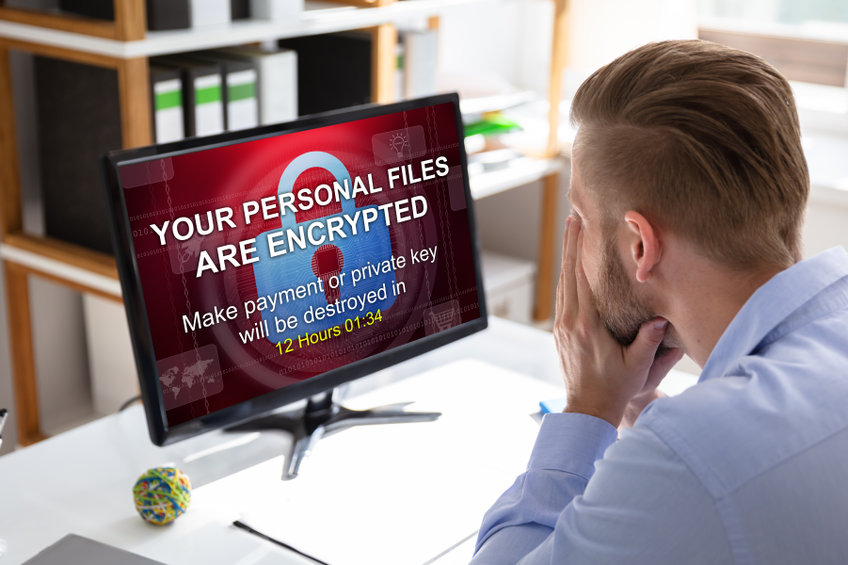
Ransomware attacks are a major issue impacting businesses of all sizes. Understanding how to respond to these attacks is essential in recovering your data without having to pay an expensive ransom. Working with LA IT support professionals is always a smart decision in helping your company overcome these attacks.

Here are a few tips to remember on how to respond to ransomware attacks against your business:

Isolate the Ransomware

The first step is to isolate the infection to avoid causing further issues. Work with IT consulting experts in LA in order to prevent the spread of ransomware. You must also disconnect the infected device from your network and other computers.

Identify the Type of Ransomware

Not all ransomware attacks are the same. Understanding the type of ransomware you are dealing with is important in developing a plan to combat this attack to help you get all of your data back without paying a fee.

Report the Incident

Reporting a ransomware incident to local law enforcement is always recommended. Working with LA IT support professionals can help you gain a better understanding of the location of these attackers, whether it’s based in your area or another country.

Plan Your Course of Action

Paying the ransom is never a good option, and it doesn’t guarantee you that you will get your data back. You can reach out to an IT expert if they can help decrypt the files and remove the malware from your infected devices. If no recovery is possible, it’s a good idea to wipe your entire system to avoid any future issues.

Restore Data Backups

The best way to stay proactive against ransomware is to create data backups. Real-time data backups on the cloud will ensure your information can easily be restored if you are ever the victim of ransomware.

For more information on how to prevent and deal with ransomware, get in touch with us at Advanced Networks. We provide the best cybersecurity protection in LA. Reach out to our IT support team to schedule a free consultation and to learn more about our cybersecurity services.

LA IT Support: Price Hike for Microsoft Office 365 Subscription Plans in 2022

LA IT support professionals advise commercial and business users of Microsoft’s software as a service should get ready to pay more for Office 365 starting next year. This will be Microsoft’s first pricing update for Office 365 since its launch over a decade ago. The increased prices will take effect from March 1, 2022, and will not apply to consumer and education subscriptions.

The New Microsoft Office 365 Subscription Plans

Below is a rundown of the new prices you should expect to pay for Microsoft Office 365 monthly subscription plans: 

  • Microsoft 365 Business Premium will move from $20 to $22 per user
  • Microsoft 365 Business Basic will be $6 per user from $5
  • The Microsoft 365 E3 variant that includes a version of Windows will be $36 per user from $32 
  • Office 365 E1 will rise to $10 from $8 per user
  • Office 365 E3 will be $23 per user instead of $20
  • Office 365 E5 tier will increase to $38 from $35 per user

As you might have noticed, the Microsoft 365 E5 suite pricing will stay unaffected at $57 per user per month. According to Microsoft, not changing the pricing for Microsoft 365 E5 is likely to make it more appealing for many users, considering only 8 percent of its 300 million commercial users use Office 365 E5 Suite. The Firstline worker SKUs, including Microsoft 365 F3 and Microsoft 365 F1, will also remain unaffected by the changes because they are still new in the market.

Reason Behind the Price Increase

While increasing the prices will help Microsoft match its competitors, the primary reason behind the changes is to reflect the increased value the company has delivered to its customers. Increasing the pricing is the other way Microsoft is looking to expand its Office Cloud business. 

Since launching Office 365, Microsoft has added 24 apps to its suites and over 1400 additional features and capabilities in three main areas including:

  • AI and automation– Microsoft 365 includes intelligent capabilities such as AI-powered real-time translation, transcription, and captions.
  • Security and compliance– Security features such as sensitivity labels, data loss prevention for documents and emails, and message encryption have been added to Microsoft 365 suites.
  • Communication and collaboration– Microsoft added over 300 new features to its Teams software, including breakout rooms, live reactions, large gallery view, together mode, raise hand, and background effects.

Partner with a Microsoft- Certified LA IT Support Provider

As you empower your team for a more hybrid and flexible work environment, it’s best to work with a certified Microsoft partner to help reduce your IT expenses and ensure the estate is optimized. At Advanced Networks, we’re a Microsoft-certified partner with decades of experience in Microsoft licensing and IT support. Contact us today if you have questions regarding the upcoming changes, understanding your Microsoft licensing options, or help with all your LA IT support needs.

LA IT Support: Vital Cyber Hygiene Practices to Enhance Security

Today, businesses operate in a fast-evolving threat landscape, making LA IT support vital for seamless operations. According to a recent study, 71% of all cyber security incidents target small and medium-sized enterprises. However, you can avoid most threats if you observe basic cyber hygiene practices.

Cyber hygiene involves basic practices that minimize vulnerability to various cyber-attacks. And while security technology is critical for your business, observing cyber hygiene best practices is what keeps your security technology effective.

Use Strong Passwords and Enable Two-Factor Authentication

While you can leverage IT consulting services in LA and have the most robust cybersecurity technology for your business, it’s futile unless you have strong passwords. Establishing perfect passwords is the basic and easiest way of ensuring system safety. However, human negligence can make passwords a gateway for attackers targeting your systems.

Passwords should comprise unique characters that are not easy to guess. However, even complex passwords are hackable if you don’t use the two-factor authentication feature.

Install Reputable, Updated Antivirus Software, and Programs

Reliable antivirus software will keep your system safe from malware, virus, and malicious programs. Ideally, you should perform regular system scans to maintain a threat-free ecosystem. Having a reputable antivirus is not enough; you must ensure it is constantly updated.

Similarly, it’s prudent to ensure you are using uncorrupt programs and applications. All devices used to access your network must be updated regularly.

Continuous Employee Awareness

Cybersecurity isn’t an exclusive responsibility of your LA IT support team. Your employees can be the weakest link in your security protocols. Regardless of your security measures, your business is susceptible to threats if employees lack sufficient cybersecurity awareness.

The cyber threat landscape is never static, and cybercrime costs will likely surpass the $6 trillion mark by 2021. Strategies that worked yesterday may not be enough to prevent future threats. As part of your cyber hygiene practices, you should ensure all employees know the current threat mitigation strategies and best practices.

Conclusion

With an increasing reliance on technology, businesses should establish robust cyber hygiene practices to maintain optimum security posture. If you want to learn more about best practices in cybersecurity, get in touch with our LA IT support professionals at Advanced Networks.

LA IT Support: Why You Really Need to Update Your Computers Firmware

It is so important now to protect your business against cyber threats. There’s a need to regularly update your software to keep your business running optimally. In particular, you need to pay attention to the firmware of your computers including other devices within your organization. It’s always wise to have your firmware updated by an experienced and knowledgeable LA IT support team to keep your business safe and running smoothly. Here’s how to go about the process of installing and updating your firmware to ensure that your business is safe from cybercriminals.

Firmware Update

According to Microsoft’s 2021 report on security signals, firmware attacks are increasing by the day as hackers become smarter and more sophisticated than most existing computer systems. Usually, attackers inject malware into devices and across different computers on a given network system. Once the malicious software finds its way into your firmware, it’s likely to tamper with the hardware drivers and motherboards, giving cybercriminals a green light to carry out the following illegal activities:

  • Control the devices
  • Disable the antivirus software
  • Exfiltrating business data
  • Blocking access to your devices and vital data

To minimize cases of a data breach in your organization, you need to update your firmware regularly. The update will offer protection against firmware attacks or potential threats to your organization’s cybersecurity. In return, you’ll enjoy enhanced performance and increased speed of your computer system.

Firmware Installation

Although the techniques used in installing firmware may be different from one device to another, firmware installation can help protect your business data as well. For example, you can download or install firmware updates on either Android or iOS devices easily. For devices like routers, you may need to apply the required firmware updates and installation from the administrative console or manufacturer’s websites.

Bear in mind that installing firmware is usually a time-consuming and tedious process that needs to be handled by a professional. A firmware installation and update can easily reset devices and even restore their features to factory settings. As a result, you may end up losing custom configuration and data from your devices.

Also, failure to follow the firmware manufacturer’s instructions can risk you damaging the entire system. Therefore, make sure to find the top tech company in LA to offer IT support during the installation of your business firmware.

Final Thought

Essentially, your firmware plays a critical role in controlling the devices that help run your business well. So, it’s your duty to ensure its protection from the widespread cyber attacks going on today. But you can get help from our LA IT support team for this process. For additional information on your firmware security, installation and updates, contact us at Advanced Networks.

LA IT Support Helps Orchestrate Business and IT Strategies Harmoniously

Avoiding Operational Dissonance

LA IT support is essential in helping you ensure tech budgets facilitate ROI. Return on investment won’t come if you simply buy and apply all new technology the moment it becomes available. New tech is almost always buggy one way or another. Just because an instrument makes music doesn’t mean any old note will do; those notes must be aligned to the primary tune, otherwise there’s no music, only dissonance.

Enabling Operational Harmony

It’s just the same with technology. Of what use is a quantum computer to a taco truck? It’s like a church organ in a garage band; it doesn’t make sense, and there’s no room for competing instrumentation. Business needs and technology needs must be aligned in a way that eschews dissonance and encourages harmony. How can this be accomplished? IT consulting professionals in LA advise the following:

Keep Records and Continuously Tweak Operational Infrastructure

LA IT support providers will first advise, as you acquire new technology, that you need to be careful to log all relevant data. Costs, issues, successes, etc.–all are important. As you see areas that need to be fixed, find ways of fixing them. With instruments, practice makes perfect. With operational infrastructure, keeping records and tweaking accordingly is just like practicing a piece of music.

Assure Company Decision Makers Understand What’s At Stake

An orchestra needs a conductor who understands the tune(s) being played and how to manage varying infrastructural “instrumentation”, if you will. If you’ve got a bad conductor, the best musicians will be out of sorts. Ensure company decision-makers understand the best way to align business and technology such that necessary goals are regularly met.

Consult with IT Professionals to Determine Best Practices

LA IT consulting professionals can help you avoid acquiring technology that won’t be a good fit for your business and help you structure business operations to most effectively utilize available technology.

Putting Together a Melodious Business Infrastructure

LA IT support experts can help you more effectively orchestrate business and technology in a harmonious alignment maximizing operational productivity. To that end, keep records and tweak operations continuously, be sure decision-makers–like conductors–know what they’re about, and consult with IT professionals for best outcomes. For more information, contact us at Advanced Networks.

LA IT Support: Understanding Key Cyber Security Realities

Just as you put a lock on your door or install a burglar alarm at the location of your business, LA IT support experts advise that you should take special care to ensure cyber security solutions for IT environments are properly protective. Cybercrime is big business. In fact, it’s expected to top $10 trillion in annual impact by 2025.

Notable Realities Recommending Cyber Security 

IT consulting experts in Los Angeles advise a number of things, not least of which is the transitory nature of technology. As of 2021, do you realize systems like 911 call centers still operate on Windows OS which has reached its EOL (End Of Life)? Do you realize upgrade costs are sometimes $500k or more? Infrastructure publicly and privately can fall behind, and often that means it’s vulnerable. Here are a few things you should definitely be aware of:

Phishing Emails

Something you’ll find is a very big threat are phishing emails. LA IT support professionals advise that you should regularly updating employees in regard to best practices to avoid being phished. Often, phishers send emails that appear legitimate, but are not. “Spear-phishing” is when high-level managerial staff are targeted owing to their increased access privileges in terms of finances or data.

Ransomware Attacks

Ransomware is malware that holds your files hostage unless you pay a ransom. They can come through phishing, through poor internet use, and even sometimes through unsecured vulnerable areas of operations. The “WannaCry” ransomware worm infiltrated through Server Message Block (SMB) points several years back.

39% of Businesses Tend to Have Security Breaches Annually

According to a UK survey, 39% of businesses–just under 4 out of 10–experienced security breaches over a 12-month period; you can read more about it here. IT support experts recommend firewalls, employee training, antivirus software, regular patching protocols, and switching up security best practices as new solutions become available.

Strengthening Cyber Security

If you’re going to be secure as a business, you need cybersecurity services. Consultation through the right LA IT support provider can determine where your vulnerabilities are and how to patch them up. Contact us at Advanced Networks for ways how to protect your business.

LA IT Support: Significant Business Advantages of the Cloud

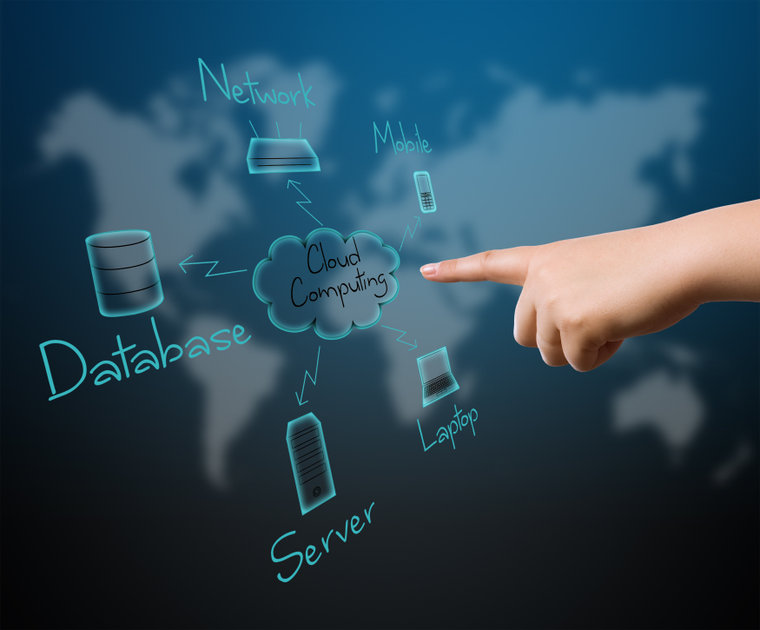
Your business should fully take advantage of cloud technology. Using the cloud makes it possible to perform a variety of tasks, whether it’s working from home, uploading data backups, or using new software. LA IT support experts are optimistic that the cloud computing market will continue to expand due to its many features.

Here’s an overview of the top things to do while using the cloud:

File Hosting

One advantage of cloud services is that it makes it easy for employees to collaborate with each other on multiple projects. These documents stay up to date in real-time. Using the cloud makes it possible for employees to remain productive, whether they are working at home or in the office.

Software-as-a-Service

Software-as-a-Services (SaaS) allows your employees to use different software on the cloud without having to install it on their device. Many LA IT support providers will just charge a fixed cost each month, which is much more affordable than purchasing expensive software for each one of your employees.

Telecommunications

The cloud plays a key role in your daily communications. Data from your emails, video conference calls, and messaging applications are often stored in the cloud. Keeping this data in the cloud frees up space on your device while also reducing the risks of losing this information if your device is ever lost or stolen.

Disaster-Recovery-as-a-Service

Data loss can happen at any time, whether it’s ransomware or an employee mistake. Using the cloud makes it possible to regain access to data while helping you to reduce downtime. Using disaster-recovery-as-a-service (DRaaS) will give you peace of mind while also helping you to stay in compliance.

Cloud computing will only continue to play a bigger role for businesses in a variety of industries. Advanced Networks is one of the leading LA IT support companies that can help your company take advantage of the cloud. Contact us now to learn more about the cloud and our IT services.

Los Angeles Managed IT Support Services Is Now the Norm; The Age of Break-Fix Is Over

Managed services now represent an increasingly popular mode of IT infrastructure management, networks, and applications outsourcing. Unlike the classic break/fix model in which the IT supply takes place from time to time at the request of the client company.

In Los Angeles, managed IT support services provide an annual or multi-year plan covering all needs: from ICT governance to operation management, system and network management to virtualization, application, and data management. 

A compound annual growth rate of 12.7% is forecast for the global managed services market to reach more than 525 billion dollars by 2028. Besides, factors like the jump in cloud adoption, automation, and increased demand from SMEs that have also realized the value of managed services are driving this trend.

The Services Managed in Support of Organizational Changes

The first way managed services support the company concerns adapting to organizational changes, even sudden ones. During lockdowns, companies that had already activated managed services on workstations (PDLs) were able to start remoting all or part of their activities in record time without disrupting daily operations. In this case, managed services acted as a trait-d’union between traditional and “agile” work.

Managed Services Are More Affordable than Ever

The second benefit of managed services is the reduction of overall costs. Although the break/fix model provides for a lower initial cost, especially from the point of view of maintenance, Los Angeles managed IT support services are by far more convenient in the medium-long term. 

An advantage is both on direct costs because they include updates, patches, maintenance, and assistance and indirect costs due to the obsolescence of the hardware and software. 

Managed Services Help Focus on Core Business

Whether you are in the IT market or not, managed services relieve you of the burden of dealing directly with the technology that enables the business. From centralized hardware/software inventory management to licensing, from setting up the environment to managing mobile devices, everything needed on the information technology side is delegated to an external partner. 

Among other things, the latter has the contractual obligation, based on SLAs (Service Level Agreements) agreed with the company, always to guarantee high service standards.

Security and Compliance: Two Aspects that Are Always Present

In the current global scenario, it is not easy to counter threats from cyber-attacks nor to be able to constantly comply with the compliance rules dictated by the various states. If in Europe the GDPR (General Data Protection Regulation) is now in force, in the USA, there is the CCPA (California Consumer Privacy Act), to give two examples.

Managed service providers (MSPs) are great at IT security and have extensive expertise on privacy and data protection regulations. Of course, this overview doesn’t even begin to cover ways that managed IT can drive innovation and make money for your business. If you wish to learn more, contact us at Advanced Networks. Our Los Angeles-based IT support team is ready to help you.