
The Genuine Advantages Your Los Angeles Business Gains from Managed IT Services

The Genuine Advantages Your Los Angeles Business Gains from Managed IT Services

Engaging with Advanced Networks Managed IT Services in Los Angeles can offer numerous benefits to a business, especially when connected to an account manager who guides through IT issues and prepares for the future. Here are some key advantages:

Proactive Issue Resolution:

Proactive IT ManagementProactive issue resolution is a crucial aspect of managed IT services, particularly when facilitated by an experienced account manager. Here’s a more detailed exploration of how this proactive approach benefits your business:

Continuous Monitoring:

Advanced Networks, through the account manager, employs continuous monitoring tools to oversee the health and performance of your IT infrastructure. This involves real-time tracking of servers, networks, and applications, enabling early detection of potential issues.

Predictive Analysis:

By analyzing historical data and trends, the account manager can predict potential problems before they impact your business operations. This proactive analysis allows for preemptive measures to be taken, preventing issues from escalating into major disruptions.

Immediate Response:

When potential issues are identified, the account manager can take immediate action. This may involve deploying patches, updates, or fixes to address vulnerabilities or performance issues before they cause downtime.

Automation of Routine Tasks:

Routine IT tasks and maintenance can be automated to ensure they are performed regularly and consistently. This not only reduces the chances of manual errors but also enhances the overall efficiency of your IT systems.

Capacity Planning:

Proactive issue resolution includes capacity planning, where the account manager assesses the current usage of resources and predicts when additional capacity will be required. This helps in avoiding resource bottlenecks that could lead to slowdowns or failures.

Security Patch Management:

Security vulnerabilities are a significant concern for businesses. The account manager ensures that your systems are regularly updated with the latest security patches, protecting your infrastructure from potential threats.

Regular System Health Checks:

Periodic system health checks are conducted to identify and rectify any anomalies or potential issues. This could involve reviewing logs, analyzing performance metrics, and ensuring that all components of the IT ecosystem are functioning optimally.

User Training and Support:

The account manager may also provide ongoing training to your staff to ensure they are using IT resources efficiently and securely. Additionally, they offer quick and effective support for any user-related issues, minimizing the impact on daily operations.

Documentation and Reporting:

A proactive approach involves maintaining comprehensive documentation of your IT environment. The account manager provides regular reports on the performance, status, and any actions taken, keeping you informed and involved in the health of your IT infrastructure.

By addressing potential issues before they become critical, proactive issue resolution ensures a stable and reliable IT environment for your business. This not only minimizes downtime and disruptions but also allows your team to focus on core business activities, ultimately maximizing productivity and contributing to the overall success of your organization.

Tailored IT Solutions:

With an account manager, your business can receive personalized attention. The manager understands your specific needs and tailors IT solutions to align with your business goals and requirements.Tailored IT Solutions

Engaging with a managed IT services provider, particularly with the dedicated support of an account manager, offers a unique opportunity for businesses to receive tailored IT solutions. This personalized approach involves a deep understanding of your company’s distinct needs and objectives, allowing for the alignment of IT strategies with your overall business goals. Here’s an exploration of how this tailored IT solutions approach can significantly benefit your organization:

In-Depth Needs Assessment:

The account manager begins by conducting a thorough assessment of your business operations, IT infrastructure, and future aspirations. This involves understanding your workflow, user requirements, and any specific challenges your industry may pose.

Customized Technology Stack:

Based on the needs assessment, the account manager works closely with your business to design a customized technology stack. This includes selecting hardware, software, and cloud solutions that specifically address your operational requirements, ensuring optimal efficiency and performance.

Scalability Planning:

The account manager considers the scalability requirements of your business. This involves anticipating future growth and ensuring that the IT solutions implemented are scalable, accommodating expansion without major disruptions or overhauls.

Budgetary Considerations:

Tailored IT solutions take into account your budget constraints. The account manager works collaboratively to find cost-effective solutions that provide the necessary functionality without unnecessary expenditures.

Industry-Specific Compliance:

Understanding the unique regulatory and compliance requirements of your industry, the account manager tailors IT solutions to ensure that your technology infrastructure adheres to all relevant standards, reducing the risk of regulatory issues.

Integration with Existing Systems:

Recognizing that businesses often have existing IT systems in place, the account manager ensures seamless integration with these systems. This minimizes disruptions and ensures a smooth transition to the new or upgraded IT solutions.

User Experience Enhancement:

A focus on tailored solutions extends to enhancing the overall user experience. The account manager identifies ways to improve the usability of IT systems, providing training and support to empower your employees to leverage technology more effectively.

Continuous Optimization:

The account manager doesn’t stop at the initial implementation. They continuously monitor and optimize the IT solutions in response to changing business needs, technological advancements, and emerging opportunities.

Strategic Planning for Technology Adoption:

Keeping an eye on industry trends, the account manager collaborates with your business to strategically adopt emerging technologies that can give you a competitive edge.

Regular Consultations:

A key aspect of tailored IT solutions is ongoing communication. The account manager regularly consults with your business, ensuring that the IT strategies remain aligned with your evolving goals and addressing any emerging challenges.

In summary, the tailored IT solutions approach, guided by the expertise of an account manager, ensures that your business receives not just off-the-shelf technology but a finely crafted IT infrastructure that is uniquely suited to propel your specific objectives. This personalized attention contributes to increased efficiency, better user satisfaction, and a technology environment that evolves in tandem with your business growth.

Strategic Planning:

Strategic planning is a pivotal component of the services offered by a managed IT services provider, particularly when guided by a dedicated account manager. This process transcends the immediate concerns of day-to-day IT operations and delves into the long-term vision of your business. Here’s an in-depth exploration of how strategic planning contributes to the overall success of your IT infrastructure:

Anticipating Future Needs:

  • Strategic planning begins with a forward-looking approach. The account manager collaborates closely with your business to understand its growth trajectory, industry trends, and evolving technological landscape. By forecasting future needs, the IT strategy can be designed to accommodate anticipated expansions and changes.

Scalability Considerations:

  • An integral part of strategic planning involves ensuring that the IT infrastructure is scalable. The account manager assesses your current capacity and plans for the future, implementing solutions that can seamlessly adapt to the evolving demands of your business. This scalability is crucial for preventing disruptions and facilitating smooth transitions during periods of growth.

Technology Roadmap Development:

  • The account manager assists in crafting a comprehensive technology roadmap that outlines the evolution of your IT systems over time. This roadmap serves as a strategic guide, detailing planned upgrades, technology adoptions, and the retirement of outdated systems. It aligns technological advancements with your business goals, fostering a cohesive and purposeful IT strategy.

Alignment with Business Objectives:

  • Strategic planning ensures a direct alignment between IT initiatives and overarching business objectives. The account manager works to understand the specific goals of your organization and tailors the IT strategy accordingly. This alignment fosters a symbiotic relationship, where technology becomes an enabler for achieving broader business aspirations.

Risk Mitigation:

  • Anticipating potential challenges and risks is an integral part of strategic planning. The account manager conducts a thorough risk assessment, identifying vulnerabilities and developing proactive measures to mitigate potential disruptions. This includes cybersecurity measures, disaster recovery planning, and compliance considerations.

Integration of Emerging Technologies:

  • Staying abreast of technological advancements, the account manager strategically integrates emerging technologies that can provide your business with a competitive edge. This might involve adopting innovations such as artificial intelligence, Internet of Things (IoT), or advanced analytics, depending on their relevance to your industry and goals.

Budgetary Planning:

  • Strategic planning encompasses budgetary considerations. The account manager collaborates with your business to allocate resources effectively, ensuring that the IT strategy aligns with financial constraints while maximizing the return on investment.

Regular Reviews and Adjustments:

  • The strategic planning process is iterative. The account manager conducts regular reviews of the IT strategy, making adjustments based on changes in business priorities, technological advancements, or external factors. This adaptive approach ensures that your IT infrastructure remains agile and responsive to evolving circumstances.

In essence, strategic planning, guided by an experienced account manager, transforms IT from a reactive support function into a proactive and integral component of your business strategy. This forward-thinking approach contributes to the resilience, efficiency, and competitiveness of your organization in an ever-evolving business

Cost-Efficiency:

Cost-efficiency is a critical aspect of effective IT management, and the guidance of an experienced account manager plays a pivotal role in achieving financial optimization. This involves not only minimizing immediate expenses but also ensuring that your IT investments align with your business objectives. Here’s a detailed exploration of how an account manager contributes to cost-efficiency in IT decision-making:

Comprehensive Cost Analysis:

  • The account manager conducts a thorough analysis of your current IT expenditures, including hardware, software, maintenance, and support costs. This comprehensive view allows for a detailed understanding of your IT budget and areas where potential cost savings can be realized.

Optimization of IT Resources:

  • By understanding the specific needs of your business, the account manager ensures that IT resources are allocated efficiently. This involves optimizing server capacities, network bandwidth, and software licenses to match your actual usage, preventing overprovisioning and unnecessary expenses.

Vendor Management:

  • Effectively managing relationships with IT vendors is crucial for cost-efficiency. The account manager, drawing on their industry expertise, negotiates favorable contracts, explores bulk purchase discounts, and ensures that your business is getting the best value for its investments in hardware, software, and services.

Technology Rationalization:

  • The account manager evaluates your existing technology stack to identify redundant or underutilized tools. By streamlining your IT ecosystem, unnecessary costs associated with licensing, maintenance, and support for redundant technologies can be eliminated.

Cloud Optimization:

  • If your business utilizes cloud services, the account manager ensures optimal usage. This may involve rightsizing virtual machines, optimizing storage costs, and leveraging reserved instances or spot instances to take advantage of cost savings offered by cloud providers.

ROI Assessment:

  • Before making any significant IT investments, the account manager assists in conducting a thorough return on investment (ROI) analysis. This involves evaluating the anticipated benefits against the costs, ensuring that any new technology or solution brings tangible value to your business.

Budget Planning and Forecasting:

  • The account manager collaborates with your business to develop a realistic and strategic IT budget. By forecasting future IT expenditures, unexpected costs can be minimized, and financial resources can be allocated more efficiently, aligning with your long-term business plans.

Energy Efficiency Considerations:

  • An often overlooked aspect of cost-efficiency is the energy consumption of IT infrastructure. The account manager explores energy-efficient solutions, such as virtualization and optimized hardware configurations, to reduce both operational costs and environmental impact.

Training and User Productivity:

  • Investing in user training and ensuring a productive workforce are part of the cost-efficiency strategy. The account manager may identify opportunities for training programs that empower your employees to use IT resources effectively, reducing the likelihood of costly errors and downtime.

Lifecycle Management:

  • The account manager oversees the lifecycle management of IT assets. This involves planning for the replacement or upgrade of hardware and software before they become outdated or pose security risks, preventing unforeseen costs associated with system failures or breaches.

In essence, the account manager serves as a financial steward for your IT investments, guiding decision-making towards solutions that not only meet your operational needs but also do so in a manner that is cost-effective and aligned with your business objectives. This approach contributes to a sustainable and financially optimized IT environment, ensuring that every dollar spent on technology translates into tangible value for your organization.

Enhanced Security:

Enhanced security is paramount in the digital age, where businesses face an ever-evolving landscape of cybersecurity threats. Advanced Networks, with its focus on next-gen technology, collaborates with your business to implement robust cybersecurity measures. The account manager, as a central figure in this process, plays a crucial role in keeping your business safe from cyber attacks. Here’s an in-depth exploration of how this commitment to enhanced security is realized:Safe Cyber Security Services for Businesses

Threat Intelligence Integration:

  • Advanced Networks employs cutting-edge threat intelligence systems to stay abreast of the latest cybersecurity threats. The account manager ensures that this intelligence is integrated into your security infrastructure, allowing for proactive identification and mitigation of potential risks.

Continuous Monitoring and Detection:

  • Through next-gen technology, the cybersecurity framework is equipped with advanced monitoring and detection tools. These tools constantly analyze network traffic, system logs, and user behavior, swiftly identifying any anomalies that could indicate a potential security threat.

Adaptive Security Measures:

  • Recognizing that cyber threats are dynamic, the account manager oversees the implementation of adaptive security measures. This includes the use of artificial intelligence and machine learning algorithms that evolve and adapt to new threats in real-time, providing a proactive defense against sophisticated attacks.

Multi-Layered Defense Strategies:

  • Enhanced security is achieved through the implementation of multi-layered defense strategies. The account manager collaborates with your business to establish a comprehensive security posture, incorporating firewalls, intrusion detection systems, antivirus software, and encryption to create a resilient defense against diverse attack vectors.

Regular Security Audits and Assessments:

  • A proactive approach involves conducting regular security audits and assessments. The account manager ensures that your cybersecurity measures are tested comprehensively, identifying potential vulnerabilities before they can be exploited by malicious actors.

Incident Response Planning:

  • Despite robust preventive measures, the account manager develops and implements an incident response plan. This includes protocols for rapid response and containment in the event of a security breach, minimizing potential damage and downtime.

Employee Training and Awareness:

  • The account manager recognizes that human factors play a crucial role in cybersecurity. Employee training and awareness programs are implemented to educate staff about potential threats such as phishing attacks, social engineering, and other tactics employed by cybercriminals.

Compliance Management:

  • For businesses subject to industry-specific regulations, the account manager ensures that security measures align with compliance requirements. This includes adhering to standards such as GDPR, HIPAA, or other relevant regulations, providing not only security but also regulatory assurance.

Endpoint Security:

  • Recognizing that endpoints are common targets for cyber attacks, the account manager implements advanced endpoint security solutions. This includes the use of next-gen antivirus software, endpoint detection and response (EDR) systems, and mobile device management to secure all entry points to your network.

Regular Security Updates and Patch Management:

  • Your account manager oversees the timely application of security updates and patches. This essential practice helps in closing potential vulnerabilities and ensures that your systems are fortified against exploits that target outdated software.

In summary, the commitment to enhanced security through next-gen technology is a dynamic and evolving process. The account manager serves as a proactive partner in this journey, continuously assessing the threat landscape, implementing state-of-the-art security measures, and keeping your business informed and prepared to face the challenges posed by the ever-changing cybersecurity landscape. This comprehensive approach aims not just to defend against known threats but to anticipate and counteract emerging risks, safeguarding the integrity and continuity of your business operations.

VCIO (Virtual Chief Information Officer) Reports:

Virtual Chief Information Officer (VCIO) reports stand as a cornerstone in the realm of managed IT services, representing a strategic partnership between businesses and their designated account managers. Often assuming the role of a virtual Chief Information Officer, the VCIO becomes an invaluable asset by delivering strategic insights, technology recommendations, and comprehensive reports that shed light on the performance and health of your IT infrastructure. Let’s delve deeper into the significance and multifaceted aspects of VCIO reports:

Strategic Insights:

  • VCIO reports go beyond the immediate technical details; they encompass strategic insights that align IT initiatives with your overarching business goals. The account manager, acting as the VCIO, provides a high-level view of how technology can be leveraged to drive innovation, enhance competitiveness, and contribute to the long-term success of your business.

Technology Roadmap Development:

  • A pivotal component of VCIO reports is the development of a technology roadmap. This strategic document outlines the planned evolution of your IT systems, incorporating upcoming upgrades, technology adoptions, and considerations for maintaining a modern and efficient technology ecosystem.

Performance Metrics and KPIs:

  • VCIO reports meticulously detail performance metrics and key performance indicators (KPIs) relevant to your IT infrastructure. This includes data on system availability, response times, security incidents, and other critical parameters, offering a quantitative view of how well your IT environment is functioning.

Risk Assessment and Mitigation Strategies:

  • Understanding that cybersecurity threats and other risks are ever-present, VCIO reports include comprehensive risk assessments. The account manager provides insights into potential vulnerabilities and outlines mitigation strategies to fortify your defenses against cyber threats, ensuring a proactive stance against potential disruptions.

Technology Recommendations:

  • VCIO reports provide informed technology recommendations based on industry best practices and emerging trends. This may include suggestions for adopting new technologies that can enhance efficiency, streamline operations, or address specific pain points within your business processes.

Budgetary Considerations:

  • Recognizing the financial aspect of IT management, VCIO reports often incorporate budgetary considerations. The account manager outlines the estimated costs associated with proposed technology initiatives, helping your business make informed decisions that align with your financial constraints.

Compliance and Regulatory Guidance:

  • For businesses operating in regulated industries, VCIO reports address compliance requirements. The account manager ensures that your IT infrastructure aligns with industry-specific regulations and standards, reducing the risk of non-compliance and potential legal implications.

Business Continuity and Disaster Recovery Planning:

  • VCIO reports encompass aspects of business continuity and disaster recovery. The account manager outlines strategies to ensure that your business can swiftly recover from unforeseen disruptions, minimizing downtime and safeguarding critical data and operations.

User Training and Adoption Strategies:

  • Recognizing the importance of user engagement and adoption of new technologies, VCIO reports may include strategies for user training. The account manager outlines plans to empower your staff to effectively use and maximize the benefits of IT resources.

Regular Consultations and Adjustments:

  • VCIO reports are not static documents but part of an ongoing dialogue. The account manager conducts regular consultations to discuss the findings of the report, address any emerging challenges, and make adjustments to the IT strategy based on evolving business needs and technological advancements.

In essence, VCIO reports, delivered by your dedicated account manager, transcend traditional IT reporting by providing a holistic and strategic view of your technology landscape. By merging technical expertise with a keen understanding of your business objectives, the VCIO becomes a trusted advisor, guiding your business towards a technologically advanced, secure, and resilient future. This collaborative approach ensures that your IT investments align with your strategic vision, fostering innovation, efficiency, and long-term success.

Technology Roadmap:

A Technology Roadmap, a fundamental component of managed IT services spearheaded by a Virtual Chief Information Officer (VCIO), transcends the conventional approach to technology planning. It stands as a strategic document that not only charts the course of your IT systems but also integrates seamlessly with your broader business objectives. Let’s delve into the multifaceted aspects of a Technology Roadmap and its pivotal role in shaping the technological trajectory of your business:

Business Alignment:

  • At the core of a Technology Roadmap is the alignment with your long-term business goals. The VCIO collaborates closely with key stakeholders to understand the overarching objectives of your organization, ensuring that every technological initiative is purposefully directed towards advancing these goals.

Forecasting Technological Evolution:

  • A Technology Roadmap doesn’t just focus on the present; it anticipates future technological trends and advancements. The VCIO, leveraging industry insights and market intelligence, ensures that your IT systems are not only current but also well-prepared for upcoming innovations, providing a strategic advantage in a rapidly evolving tech landscape.

Upgrade and Migration Strategies:

  • The roadmap lays out clear strategies for upgrading existing systems and migrating to new technologies. This involves assessing the lifespan of current IT infrastructure, planning for necessary upgrades, and orchestrating seamless transitions to ensure minimal disruption to your business operations.

Scalability Planning:

  • Recognizing the dynamic nature of businesses, the Technology Roadmap incorporates scalability planning. The VCIO ensures that your IT systems can adapt and expand in tandem with the growth of your business, preventing bottlenecks and supporting scalability without the need for major overhauls.

Risk Mitigation Strategies:

  • Anticipating potential risks is integral to the roadmap. The VCIO incorporates risk assessments and develops mitigation strategies to address potential challenges, be they related to cybersecurity threats, technological vulnerabilities, or external factors that could impact your IT infrastructure.

Security Measures and Compliance:

  • The roadmap integrates security measures, ensuring that your IT systems are fortified against evolving cyber threats. It also outlines strategies to maintain compliance with industry-specific regulations, safeguarding sensitive data and mitigating the risk of legal and regulatory issues.

Technology Adoption Timelines:

  • The VCIO establishes clear timelines for the adoption of new technologies. This includes the introduction of innovative tools and methodologies to enhance efficiency, improve processes, and keep your business at the forefront of technological advancements within your industry.

Budgetary Considerations:

  • A pragmatic approach to budgeting is woven into the Technology Roadmap. The VCIO collaborates with your business to develop a realistic budget that aligns with the outlined technological initiatives, ensuring that financial resources are allocated efficiently and transparently.

Communication and Stakeholder Engagement:

  • The VCIO ensures effective communication and engagement with stakeholders throughout the roadmap’s implementation. Regular updates and consultations keep key decision-makers informed, fostering a collaborative environment that promotes understanding and support for the strategic technological direction of the business.

Continuous Review and Adaptation:

  • The Technology Roadmap is not a static document but a dynamic blueprint that undergoes continuous review and adaptation. The VCIO conducts regular assessments, considering changes in business objectives, emerging technologies, and external factors to ensure that the roadmap remains relevant and effective.

In summary, a well-crafted Technology Roadmap, orchestrated by a VCIO as part of managed IT services, is a visionary document that transcends traditional IT planning. It serves as a strategic guide, navigating your business through the intricacies of technological evolution, ensuring resilience, agility, and a sustained competitive edge. The collaboration between the VCIO and your organization becomes a catalyst for innovation, aligning technology with the broader strategic vision of your business.

Regular Reviews and Meetings:

With a dedicated account manager, you can expect regular reviews and meetings to discuss the performance of your IT systems, address any concerns, and plan for future enhancements.

In summary, Advanced Networks Managed IT Services, combined with an assigned account manager and VCIO reports, can provide your business in Los Angeles with a proactive, strategic, and tailored approach to IT management, ensuring your technology supports your business growth and stays ahead of industry trends.
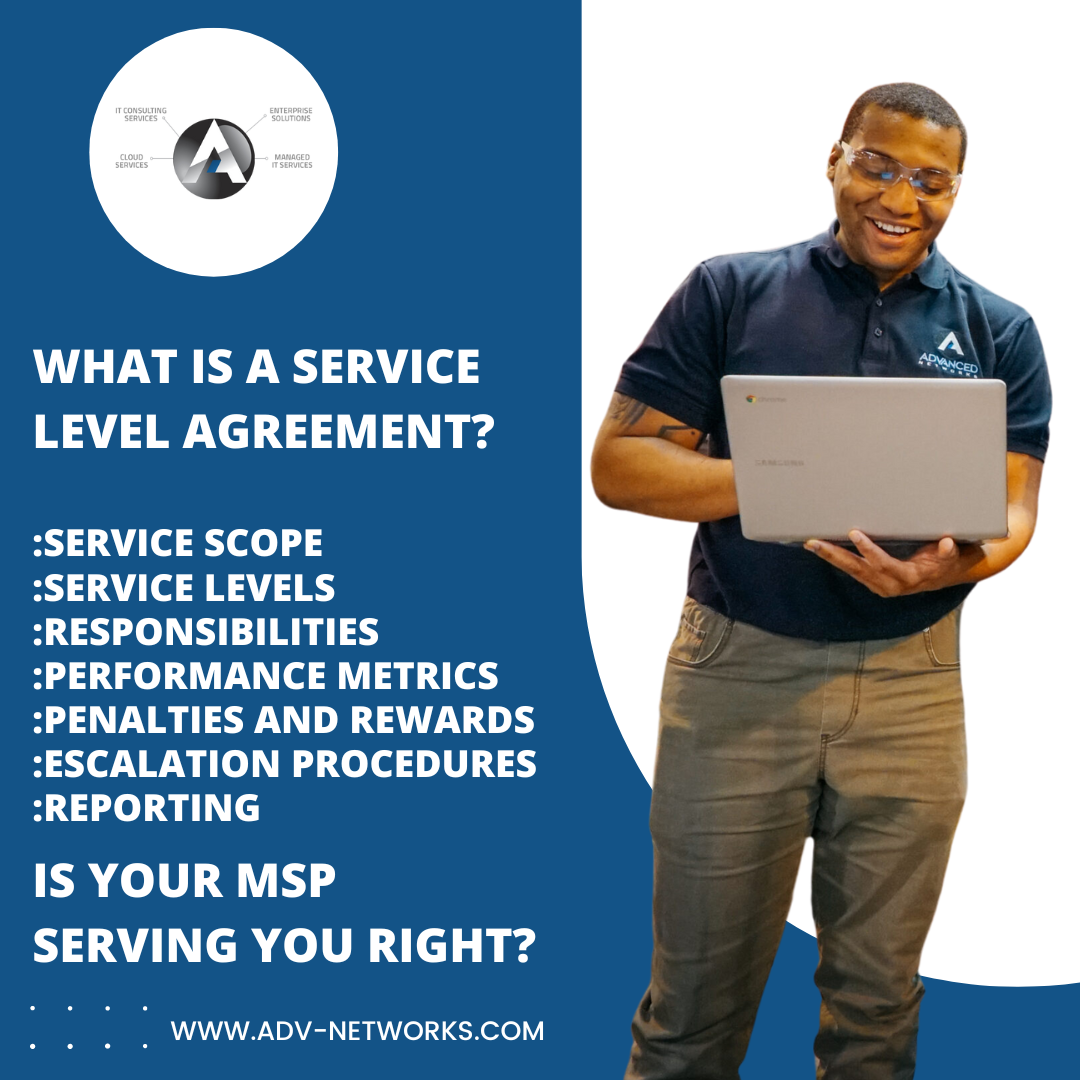
What is a Service Level Agreement – A Definition

What is a Service Level Agreement? We have the definition for You.

Definition: A Service Level Agreement (SLA) is a formal contract or agreement between a service provider and a customer that outlines the level of service the customer can expect. SLAs are common in various industries, including information technology, telecommunications, and business process outsourcing.

Key elements of an SLA typically include:What is a Service Level Agreement?

  1. Service Scope: Defines the services to be provided.
  2. Service Levels: Specifies measurable performance targets or standards that the service provider is expected to meet. This can include response times, resolution times, and uptime percentages.
  3. Responsibilities: Clearly outlines the roles and responsibilities of both the service provider and the customer.
  4. Performance Metrics: Defines how the performance of the service will be measured and assessed.
  5. Penalties and Rewards: Specifies consequences for not meeting the agreed-upon service levels (penalties) and potential rewards or incentives for exceeding them.
  6. Escalation Procedures: Describes the process for handling and escalating issues or disputes.
  7. Reporting: Outlines the frequency and format of performance reports that the service provider will provide to the customer.

SLAs are crucial in ensuring that both parties have a clear understanding of expectations and that the service provider delivers services at the agreed-upon quality. They help manage and maintain a positive relationship between the service provider and the customer.

Definition: Service Scope

The service scopes defines the services that are included in the service level agreement.

The “Service Scope” section of a Service Level Agreement (SLA) outlines the specific services that the service provider is obligated to deliver to the customer. It serves as a comprehensive description of the range and details of the services that the customer can expect. Here are some key aspects typically covered in the Service Scope:

  1. Service Description: Clearly defines each service included in the agreement. This could encompass a wide range of offerings, depending on the nature of the business relationship. For example, in an IT context, services might include software support, system maintenance, help desk services, etc.
  2. Service Boundaries: Specifies the limits and constraints of the services. This helps in avoiding any misunderstandings about what is included and what is not. It may also clarify situations where additional charges may apply for services beyond the agreed-upon scope.
  3. Service Components: Breaks down complex services into individual components or features. This helps in providing a detailed understanding of the various aspects of the services being offered.
  4. Service Hours: Defines the operational hours during which the services will be available. This is crucial for services that need to adhere to specific timeframes, such as customer support or system availability.
  5. Service Locations: Specifies the geographic locations where the services will be provided. This is relevant for businesses that operate in multiple regions or have specific service delivery locations.
  6. Service Exclusions: Clearly identifies any services that are explicitly not covered by the agreement. This helps manage expectations and avoids misunderstandings regarding what the service provider is not responsible for.
  7. Service Upgrades and Enhancements: Addresses how upgrades or enhancements to the services will be handled. This could include provisions for incorporating new technologies or improving service features over time.

By clearly defining the Service Scope, both the service provider and the customer have a shared understanding of what is included in the agreement. This section forms the foundation for the rest of the SLA, ensuring that expectations are aligned and potential issues related to service provision are minimized.

Definition: Service Levels

The “Service Levels” section of a Service Level Agreement (SLA) outlines the specific performance targets or standards that the service provider commits to meeting. These metrics are measurable indicators that help quantify the quality and efficiency of the services being delivered. Here are some common performance targets covered in the Service Levels:

  1. Response Times: This refers to the time it takes for the service provider to acknowledge and respond to a customer’s request or reported issue. Response times are often categorized based on the urgency or severity of the request. For example, critical issues may require a faster response than routine inquiries.
  2. Resolution Times: The resolution time is the duration within which the service provider agrees to resolve and fix a reported problem. It is a crucial metric for services such as technical support, where timely issue resolution is essential for customer satisfaction.
  3. Uptime Percentages: Uptime is a measure of the availability of a service. It is often expressed as a percentage and represents the time during which the service is operational and accessible to users. For example, a 99.9% uptime means the service is expected to be available 99.9% of the time.
  4. Service Reliability: This metric may encompass aspects beyond uptime and could include factors such as system stability, performance consistency, and the ability to handle peak loads without degradation in service quality.
  5. Service Capacity: Specifies the capacity or scalability of the service. This is relevant for services that may experience variable demand, and the service provider commits to ensuring that the capacity is sufficient to meet the customer’s needs.
  6. Security and Compliance Metrics: For services that involve handling sensitive information, the SLA may include specific metrics related to security and compliance. This could include data protection measures, adherence to industry standards, and compliance with relevant regulations.
  7. Quality of Service (QoS): Metrics related to the overall quality of the service, including factors such as data accuracy, performance speed, and user experience.
  8. Monitoring and Reporting: Describes how the service provider will monitor and report on the performance metrics. This includes the frequency and format of performance reports that the service provider will provide to the customer.

These measurable performance targets provide a clear understanding of the expected service quality and allow both the service provider and the customer to assess whether the agreed-upon standards are being met. Regular monitoring and reporting help identify areas for improvement and ensure that the service provider remains accountable for delivering the promised level of service.

Definition: Responsibilities 

The “Responsibilities” section of a Service Level Agreement (SLA) serves as a critical component by clearly defining the roles and responsibilities of both the service provider and the customer. This section helps establish a mutual understanding of who is responsible for what, contributing to the successful implementation and management of the services. Here are key aspects typically covered in the Responsibilities section:

  1. Service Provider Responsibilities:
    • Service Delivery: Clearly outlines the services that the provider is obligated to deliver, including specific tasks and activities.
    • Performance Standards: Defines the measurable performance targets and standards that the service provider is committed to achieving, as outlined in the Service Levels section.
    • Response and Resolution: Describes how the service provider will respond to customer requests, handle reported issues, and meet the specified response and resolution times.
    • Uptime and Availability: Outlines the actions and measures the service provider will take to ensure the agreed-upon uptime and availability percentages are met.
    • Monitoring and Reporting: Details how the service provider will monitor, measure, and report on the performance metrics to the customer.
    • Security and Compliance: Specifies the security measures and compliance requirements that the service provider must adhere to, particularly in industries dealing with sensitive information.
  2. Customer Responsibilities:
    • Information and Cooperation: Requires the customer to provide necessary information and cooperation to facilitate the delivery of services. This could include user access details, system configurations, or other relevant data.
    • Issue Reporting: Outlines the customer’s responsibility to promptly report issues or service disruptions, providing necessary details for effective problem resolution.
    • Access and Permissions: Specifies the customer’s role in providing and managing access permissions required for the service provider to fulfill its responsibilities.
    • Compliance: Requires the customer to adhere to any applicable policies, regulations, or standards necessary for the proper functioning of the services.
    • Testing and Acceptance: Describes the customer’s role in testing and accepting delivered services, ensuring that they meet agreed-upon specifications.
  3. Collaboration and Communication:
    • Communication Protocols: Defines communication channels and protocols between the service provider and the customer for effective collaboration.
    • Escalation Procedures: Outlines the steps and procedures for escalating issues or disputes to higher levels of management if they cannot be resolved at the operational level.

By clearly defining the responsibilities of both parties, the SLA helps prevent misunderstandings, establishes accountability, and provides a basis for effective collaboration. This clarity contributes to a smoother service delivery process and helps maintain a positive and productive relationship between the service provider and the customer.

Definition: Performance Metrics

The “Performance Metrics” section of a Service Level Agreement (SLA) is crucial for establishing the methods and criteria by which the performance of the service will be measured, assessed, and ultimately evaluated. This section ensures transparency and clarity on the metrics that both the service provider and the customer will use to gauge the effectiveness and quality of the services. Here are key components typically covered in the Performance Metrics section:

  1. Key Performance Indicators (KPIs):
    • Response Time: Specifies the time it should take for the service provider to acknowledge and respond to customer requests or reported issues.
    • Resolution Time: Defines the duration within which the service provider commits to resolving and fixing reported problems.
    • Uptime Percentage: Outlines the agreed-upon percentage of time that the service is expected to be operational and accessible to users.
  2. Service Level Objectives (SLOs):
    • Quantifiable Targets: Establishes quantifiable targets for each performance metric, defining what is considered acceptable performance.
    • Thresholds: Sets thresholds for performance metrics, indicating the point at which performance is deemed unsatisfactory.
  3. Quality of Service (QoS) Metrics:
    • Data Accuracy: Specifies the acceptable level of accuracy for data processed or handled by the service.
    • Performance Speed: Defines the expected speed and responsiveness of the service.
    • User Experience: Outlines criteria related to the overall satisfaction and experience of users interacting with the service.
  4. Capacity and Scalability Metrics:
    • Capacity Planning: Describes how the service provider plans to handle variations in demand, ensuring that the service remains scalable and performs well under different loads.
    • Resource Utilization: Measures how efficiently resources are utilized to deliver the service.
  5. Security Metrics:
    • Incident Response Time: Outlines the time frame within which the service provider commits to responding to and addressing security incidents.
    • Compliance Monitoring: Specifies how the service provider will monitor and ensure compliance with security standards and regulations.
  6. Availability and Reliability Metrics:
    • Mean Time Between Failures (MTBF): Measures the average time between service failures.
    • Mean Time to Recovery (MTTR): Specifies the average time it takes to restore the service after a failure.
  7. Monitoring and Reporting:
    • Frequency of Reports: Describes how often performance reports will be generated and shared.
    • Report Format: Specifies the format and content of performance reports, including key metrics, trends, and any deviations from agreed-upon standards.
  8. Benchmarking: May include benchmarking against industry standards or best practices to provide context for evaluating performance.

By defining these performance metrics, the SLA ensures that both parties have a common understanding of the criteria for success and can objectively assess whether the service provider is meeting its obligations. Regular monitoring and reporting help identify areas for improvement and enable data-driven discussions between the service provider and the customer.

Definition: Penalties and Rewards

The “Penalties and Rewards” section of a Service Level Agreement (SLA) outlines the consequences for not meeting the agreed-upon service levels (penalties) and potential rewards or incentives for exceeding them. This section introduces a mechanism to ensure accountability and motivate the service provider to consistently deliver high-quality services. Here are key components typically covered in the Penalties and Rewards section:

  1. Penalties for Non-Compliance:
    • Financial Penalties: Specifies the monetary consequences for failing to meet performance metrics or service levels. This could involve deducting a percentage of fees or imposing fixed penalty amounts.
    • Service Credits: Outlines the conditions under which service credits will be applied. Service credits represent a reduction in the fees charged to the customer and are often proportional to the severity and duration of the service level breach.
  2. Performance Guarantees:
    • Guaranteed Minimum Service Levels: Establishes the minimum acceptable levels for key performance indicators (KPIs). If these minimum levels are not met, penalties may be applied.
    • Graduated Penalties: Defines a tiered penalty structure based on the degree of non-compliance. The severity of the penalty may increase for repeated or prolonged breaches.
  3. Incentives and Rewards:
    • Performance Bonuses: Outlines the conditions under which the service provider may be eligible for performance bonuses or incentives. These are typically tied to exceeding agreed-upon service levels or achieving exceptional performance.
    • Service Level Credits: Specifies scenarios in which the service provider can earn additional service level credits beyond the agreed-upon levels for exceptional performance.
  4. Mutual Agreement for Adjustments:
    • Negotiation for Adjustments: Allows for a negotiation process in the event of extenuating circumstances that may have affected the service provider’s ability to meet the agreed-upon levels. This could involve discussions on adjusting penalties or rewards.
  5. Reporting and Verification:
    • Documentation and Reporting Requirements: Defines the documentation and reporting processes necessary for validating performance levels and determining whether penalties or rewards should be applied.
    • Dispute Resolution: Outlines the process for resolving disputes related to penalties and rewards.
  6. Notification Process:
    • Notification of Breaches: Describes how and when the service provider will be notified of any breaches in service levels and the initiation of penalty processes.
    • Notification of Achievements: Specifies the process for acknowledging and notifying the service provider of exceptional performance deserving of rewards.

Including penalties and rewards in the SLA encourages a proactive approach to maintaining high service quality and incentivizes continuous improvement. It also provides a fair mechanism for addressing performance issues and disputes, fostering a collaborative relationship between the service provider and the customer.

Definition: Escalation Procedures

The “Escalation Procedures” section of a Service Level Agreement (SLA) outlines the process for handling and escalating issues or disputes that may arise during the course of the service delivery. This section is crucial for establishing a structured approach to problem resolution, ensuring that both the service provider and the customer have a clear pathway for addressing and resolving issues. Here are key components typically covered in the Escalation Procedures:

  1. Definition of Issue Severity Levels:
    • Critical Issues: Defines what constitutes a critical or severe issue that requires immediate attention. Critical issues may include system outages, security breaches, or other emergencies.
    • High-Priority Issues: Specifies the characteristics of high-priority issues that are urgent but may not require immediate attention.
  2. Primary Contact Points:
    • Initial Point of Contact: Identifies the initial contact person or team responsible for receiving and addressing reported issues. This is often the first level of support or customer service.
    • Primary Support Teams: Specifies the primary support teams or individuals who handle different types of issues.
  3. Escalation Tiers:
    • Tiered Escalation Structure: Outlines a tiered structure for escalating issues based on severity or complexity. This could involve escalating from lower-level support personnel to higher-level technical experts.
    • Escalation Timeframes: Defines the timeframes within which each tier should respond to and address the reported issue.
  4. Communication Protocols:
    • Notification Process: Describes how and when notifications will be provided to both parties during the escalation process. This ensures transparency and keeps all relevant stakeholders informed.
    • Frequency of Updates: Specifies how often updates or progress reports will be provided during the escalation process.
  5. Escalation Contacts:
    • Contact Information: Provides contact details for individuals or teams at each escalation tier. This includes names, roles, email addresses, and phone numbers.
    • Designated Representatives: Identifies specific representatives from both the service provider and the customer who will be involved in the escalation process.
  6. Resolution Procedures:
    • Action Plans: Describes the steps and action plans that each escalation tier should take to resolve the reported issue.
    • Collaboration and Coordination: Emphasizes the need for collaboration and coordination between the service provider and the customer during the resolution process.
  7. Escalation Closure and Review:
    • Closure Criteria: Specifies the criteria for closing an escalated issue, ensuring that both parties agree on the resolution.
    • Post-Escalation Review: Outlines the process for conducting a post-escalation review to identify root causes, prevent recurrence, and improve future issue resolution.
  8. Dispute Resolution:
    • Dispute Escalation Process: Describes the procedures for escalating disputes related to service levels, penalties, or other disagreements that cannot be resolved at the operational level.

The Escalation Procedures section aims to provide a systematic and transparent approach to addressing issues, ensuring that escalation is a structured process rather than ad-hoc. It helps maintain a collaborative relationship between the service provider and the customer, fostering a sense of accountability and responsiveness.

Definition: Reporting 

The “Reporting” section of a Service Level Agreement (SLA) outlines the specifics of how performance reports will be generated, shared, and communicated from the service provider to the customer. This section is essential for maintaining transparency, tracking progress, and ensuring that both parties have a clear understanding of how the services are performing. Here are key components typically covered in the Reporting section:

  1. Frequency of Reports:
    • Regular Intervals: Specifies the regular intervals at which performance reports will be generated and provided. This could be weekly, monthly, quarterly, or as otherwise agreed upon.
    • Real-Time Reporting: In cases where real-time monitoring is crucial, the SLA may outline procedures for immediate reporting in the event of critical incidents.
  2. Content of Reports:
    • Key Performance Metrics: Identifies the key performance metrics that will be reported. This may include response times, resolution times, uptime percentages, and other relevant indicators defined in the Performance Metrics section.
    • Trends and Patterns: Reports may include analysis of trends and patterns over time, helping both parties identify areas of improvement or potential issues.
    • Comparisons to SLA Targets: Compares actual performance against the agreed-upon service levels and targets outlined in the SLA.
  3. Format of Reports:
    • Structured Format: Defines the structured format in which reports will be presented. This could include tables, graphs, charts, or any other visual representations that facilitate easy comprehension.
    • Customization: Specifies any customization options based on the specific needs or preferences of the customer.
  4. Delivery Method:
    • Delivery Channels: Outlines the channels through which performance reports will be delivered. This could include email, a secure online portal, or other agreed-upon communication methods.
    • Accessibility: Ensures that the chosen delivery method is accessible and convenient for both the service provider and the customer.
  5. Data Accuracy and Validity:
    • Data Sources: Specifies the sources of data used for performance reporting. This ensures that the information presented is accurate, reliable, and relevant.
    • Validation Processes: Describes any validation processes in place to verify the accuracy and validity of the data included in the reports.
  6. Executive Summaries:
    • Summarized Insights: Includes executive summaries that provide high-level insights into the overall performance, highlighting key achievements and areas for improvement.
    • Actionable Recommendations: May include actionable recommendations based on the analysis presented in the reports.
  7. Additional Reporting Requirements:
    • Ad Hoc Reporting: Addresses any provisions for ad hoc reporting in case of specific requests or urgent circumstances.
    • Compliance Reporting: If applicable, outlines reporting related to compliance with industry standards, regulations, or contractual requirements.

The Reporting section ensures that the customer receives timely and relevant information about the performance of the services, empowering them to make informed decisions and hold the service provider accountable. It also serves as a foundation for continuous improvement and collaboration between the two parties.

Summary

In summary, a Service Level Agreement (SLA) is a formal contract between a service provider and a customer that establishes clear expectations and guidelines for the delivery of services. Key components of an SLA include:

  1. Service Scope: Clearly defines the services to be provided, outlining the specific details and components of the service.
  2. Service Levels: Specifies measurable performance targets and standards that the service provider is expected to meet, covering response times, resolution times, uptime percentages, and other relevant metrics.
  3. Responsibilities: Clearly outlines the roles and responsibilities of both the service provider and the customer, establishing accountability and a shared understanding of expectations.
  4. Performance Metrics: Defines how the performance of the service will be measured and assessed, including key performance indicators, service level objectives, and quality of service metrics.
  5. Penalties and Rewards: Outlines consequences for not meeting agreed-upon service levels (penalties) and potential rewards or incentives for exceeding them, fostering accountability and motivation.
  6. Escalation Procedures: Describes the process for handling and escalating issues or disputes, providing a structured approach to problem resolution and collaboration.
  7. Reporting: Outlines the frequency and format of performance reports that the service provider will provide to the customer, ensuring transparency, tracking progress, and facilitating informed decision-making.

These components collectively contribute to a well-defined and structured SLA, promoting a positive and collaborative relationship between the service provider and the customer while ensuring the consistent delivery of high-quality services. Learn more about our Service Level Agreements for our Managed IT Services Los Angeles. 

Orange County Managed IT Services: Tips to Prepare for 5GTechnology Security Threats

Orange County managed IT services

Engaging the services of Orange County Managed IT services providers enables businesses to enjoy the success of 5G wireless technology. For the next coming years, businesses are expected to accelerate exponentially, thanks to the inception of 5G technology. From self-driving delivery trucks, virtual and augmented reality, to an enterprise world of the Internet of Things, 5G technology will possibly bring along the fourth industrial revolution.

However, 5G success significantly depends on its ability to resist, survive, or recover from traditional and arising cyber threats brought by the technology’s complex architecture.

5G Technology Threats

A formal analysis of the 5G technology authentication by researchers from ETH Zurich concluded that 5G would usher in a new era of arising cybersecurity threats. According to the research, the technology presented new risks because:

  • 5G is immature and inconclusively tested technology
  • Provides quick access to huge amounts of data thus broadens the attack surfaces
  • 5G depends on 4G or critical applications

As with 3G and 4G networks, 5G employs a standard Authentication and Key Agreement (AKA), a system that enables networks to trust and rely on each other. However, 5G has two significant vulnerabilities in its AKA system. 5G technology enables malicious users to move usage charges from one user to another account and makes it possible to find nearby devices, which enables easy tracking of other users.

It is because of these unique properties that IT security experts and security operations center leaders should be concerned with 5G technology. Realistically, 5G brings about high costs for new equipment compared to 4G systems. Therefore, enterprise leaders will exert pressure on IT departments to roll out 5G technology on a stressed budget, possibly ignoring the need to address the security issues of the network.

Cultivating a 5G State of Mind

5G is a new technology that will bring about entirely new concepts. You should work with Orange County Managed IT services professionals to ensure that you build a solid foundation of the network’s security. The majority of cybersecurity risks lie in the type of 5G infrastructure installed. 5G will undoubtedly magnify the existing security threats, requiring scaled up protection.

As mentioned, 5G will be expensive to install, and the security to make it functional will also be expensive. As such, you shouldn’t skimp on any area to cover the costs of another. Simply put, you should consider deploying 5G securely or avoid it altogether.

The pressure to roll out 5G deployments is certainly huge. However, smart and slow deployment, which involves building new infrastructure complete with endpoint management solutions, can control this expanding attack surface. You should as well involve the expertise of Orange County Managed IT services providers for a secure installation. At Advanced Networks, we assure you of a secure transition to this fully fletched system. Contact us now for more information.

Orange County Managed IT Services: Which Access Management Solution Best Fits Your Business?

Orange County managed IT services

Orange County managed IT services will likely advice one of two identity access management paradigms: cloud solutions or on-premises management solutions. Both have advantages and disadvantages depending on the situation.

Cloud Identity Access Management and On-Premise

Cloud identity access management uses remote management to make the associated service turnkey. On-premise management is doing the job internally using your own on-site resources. For Irvine IT support experts to make the best advisement, you’ll need to know your own operational parameters. Following, we’ll briefly explore some of the positives either approach offers to help give you a clearer picture.

Cloud Identity Access Management Positives

Orange County managed IT services firm advice cloud identity access management as a cost-effective solution that’s built with flexibility in mind. Here are its primary advantages:

  • As-a-service management, scalability, extensibility
  • High levels of activity support, diverse centralized integration
  • Anywhere access on and off-premise, higher compliance levels

Identity access naturally grows with your company, and this is designed for exceptionally large businesses to use securely. Everything becomes essentially centralized even across diverse departments, access is available wherever secure connections are, and compliance is higher than on-premise solutions generally.

On-Premises Access Management Positives

Irvine IT support experts may advise on-premises access management depending on the size of your business, and your distinct needs. Its advantages include:

  • Greater levels of privacy
  • No middleman between you and access management
  • Operational ability regardless of external access to any network

You can’t get more private than in-house. Also, when you need to change access or let someone in, you can do it more simply without the infrastructure around an external party. Lastly, if external networks are lost, access management isn’t.

Making the Most Appropriate Choice

Orange County managed IT services through Advanced Networks may advise either solution for your business depending on your needs. You could even have a hybrid approach depending on specific access requirements. Contact us for more information to help you make the most informed security choice.

Safeguard Your Business Against Malware with Orange County Managed IT Services

Orange County managed IT services

Orange County managed IT services is going to save you a lot of unnecessary footwork in terms of security. There’s an old saying that says where there isn’t any counsel, plans fail. You want to get good advice from the right people, so you avoid applying security measures that don’t work, and so that you ensure to apply those that do.

There are a lot of different security measures you can take. For most businesses, providers of Irvine IT support services will likely recommend a combination of several tactics that are known to be effective. These include:

Training in Cybersecurity

Orange County managed IT services firm advised you to train personnel pertaining to best practices regarding security. That training can’t be a one-time event. New threats develop with regularity. If you’re going to get the job done right, you need to train your staff in reference to new threats every couple of months. Consulting can help you determine the proper interval.

Firewalls, MFA, and Automated Software Patches

Providers of Irvine IT support advise Multi-Factor Authentication (MFA) for network access; especially as regards operational infrastructure incorporating strong mobile components. Additionally, you’ll want the latest firewalls— old firewall options become vulnerable owing to technological transition. The same is true with antivirus protocols. For both, automated software patches are key in providing comprehensive protection.

Incorporating Professional Security Management

Professional security management through an MSP is the next logical step up the ladder from consultation. Generally, outsourcing security to agencies with a business prerogative built around providing effective security solutions for clients provides you better security than internal measures could.

Comprehensive Security

Orange County managed IT services through Advanced Networks can help you get an idea of what you need to do to protect your business. Common steps include incorporating regular cybersecurity training for personnel, firewalls, MFA, automated software patches, and perhaps the introduction of MSP security options. Contact us for more information.

Orange County Managed IT Services Provider Shares Tips on How to Avoid Spear Phishing Attacks

Orange County managed IT services

With the passing of time, hackers are becoming more cunning in the way in which they execute their criminal activities. Hackers lurk the internet looking for loopholes in both personal and corporate networks with a hope of using these loopholes to gain a foothold into corporate networks. In our line of work as an Orange County managed IT services provider, we have discovered a growing trend of spear phishing attacks directed to new employees by hackers. In this article, we explain why this trend is worrying and how best you can protect your employees, and by extension, your firm against these attacks.

What Are Spear Phishing Attacks?

Spear phishing attacks are electronic or email communication scams that are directed to individuals by hackers. The goal of this attack is to dupe or trick the recipients to click on some link or take some action which would in effect expose them or the network they are on to the hacker.

Why attack the New Employees?

New employees are an easy target for hackers because of the following reasons:

  • The new employees do not know most of the people in the organization – This makes the work of the hacker easy because the hacker can easily concoct a message and send it to the new employee’s email without the employee suspecting much.
  • New employees reveal their job details online – We live in a world where people connect easily via social media. Working as an Orange County managed IT services provider, we have discovered that most new hires expose themselves to hackers by revealing too much of their personal information online. Hackers can use the information these new hires give online to launch an attack directed to your organization.
  • New employees are always out to impress – A new employee would hurriedly respond to an email whose source looks like it is from someone important in the organization. This rushed decision can easily expose the organization’s IT network to some serious vulnerabilities.

So…

How Can You Protect Your IT Infrastructure from Spear Phishing Attacks?

You can protect your IT infrastructure by protecting your new employees from these attacks. This can be done by:

  • Training employees on how to detect these scams
  • Using a robust firewall which monitors inbound and outbound traffic
  • Involve a cybersecurity expert who will offer continuing security awareness training

Parting Shot

Protecting your IT network should rank high on your priority list. To learn more on how to do these, get in touch with Advanced Networks. We are an expert Orange County Managed IT Services Provider that specializes in ensuring businesses such as yours protected online. Contact us now.

Prepare for Cyber Threats with Orange County Managed IT Services

Orange County managed IT services

Orange County managed IT services firms advised businesses that have any sort of virtual profile to carefully acquire and manage sustainable security solutions. The average impact of a ransomware virus on a business is somewhere around $36k. This is only one of many common cybercriminal issues with which you’ll have to contend.

Managed IT services providers in Orange County often specify a number of tactics worth considering as you go about comprehensively securing your business. Three specific tactics you may want to consider include:

Vulnerability Appraisal through Penetration Tests

Orange County managed IT services firms can help you conduct penetration tests which specifically demonstrate where your business is most vulnerable. Every business has a vulnerability, and those vulnerabilities transition as technology does. Getting a penetration test isn’t a one-time thing. You’ll want to conduct tests for vulnerability at regular intervals.

Comprehensively Examining Total Tech Surface Area

Managed IT services providers in Orange County advise additionally pursuing comprehensive tech surface area appraisal. Laptops, desktops, tablets, smartphones, servers, routers, and associated IoT devices can all represent avenues of unlawful entry for cybercriminals.

It’s fundamental that you appraise the totality of operations– -this is especially true if your business conducts some sort of BYOD (Bring Your Own Device) operational infrastructure where many employees access your network remotely. You’ll need security measures to assure they don’t incidentally pave the way for hackers.

Maintaining Updated Security Solutions Perpetually

Once you’ve conducted testing and determined vulnerabilities, you’ll want to update your security and make a habit of continuing to update that security at regular intervals. IT security goalposts are always moving.

Effectively Securing Your Digital Domain

Orange County managed IT services through Advanced Networks can be an integral part of helping your business comprehensively secure the premises. Several tactics include consultation concerning options such as comprehensive vulnerability tests across the surface area of your IT profile, and best practices in maintaining an updated, secure network. Contact us for more information.

Creating a Safer Digital Workplace with Orange County Managed IT Services

Orange County managed IT services

Businesses of all sizes are at risk of suffering a data breach, which is why many firms turn to Orange County managed IT services team.

Cybersecurity should be a major priority for every company. Here are reasons why businesses should explore opportunities with an experienced Irvine IT support firm that lead to better data protection:

Why Hackers Prey Upon Endpoints

The more endpoints your system uses, the more potential entrances you create for cybercriminals. One of their goals is to exploit software weaknesses without current patches available. This strategy is known as a “zero-day attack.” From there they can infect other connected devices. Another goal is to steal confidential information they can sell to other criminals. Some of the most advanced hackers sell confidential financial information in bundles of a million profiles.

How IT Experts Handle Cybersecurity

Endpoint security solutions must be so sophisticated hackers give up. It’s a matter of establishing multiple security layers, so that if antivirus is breached, there’s still another brick wall to get through and then another. Some reliable modern solutions for protecting account information include encryption and complex alphanumeric passwords with special characters. Both hardware and software can be protected with firewalls.

Broader systems require more robust solutions such as virtualization and automated 24/7 monitoring software with machine learning capabilities. One of the most important ways an IT consultant can help your business is to collect and analyze data then spread awareness.

Your Orange County managed IT services team can play a key role in building these security layers for you. The latest technology for endpoint protection uses machine learning that automatically detects unusual traffic patterns and strange activity. Suspicious files and links are put in a “sandbox” so that if any are infected, they will be isolated from the rest of the system.

Conclusion

Adding a seasoned Orange County managed IT services team to your budget can strengthen cybersecurity so that you can focus more on core business goals. Contact us at Advanced Networks to learn more about making your business network more secure.

Keep Hackers Out of Your Computer Network with Orange County Managed IT Services

Orange County managed IT services

Computer networks enhance the productivity of any firm, but— as an Orange County managed IT services provider will tell you, they also pose potential technological threats. Hackers are continually improving their methods and they lurk on the internet looking for weak points and loopholes. The risk is especially higher for small and medium-sized firms without a lot of resources to maintain secure computer networks.

Below are several IT strategies and practices than you can implement to fortify your IT infrastructure:

Make Use of Passwords and Encryption

Hackers commonly exploit weak passwords to access a network and steal information. Such passwords are easy to guess with predictable details like birthdays and pet names. You should refrain from reusing passwords— you can even use a password managing tool if you have many passwords.

Long and complex passwords are tougher to crack, and they should include numbers, symbols, and lowercase and uppercase characters.

You can also implement encryption programs to discourage hackers from accessing and reading the information on your network. Microsoft and Apple users can use BitLocker and FileVault, respectively, and you can also opt for third-party programs like VeraCrypt and AxCrypt. Encryption will make your files useless to any hacker who intercepts it.

Install Firewalls

Firewalls are a vital solution to network security concerns as they separate your network from external elements. Firewalls will keep out unauthorized users and raise the alarm in case of any intrusion attempts. This solution can also be utilized to divide your network into individual security domains, enhancing layers of defense.

All computers that are added to the network should have active firewalls before connecting to the internet. Firms like Cisco sell hardware firewall, and you can invest in Orange County managed IT services to determine the most effective firewalls for your network.

Maintain Updated Software

Your operating system, browser, and applications should be updated at all times. You may need to schedule regular updates to keep up with releases from the manufacturer. Manufacturers release such updates in response to newly identified weaknesses or threats from cybercriminals. Running an outdated software means that you are exposed to those threats that updates sought to fix.

Train Employees

Network security involves all users, which means that your employees should be empowered to maintain secure networks. An employee can unknowingly open an email attachment that contains viruses or can transfer sensitive information without encrypting it. It is crucial to create a company culture that is committed to IT security via regular training and collaboration.

Conclusion

A network breach will not only cost you millions, but it will also harm your firm’s reputation and image. While the above strategies will deter hackers from your network, you will need long-term Orange County managed IT services. At Advanced Networks, we understand that computer security is a continuous and comprehensive process, which is why we have specialized IT experts to guide you through it. Contact us to know how our IT solutions can make your firm hacker-free.

How an Orange County Managed IT Services Firm Can Help You Find the Best Cybersecurity Software for Your Business

Orange County managed IT services

Cybersecurity is a top priority for small businesses, and partnering with an Orange County managed IT services firm gives you the ultimate protection against these threats. However, many businesses are unsure of the best way to keep their network secure from cyber attacks. An IT provider can develop a unique cybersecurity plan for your business, as intrusion detection hardware, antivirus software, and an intrusion prevention system can all play key roles in keeping your network safe.

Here’s a brief overview of the various ways to keep your network safe with the help of a managed IT services provider in Orange County:

Intrusion Prevention System & Intrusion Detection System

An intrusion prevention system (IPS) proactively looks at ways to stop potential threats against your network. Typically, an IPS includes a combination of administrative and technical controls to prevent threats against your network. On the other hand, an intrusion detection system (IDS) retroactively looks at ways to prevent further damage from a network breach. Having an IPS and IDS in place gives your network the ultimate protection against cyber threats.

Antivirus Protection

The use of antivirus protection is important in keeping a device safe against malicious threats. These threats include various forms of malware and viruses. A lack of antivirus protection puts your computer or device at risk against these threats once you connect to another network that doesn’t have an IPS or IDS. Thankfully, an Orange County managed IT services firm can ensure that your antivirus software remains up to date to ensure that your devices are always well-protected against these cyber threats.

An Orange County managed IT services firm like Advanced Networks can give your network the best protection against cyber attacks. Our staff members understand the importance of cybersecurity for small businesses, as we can play an important role in keeping your business network safe and secure. You can also reach out to us at any time, as providing the best customer service is always a top priority. Contact us today to learn more information about our IT services!