IT Consulting in Los Angeles Can Help You Decide if Upgrading to Windows 11 is Right for Business

IT Consulting in Los Angeles Can Help You Decide if Upgrading to Windows 11 is Right for Business

The Final Windows OS?

IT consulting in Los Angeles can help you decide on whether to upgrade the OS of the Windows devices your company uses or not.  Sometimes, this must be done with all haste. In other scenarios, there’s no real need to jump on the latest operating system. It was said that Windows 10 would be their last OS, but that was five years ago. Now Windows 11 entered the scene. Should you upgrade?

Items to Consider Concerning Windows 11

First, understand that Windows 11 will not launch until early 2022. That’s only about five weeks away, so it’s time to start thinking about it. Still, you will have a few bugs in the initial release. You might want to wait a few months before buying. Also, think about the following:

  • Windows 10 EOL is Only 4 Years Away
  • Better Integration and Cloud Support
  • Snap Layouts and Expedited Operations

Windows 10 EOL is Only 4 Years Away

The year 2025 may seem far away. The question is: how long will the transition take? Where are you at financially? Will you be able to afford the financial hit in three years? Will scale-out affect how the upgrade goes? These are the key questions to ask.

Certainly, you can still get help with Windows 10 after Microsoft quits providing customer care. If you stay up-to-date, you can avoid this circumstance. Make sure to keep that in mind.

Better Integration and Cloud Support

IT consulting in Los Angeles will help define the many features of Windows 11. It’s not identical to Windows 10. For example, there is better integration and cloud support through the new OS. Such advantages could collaterally reduce operational static, paying for the cost of upgrade after a few months.

Snap Layouts and Expedited Operations

Snap layouts are very convenient. Between them, optimized integration, and cloud support, you can expect notably expedited operations. You’ll likely have a bit of a learning curve if you go with the first generation of Windows 11. Accordingly, wait for a few versions unless IT consultants advise otherwise.

Making a Balanced, Reasoned Choice

IT consulting in Los Angeles through Advanced Networks advises considering Windows 11 based on your needs as a business. Snap layouts, expedited operations, integration improvement, cloud support, and looming EOL are arguments in favor of Windows 11.

However, all businesses are different. Contact us for more information and advice to help you make the best decision.


IT Support in LA, the PAB, and Securing Your Business From Phishing

IT Support in LA, the PAB, and Securing Your Business From Phishing

What’s Phishing and What’s the PAB?

Your IT support in LA will always advise your business to stay up-to-date on the latest ways to secure operations against cyberattacks.

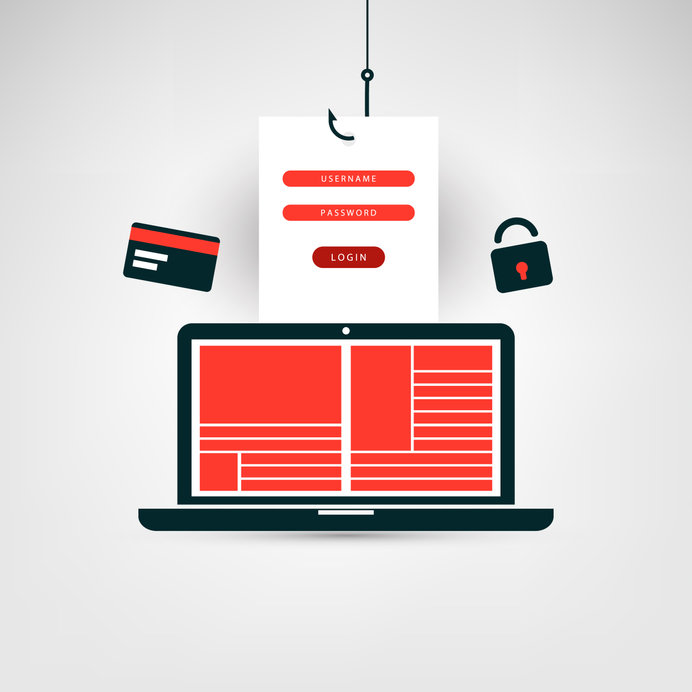
“Phishing” is one of the most pernicious attacks where hackers use emails that seem legitimate to steal information. The Phishing Alert Button, or PAB, can send a message to your IT department. If you add this feature to your email system, a button will appear on all emails. If you suspect a phishing scam, push the button to alert your IT people. They should examine the email in question.

A Closer Look at How the PAB Works in Windows Outlook

First, open the email. Once done, click on the “home” tab and then the PAB. A prompt will appear, asking if you want to report the email. Answer in the affirmative and the email will be immediately deleted from your inbox. Send the email address of the IT team.

Sometimes a “simulating” email will be sent out. Clicking the PAB will result in a message of congratulations. Click continue then you can get back to regular operations.

How PAB Works on Microsoft 365

Different interfaces will have slightly different PAB designs. Your IT support in LA can help you determine which options work best for your business.

With Microsoft 365, there’ll be a dropdown menu from the PAB icon, which will give an alert should there be a suspected phishing attack. A sidebar will confirm your intention to report a possible phishing attempt. Answer “yes” to confirm. A message will pop up to let you know if you are dealing with a real phishing attack or just a mere simulation.

Why The Simulation?

For a PAB to be successful, let your staff get used to it. However, clicking on the button every email might overwhelm the IT department. There should be a middle ground. There should be occasionally simulated emails and then training on how to identify features of potentially dangerous messages.

So in a nutshell, here are the important points for installing a PAB on your email network:

  • Slightly Different Interfaces Define Different PAB Options
  • Education is Important so Employees Know What to Look For
  • Simulated Phishing Attacks Help Keep Everyone on Their Toes

Upgrading Phishing Protection to the PAB

IT support in LA through Advanced Networks can help you use the PAB features for Microsoft Outlook and Microsoft 365. Simulated messages are necessary, as is employee education. Contact us to learn more.

Enlisting an IT Services Provider in Los Angeles to Help Prevent Data Loss

Enlisting an IT Services Provider in Los Angeles to Help Prevent Data Loss

Data protection is critical for every industry today as cybersecurity threats become more sophisticated. IT services in Los Angeles are crucial to help protect your business against data loss. 

Every day, businesses and organizations fall victim to data breaches through malware, ransomware, phishing, and insider threats. Cybercrime is estimated to cost the world $10.5 trillion yearly by 2025. Herein are essential safeguards you can implement to prevent data loss.

1. Develop a Security-First Culture

It’s imperative to foster a security-first culture where data security is everyone’s shared responsibility. The human aspect is often the weakest link in any organization’s cybersecurity. Employees compromise data systems unintentionally or maliciously. 

Take a proactive and ongoing approach to training your workforce on data security threats and countermeasures. Communicate the impact of data breaches on the organization and hold periodic security sessions. Issue rules for mobile devices, internet browsing, email, and social networks.

2. Secure Database Access

Database security is one of the most important aspects of a data loss prevention strategy. You can secure your database through:

  • Database hardening – disable services or features that you aren’t using. Limit privileges and user access to the minimum needed for business operations. You can also enlist an IT services provider in Los Angeles to conduct a security audit of your database.
  • Managing database access – examine who can access what in your database. Limit the number of users with administrative access. Also, reduce dependencies such that one database vulnerability doesn’t impact the entire system.
  • Secure authentication – implement strong password policies for database accounts. Utilize multi-factor authentication for administrative access.
  • Secure communication – databases support several communication channels, including APIs and services. Ensure the communication methods are secured through encryption and authentication.

3. Encourage Password Security Best Practices

Passwords are the first lines of defense against data breaches. However, they are also the “front door” for cybercriminals. Implementing strong password best practices across your organization is a simple way to safeguard your systems from unauthorized access. 

Encourage all your employees to create strong, complex passwords. To increase password complexity, include punctuation, misspellings, alphanumerical character combinations, spaces, and symbols. Other password best practices include excluding personal information from passwords, using different passwords across multiple accounts, and changing passwords periodically.

4. Patch and Update Your Operating Systems and Software

Regular updates and patches are a critical element of any data loss prevention strategy. Cybercriminals exploit software vulnerabilities to infect your systems, leak sensitive data or modify data. Operating system and software updates protect your data from unauthorized access by fixing the vulnerabilities in the software. 

Update your IT infrastructure with the latest software versions and security patches. Also, don’t limit security updates to software patches. Adopt improvements and new features that strengthen your overall cybersecurity.

Conclusion

The importance of data security in today’s cyberthreat landscape necessitates external professional managed services. IT services companies in Los Angeles can help you conduct thorough system audits and implement proactive data protection measures. Advanced Networks understands the significance of data security and the impact it can have on your business. Contact us today to learn more about how we can help you secure your data and manage your IT infrastructure’s security.

IT Support in LA: The Importance of Email Encryption Services

The Importance of Email Encryption Services

Today, email is one of the most utilized communication channels for many organizations, companies, and businesses. Since email is a common communication tool, email security is often easy to overlook. Email encryption services from an IT support provider in LA are crucial to protect sensitive data from cyberattacks.

Email serves as an effective means to engage in two-way interactions or send one-way messages. Unfortunately, hackers see email as an effective target to access sensitive information through malware, phishing, spamming, and spoofing. Email encryption in today’s sophisticated cybersecurity landscape is vital to protect this vulnerable communication tool.

What is Email Encryption?

Email encryption involves encoding the original information (plaintext) into an alternative form (ciphertext), such that only the intended recipient with a decryption key can read it. Unintended parties, including cybercriminals, cannot discern the information if they intercept the email. 

Email encryption relies on public-key cryptography. Using public-key infrastructure, a user can publish a public key that other people can utilize to encrypt messages they send to the user. The user keeps a private key that he/she can use to decrypt those messages.

The Importance of Email Encryption Services

Email encryption services through IT support firms in LA will help you protect private and sensitive information. All companies, regardless of industry, need to maintain privacy when it pertains to company data.

This information may include intellectual property, financial records, access credentials, credit card numbers, social security numbers, trade secrets, and top-level company data. Email encryption ensures unauthorized parties or malicious actors can’t access this information.

Email encryption is also essential for security standards compliance. If your company deals with financial data, medical data, credit card information, student records, or legal records, you may be required to comply with certain regulations such as HIPAA and GDPR.

Most compliance regulations require encryption or strongly encourage the practice. Email encryption services can help you comply with mandated guidelines and cybersecurity standards.

Email encryption also serves authentication purposes. Implementing email security systems enables your employees to differentiate legitimate senders from phishing or spam emails. Authentication through digital signatures prevents hackers from orchestrating attacks, including deceiving users into using false public keys or stealing private keys.

Malicious actors can intercept email systems and resend email messages to trick the recipient into carrying out cyberattacks. Hackers can save and alter intercepted messages that are unencrypted. Email encryption helps you counter message replay attacks. Email encryption services employ random session keys and expiration timestamps to mitigate message replay risk.

Conclusion

Cybersecurity should be a top priority for your company or organization. Advanced Networks understand that email systems are common attack vectors that cybercriminals take advantage of. Email encryption services help protect your sensitive email content, ensuring only intended parties access it. Don’t hesitate to contact our IT support team in LA today to learn more about us and our IT services.

Benefits of IT Services to Law Firms

Benefits of IT Services to Law Firms

Security breaches remain a major concern for all types of businesses. The unprecedented amount of threat posed by cyberattacks makes it necessary for law firms to increase the level of security around them. Through IT services, law firms are able to improve security, increase productivity, reduce cost of operation, and improve compliance.

Law firms keep a large volume of personal, sensitive, and confidential information of their clients. For this reason, the firms are targets for cybercriminals. Therefore, it is essential for law firms to use IT services. The article will discuss the benefit of IT services and managed IT services to law firms in Los Angeles.

Enhanced Security

Managed IT services help law firms get access to state-of-the-art cybersecurity technologies and practices that are mostly limited to enterprise corporations. Since most law firms use case management software, managed IT services monitor and manage the security of your confidential digital information. Advanced Networks can help law firms in Los Angeles with the Managed IT services needed to improve security.

Improved Accessibility

Lawyers often need access to confidential and sensitive information and documents at any time or place. Consequently, it is crucial if access to be secure. The benefit of IT services helps legal professionals to store their files in the cloud where the information is secured and accessible from any Internet-connected device.

Higher Productivity

Slow internet, server breakdown, and other issues involving IT are common in any organization. But, these setbacks hurt the productivity of workers in the organization.

The IT support handles all kinds of IT issues to help organizations reduce server and network downtime through the use of redundancies, security measures, and disaster plans that stop issues or threats that hinder productivity.

Bolster Compliance

Since law firms handle a vast amount of sensitive information about their clients, it is necessary to comply with government regulations for data security. The managed IT services that we provide at Advanced Networks can assist law firms in Los Angeles to bolster compliance with the continually changing government regulations.

Reduced Operational Costs

Working Internet doesn’t only improve productivity but reduces operational costs. The firm will see savings related to floor space, human resources, and infrastructure, etc. According to statistics, managed IT services help reduce IT related expenses by about 25% or more. In addition, the lawyers have round-the-clock access to vital information for a lower cost than before.

Fixed Budgeting

The fixed monthly payment alternative given to law firms by managed IT service providers enables them to know the exact amount they pay for IT services. So the organization can plan for IT expenses instead of being surprised by unexpected costs.

Provides Level Playing Field

Many smaller law firms are not able to pay for in-house IT support services that larger firms keep. In addition, small practices often don’t budget for significant systems upgrades or updates. For this reason, the smaller law firms lag on the technology curve.

Engaging the services of managed service providers offers smaller legal practices a competitive advantage. It also gives them access to smaller technology and greater expertise than larger firms enjoy.

Scalability

Law firms, identical to other businesses, are open to growth and change. With expansion comes a higher need for software upgrades, servers, and desktops, and support systems to manage them well. Working with a managed services provider helps law firms in Los Angeles access recent technologies and the security measures. With this, the law firm can continue operating a growing practice.

Legal Application Expertise

Line-of-business applications (LOB) such as document management systems and cost-recovery systems are critical to the continued success of any legal firm. With the increase in the number of LOBs, the integration of such applications becomes more difficult.

Managed service providers can engineer these apps to work nicely with standard horizontal apps such as Microsoft Office Suite and Adobe Creative Cloud. Also, MSP will help remove a larger portion of frustration and inefficiency.

An experienced IT support from managed service providers working with Law firms is able to participate in potential issues related to the law profession, understanding each practice’s operational needs. Outsourcing IT to managed service providers permits attorneys to focus on their clients and cases without interruption or delays as a result of connectivity or backup concerns.

Proper Coordination

Most law firms operate a business from any locations, and they fail inappropriate coordination. The use of Managed IT Service Provider will help law firms bring uniformity to their operations.

Factors That Will Help You Choose the Ideal Managed IT Services Providers

Business continuity, backed by continuous improvement and innovation is a significant need of many organizations in different sectors. Managed IT Services presents an opportunity, making monitoring and execution of complex IT tasks easier than ever.

For you to decide on which Managed IT Service Providers to choose, consider the following factors:

Your IT Needs And Managed IT Service Providers Offerings

The first thing to consider before making any business deal, identifying the areas of improvement before going for a service provider. Considering this step helps you select a perfect match for your IT needs.

It is best to have a clear match between your requirements and the MSP offering. A perfect IT MSP performs technology auditing, helping you access the current situation, reveal gaps, and areas of improvement.

Market Portfolio and Presence

It is crucial to understand your selected MSP’s portfolio, market presence, experience with firms like yours and previous clients. With this in mind, you will access their capabilities, ability to meet up industry standards, and more.

For this reason, you need to consider these factors because they will give you confidence in moving forward with a specific painter.

Conclusion

As law firms depend on the integrity, confidentiality, and availability of its data, the lack of security awareness can create severe revenue loss and reputational damage. Therefore, a law firm needs to partner with the appropriate Managed IT Service Provider to give them the security they deserve. Contact us today at Advanced Networks to know more about our services. We can offer you Los Angeles law firm a personalized Managed IT solution.

IT Support Providers in LA Helps Diverse Businesses Manage Cloud-to-Cloud Backup Solutions

IT Support Providers in LA Helps Diverse Businesses Manage Cloud-to-Cloud Backup Solutions

What is Cloud-to-Cloud Backup?

A good IT support expert in LA advises data protection safety measures at as many levels of operation as is feasible. A cloud-to-cloud backup uses one cloud network to back up another. This protects you from employee errors that could happen at one cloud facility or another.

Notable Cloud-to-Cloud Advantages

IT services in LA with a cloud-to-cloud backup have an immediate solution for hacks, employee mistakes, or impacts to server arrays on a given cloud. Consider these advantages:

  • Avoids Accidental Deletion
  • Safety From Overwritten Data
  • Protection Against Malicious Cyberattack

Avoiding Accidental Deletion

Your IT support provider in LA will strongly advise having on-site backups. But sometimes with the cloud, data sets are generated, which requires so much space. To do that,  you need to manage a costly on-site server array.

A bigger cloud-reliant business is more likely to fall into this situation. The more likely it is, also, for an employee to accidentally delete something very important. With cloud-to-cloud backup, this problem is considerably diminished.

Being Safe From Overwritten Data

Data can be easily overwritten with storage limitations and the need to maintain forward operational momentum. If this happens with valuable data, cloud-to-cloud backup can allow you to retrieve that data.

Staying Protected Against Malicious Cyberattack

IT services consultants in LA remind customers, large and small, that cybercrime is a pernicious threat that only grows worse. while technology becomes more effective as time goes by 

Your business could be the target of a cyberattack. Sometimes, it’s a cloud provider. Without cloud-to-cloud backup, you could lose everything. This is an unlikely circumstance, but not impossible.

Securing One Cloud Network with Another

IT support in LA through Advanced Networks can help you acquire cloud-to-cloud backup solutions that protect your business against malicious cyberattacks, overwritten data, and accidental deletion from internal error. For more information on cloud-to-cloud backup, and associated best practices, feel free to contact us.

IT Consultants in Los Angeles Help Your Company Overcome Common Tech Issues

IT Consultants in Los Angeles Help Your Company Overcome Common Tech Issues

IT consultants in Los Angeles point out that the modern world is digital and much of that digitization is decentralized. 

Increasingly Central Aspects of Daily Operations

Cloud computing and the Internet of Things (IoT) changed the game. From there, remote operations of a decentralized variety came along and changed it again. 

This sort of constant flux defines tech. That means your business needs to have a handle on it.

Areas of Focus for Your Business

Establish categories of management as a means of simplifying the complication of IT needs. Right now, managed services in Los Angeles suggest exploring the following tactics to help you:

  • Cloud Options and Network Management Plans
  • Proper Consultations about Data Security Issues with New Networks
  • Best Practices Against Backup Issues and Lack of Mobility

Cloud Options and Network Management Plans

IT consultants in Los Angeles help you determine what cloud options are best for your business. Some network management plans incorporate a total cloud solution, others advise hybrid options. Sometimes, you use one cloud subscription to back up another. Consultation helps you find your balance.

Proper Consultations about Data Security Issues with New Networks

New networks will have vulnerabilities based on employee education. They’ll also have issues related to varying interface complications and ongoing management needs. Consultation is key in helping overcome these issues.

Best Practices Against Backup Issues and Lack of Mobility

Managed services providers in Los Angeles strongly advise having backup best practices define data management. Cloud-to-cloud backup was briefly alluded to earlier. Beyond that tactic, on-site backups are smart as well.

However, decentralization makes sense as mobility is at a premium in modern IT circles. The mobile component is playing an increasingly integral part in modern business.

This moving target virtually demands working with tech professionals for security, as well as optimal operations overall.

Working With Consultants to Find the Best Options in IT Management

IT consultants in Los Angeles through Advanced Networks can help you manage varying cloud alternatives to how you manage your network overall. Also, if you’re establishing a new network, MSPs assure network management plans are representative of that change. 

We can also help you determine specific mobility needs and the best solutions to back up your data. To learn more, contact us.

IT Support in LA: Best Practices in Firewall Management

IT Support in LA: Best Practices in Firewall Management

One thing any reputable IT support provider in LA is going to tell you is that firewalls don’t last perpetually. Computational ability exponentially intensifies year over year, meaning the solutions that were cutting-edge last year can be overcome by the latest breakthroughs. Now, it will depend on the digital horsepower of hackers, certainly; but after a few years, if you haven’t updated firewalls, they could be useless.

So what are you supposed to do? Well, you need to primarily focus on two things: one, you need to put together a budget that includes renewing your firewalls at intervals. Two, you need to assess existing firewalls every few months to a year to determine if they’re functioning as intended. Here’s how:

Backup Diverse Firewall Configurations

IT support professionals in LA recommend that configurations for firewalls that work should be backed up on multiple media. Yes, you’ll need to upgrade your configuration(s) over time; but it’s better not to have to reconfigure everything with each new firewall. 

Scan Ports to See if They’re a Security Risk

Some ports into your network represent a means of bypassing firewall security. Working with external MSP professionals can help you determine where such a threat may be an issue, and where it won’t be problematic. Of course, in part this will depend on the sort of industry you’re in and how high profile you are. That said, even an SMB can be vulnerable if it neglects to determine port security risk, and the wrong hacker happens along.

Scans Designed to Test Vulnerability (OpenVAS)

OpenVAS is a great way to test your system for varying vulnerabilities via scan. Audits through MSPs also help here, and tools like OpenVAS are often what they use.

Suggestions and Their Implementation After Firewall Audits

Once an audit has been completed, MSPs will give you suggestions on how you might enhance security. Some will require technical implementation, and that can be a big challenge. Others suggestions are something you can put into effect without much acumen on-site. Different companies have different realities in this area. However, regardless of your company’s size, external audits are wise.

Enhancing Your Firewall Security

Our IT support team in LA can help you audit and implement firewall improvements, scan for vulnerability, scan varying ports to see if they represent a risk, back up diverse firewall configurations, and other best practices associated with firewall management. Contact us at Advanced Networks to learn more.

LA IT Support: Identifying the Main Causes of Computer Crash

LA IT Support: Identifying the Main Causes of Computer Crash

Computer crashing problems are a significant inconvenience, and they could cost you a lot, especially if you are not sure what is causing them. Having a clear idea of the problem makes it easy to resolve it faster and prevent further damage, including data loss. LA IT support experts have identified the most common causes and potential remedies to help you troubleshoot your system or prevent further damage. 

Overheating 

Excess heat is one of the common causes of random crashes of otherwise well-functioning computers. If your computer is not getting enough airflow or the fan is overworking, then the computer will overheat and fail to function correctly, causing a crash. All computers come with a fan to mitigate the heat the computer produces. 

However, they will fail if they are covered with dust and other obstacles or something is blocking the vents. If you are continuously using your computer, and it starts to heat up and produce noise, then your fan is overworking, and you need to let it cool down first. 

Low Disk Space 

Disk space is often at a premium on any computer. The more you get, the more it is taken up by files and software. Games, large software, and multimedia files usually take up so much space that in time there is little memory to run your computer programs resulting in crashes.

At times, you could also be operating several programs that take up much local disk space when they are running, resulting in crashes. You can check your storage settings and the task manager to know the disk resources left and take measures like deleting some files and closing other programs. 

Malicious Software 

Viruses and malware are present in many networks and connections. They could intrude your system through online means like websites and emails or downloaded software. It could also come through offline infected periphery devices. 

Whatever their source, once they infiltrate your system, they hog resources and cause many core functions to malfunction. FortunatelyLA IT support providers have various resources to prevent malicious software attacks and identify and remove them if they infiltrate a system.

Registry Problems 

Windows operating systems have a large pool of files that helps the system function properly, called a registry. With time, the registry could become corrupted, disorganized and some files could go missing. 

These events result in frequent crashes whenever you are using your computer. You can use verified windows cleaner programs to remove obsolete files and automatically carry out repairs. If it does not change or you do not have access to the premium products, call experts to help you out. 

Sometimes you may not be able to fully resolve these issues on your own, and other times it helps prevent them from happening in the first place. If you want expert help in LA to prevent and resolve computer crashes or if you need IT support, don’t hesitate to contact us at Advanced Networks. Let us help you maintain your productivity. 

Benefits of an Outstanding IT Strategy | IT Support in LA

Benefits of an Outstanding IT Strategy | IT Support in LA

An IT strategy is a carefully outlined document that points out the technology needed to effectively run and propel your business to success over a specified period. The main objective of your IT strategy should be to guide you on how to resourcefully apply technology to support your business goals and maintain a competitive edge. An IT support provider in LA can help create an outstanding IT strategy for you — the benefits include:

Proper Planning and Budgeting

Most IT infrastructure is costly; however, an ideal strategy allows flexibility and planning for only what you need. Targeted budgeting is more cost-effective rather than spending a lump sum on things that you might not need. An effective strategy will help you plan and develop a proper budget, especially when shopping for devices and replacing worn-out hardware. An IT strategy enables you to identify what your business needs and understand what to budget for precisely.

Identify Risk

An IT strategy outlines your technology and how the infrastructure and expertise align with your business goals. While every business is prone to risk, an effective IT strategy will let you know in advance the current technology that’s not supporting your business objectives.

Inadequate infrastructure in your business could be faulty backups, outdated workstations that are not compatible with modern applications, or old servers. With this knowledge, you’ll be able to avert any potential loss. In addition to highlighting potential risks, an outstanding IT strategy shares recommendations on reducing or completely erasing them. Whether it’s improving current hardware or applying new knowledge and infrastructure, it helps to have a solid tech strategy.

Better Decision-Making

A tech plan empowers your employees and allows them to execute ideas in line with general business goals. An IT strategy keeps you prepared for any unexpected change. For instance, if your current technology disrupts normal working operations, your IT support provider in LA should have a business continuity plan in place. It’s essential to keep in mind that no technology offers a 100% guarantee of working optimally at all times. Nonetheless, it’s critical to adopt more advanced technology if need be to gain a competitive advantage.

Consult an IT Support Specialist for an Effective IT Strategy for Your Business

It is important to utilize effective IT support and infrastructure that aligns with your business goals. Get an IT support provider in LA today to understand how your present technology is fairing and begin planning for change. Most business owners are skeptical about the workings of an IT consultant strategy since they lack the required knowledge and expertise. In such cases, business owners should consider outsourcing IT support services to IT providers. Professional IT providers possess the necessary knowledge to ensure that your business realizes the full benefits of an IT strategy. Contact Advanced Networks today and allow us to review your current infrastructure and recommend ways to develop an IT strategy.