How can you enhance cybersecurity to protect your sensitive data? For LA & OC Businesses

The Growing Importance of CybersecurityThe Growing importance of Cyber Security

In the rapidly evolving landscape of the digital age, the growing importance of cybersecurity cannot be overstated. As technology continues to advance, our reliance on interconnected systems, cloud computing, and digital platforms has become increasingly integral to both personal and organizational operations. With this dependence, however, comes a heightened vulnerability to malicious cyber threats. Cybersecurity, therefore, plays a pivotal role in ensuring the integrity, confidentiality, and availability of sensitive data in this interconnected world.

The Pervasive Threats to Sensitive Data

The proliferation of cyber threats poses a substantial risk to sensitive data across various sectors. From financial institutions to healthcare organizations, and from government agencies to private enterprises, no entity is immune to the diverse range of threats such as ransomware, phishing attacks, and data breaches. The potential consequences of these threats extend beyond financial losses to include reputational damage and, in some cases, compromise of national security. Acknowledging the pervasive nature of these threats underscores the urgency of implementing robust cybersecurity measures.

The Need for a Comprehensive Approach

Addressing cybersecurity challenges requires a comprehensive and multifaceted approach. A fragmented response is inadequate against the sophisticated tactics employed by cyber adversaries. A holistic strategy encompasses proactive risk management, stringent access controls, continuous monitoring, and ongoing education and training for personnel. Additionally, staying abreast of emerging threats and evolving technologies is imperative in adapting security measures to effectively thwart new and advanced cyber threats. By adopting a comprehensive approach, organizations can establish a resilient defense against the ever-evolving landscape of cyber risks, safeguarding sensitive data and fortifying their digital ecosystems.

Understanding the Threat Landscape

Evolving Cyber Threats

  1. Malware and Ransomware Attacks: Malware and ransomware attacks represent a persistent and evolving threat in the digital landscape. Malicious software, or malware, is designed to infiltrate computer systems with the intent of causing harm, such as stealing sensitive information or disrupting normal operations. Ransomware, a specific type of malware, encrypts a victim’s files and demands a ransom for their release. These attacks continue to adapt, leveraging sophisticated techniques to evade detection and target both individuals and organizations.
  2. Phishing and Social Engineering: Phishing and social engineering tactics exploit human psychology to manipulate individuals into divulging confidential information or performing actions that may compromise security. Phishing involves deceptive emails, messages, or websites that appear legitimate but are crafted to trick recipients into providing sensitive data. Social engineering goes beyond technology, relying on psychological manipulation to gain unauthorized access. As these tactics become more sophisticated, individuals and organizations must remain vigilant and employ effective cybersecurity awareness programs.
  3. Insider Threats: Insider threats involve individuals within an organization who misuse their access and privileges to compromise security. These threats may be intentional, such as disgruntled employees seeking revenge, or unintentional, such as employees inadvertently disclosing sensitive information. Organizations need to implement robust access controls, monitor employee activities, and foster a culture of cybersecurity awareness to mitigate the risks associated with insider threats.

Targeted Industries and Vulnerabilities:

Cyber threats are not evenly distributed across all industries; certain sectors are more frequently targeted due to the nature of their operations or the value of the data they handle. Financial institutions, healthcare organizations, and government agencies are often prime targets due to the abundance of sensitive information they possess. Vulnerabilities arise from outdated software, unpatched systems, or inadequate cybersecurity measures. Organizations must conduct regular risk assessments and invest in comprehensive cybersecurity strategies to address industry-specific challenges.

Real-world Examples of Data Breaches:

Examining real-world examples of data breaches provides valuable insights into the consequences of cybersecurity vulnerabilities. Incidents such as the Equifax breach in 2017, where personal information of millions was compromised, underscore the importance of securing sensitive data. Additionally, the SolarWinds supply chain attack in 2020 highlighted the potential risks associated with third-party dependencies. These incidents emphasize the need for proactive cybersecurity measures, including continuous monitoring, incident response plans, and collaboration within the cybersecurity community.

In summary, comprehending the evolving cyber threat landscape requires an awareness of the diverse tactics employed by malicious actors, industry-specific vulnerabilities, and real-world examples of data breaches. This understanding is crucial for individuals and organizations to develop effective cybersecurity strategies and safeguard against the ever-changing digital threats.

Key Principles of Cybersecurity

Confidentiality, Integrity, and Availability (CIA Triad):

The CIA Triad is a foundational concept in cybersecurity, outlining three essential principles that form the basis of a robust security framework.

Confidentiality:

Confidentiality ensures that sensitive information is protected from unauthorized access. This principle focuses on limiting access to data and resources only to those who are authorized. Encryption, access controls, and secure communication protocols are key components in maintaining confidentiality. By implementing these measures, organizations can safeguard proprietary information, personal data, and intellectual property from potential breaches.

Integrity:

Integrity emphasizes the accuracy and reliability of data and systems. The goal is to prevent unauthorized alteration or tampering of information. Implementing data integrity measures involves using checksums, digital signatures, and access controls. By ensuring the consistency and trustworthiness of data, organizations can maintain the reliability of their systems and build trust with users.

Availability:

Availability ensures that systems and data are accessible and functional when needed. Downtime or disruptions can have severe consequences, making it crucial to design systems that are resilient and capable of withstanding various attacks or failures. Redundancy, failover mechanisms, and disaster recovery plans are integral to maintaining availability. By minimizing downtime, organizations can ensure that critical services remain operational and accessible to users.

Defense-in-Depth Strategy:

The Defense-in-Depth strategy involves implementing multiple layers of security controls to protect against a diverse range of cyber threats. This approach recognizes that no single security measure can provide absolute protection, and a combination of defenses is necessary to create a comprehensive security posture.

Network Security:

Securing the network involves using firewalls, intrusion detection and prevention systems, and virtual private networks (VPNs) to monitor and control incoming and outgoing traffic. By implementing these measures, organizations can defend against unauthorized access and mitigate the risk of network-based attacks.

Endpoint Security:

Protecting individual devices such as computers, smartphones, and servers is crucial. Endpoint security measures include antivirus software, endpoint detection and response (EDR) tools, and device encryption. This helps prevent malware infections, unauthorized access, and data breaches originating from individual devices.

Physical Security:

Physical security is often overlooked but is a critical component of defense in depth. Securing data centers, server rooms, and other critical infrastructure against physical threats like theft, vandalism, or natural disasters complements digital security measures and ensures the overall resilience of an organization’s infrastructure.

Continuous Monitoring and Threat Detection:

Continuous monitoring involves the real-time observation of systems, networks, and data to identify and respond to security incidents promptly. This proactive approach is essential for staying ahead of evolving cyber threats.

Security Information and Event Management (SIEM):

SIEM systems aggregate and analyze log data from various sources to detect and respond to security incidents. By correlating events and identifying patterns, organizations can swiftly identify abnormal activities and potential threats.

Intrusion Detection Systems (IDS) and Intrusion Prevention Systems (IPS):

IDS and IPS are critical components for monitoring and preventing unauthorized access. IDS detects suspicious activities, while IPS actively blocks or mitigates potential threats in real-time. Together, they enhance an organization’s ability to respond to security incidents promptly.

Vulnerability Management:

Regularly assessing and patching vulnerabilities in software, systems, and networks is crucial for maintaining a secure environment. Continuous monitoring allows organizations to identify and address vulnerabilities promptly, reducing the risk of exploitation by malicious actors.

In conclusion, the key principles of confidentiality, integrity, and availability, coupled with the defense-in-depth strategy and continuous monitoring, form the cornerstone of effective cybersecurity. By adopting these principles, organizations can establish a resilient and adaptive security posture in the ever-evolving landscape of cyber threats.

Building a Robust Cybersecurity Framework

Building a robust cybersecurity framework is imperative in today’s digital landscape to safeguard sensitive information and maintain the integrity of systems. This framework encompasses various components aimed at identifying, mitigating, and preventing cyber threats. Let’s delve into key aspects of such a framework:

Risk Assessment and Management:

  • Identifying and Prioritizing Assets:

Begin by cataloging all organizational assets, ranging from hardware and software to data repositories. Prioritize these assets based on their criticality to business operations and the potential impact of a security breach.

  • Assessing Vulnerabilities and Threats:

Conduct regular vulnerability assessments to identify potential weaknesses in systems. Simultaneously, assess current and emerging threats that could exploit these vulnerabilities. Prioritize these threats based on their likelihood and potential impact.

Access Control and Authentication:

Implementing stringent access controls is crucial for preventing unauthorized access to sensitive information.

User Access Management:

Define and enforce user roles and permissions, ensuring that individuals have access only to the resources necessary for their roles.

Multi-Factor Authentication (MFA):

Enhance access security by implementing MFA, requiring users to provide multiple forms of identification before gaining access.

Encryption for Data Protection:

Utilize encryption to protect data at rest and in transit, mitigating the risk of unauthorized access.

Data-at-Rest Encryption:

Encrypt stored data to prevent unauthorized access in case of physical theft or unauthorized access to storage devices.

Data-in-Transit Encryption:

Implement secure communication protocols to encrypt data during transmission, safeguarding it from interception and tampering.

Regular Software Updates and Patch Management:

Frequently updating software is crucial to addressing vulnerabilities and improving overall system security.

Patch Management:

Establish a robust patch management system to regularly update and patch software vulnerabilities. This includes operating systems, applications, and firmware.

Vulnerability Scanning:

Conduct regular vulnerability scans to identify and prioritize systems and software that require immediate attention.

By integrating these components, organizations can create a resilient cybersecurity framework that adapts to evolving threats. Continuous monitoring, regular training, and adapting to emerging cybersecurity trends will further strengthen the overall security posture. Remember, cybersecurity is an ongoing process that requires vigilance and proactive measures to stay ahead of potential threats.

Employee Training and Awareness

Importance of Cybersecurity Education:

In today’s interconnected digital landscape, cybersecurity education is paramount. Employees are often the first line of defense against cyber threats. Understanding the fundamentals of cybersecurity empowers them to recognize potential risks, safeguard sensitive information, and contribute to the overall security of the organization. Cybersecurity education should cover various topics such as identifying social engineering tactics, recognizing malicious software, and understanding the importance of data privacy.

Recognizing and Avoiding Phishing Attempts:

Phishing attacks remain a prevalent threat, and employees must be equipped with the knowledge to identify and thwart these attempts. Training programs should educate employees on the common characteristics of phishing emails, such as suspicious links, unexpected attachments, or requests for sensitive information. Regular simulated phishing exercises can provide hands-on experience, helping employees develop a heightened sense of skepticism and critical thinking when interacting with emails or other communication channels.

Best Practices for Password Management:

Passwords are the frontline defense for securing access to sensitive systems and information. Training should emphasize the importance of creating strong, unique passwords and the risks associated with using easily guessable ones. Employees should be educated on the significance of multi-factor authentication (MFA) and its role in adding an extra layer of security. Regular updates on password policies and best practices, coupled with guidance on securely storing passwords, contribute to a robust defense against unauthorized access.

In summary, an effective Employee Training and Awareness program in cybersecurity serves as a proactive measure against evolving cyber threats. By instilling a culture of security consciousness, organizations can minimize the risk of breaches, protect sensitive data, and foster a resilient cybersecurity environment. Regular updates and refresher courses ensure that employees stay informed about the latest threats and maintain a vigilant stance in the face of ever-changing cybersecurity challenges.

Implementing Advanced Technologies

Implementing Advanced Technologies in cybersecurity is crucial for safeguarding digital assets and mitigating evolving threats. Three key components that play a pivotal role in fortifying cyber defenses are Artificial Intelligence (AI) and Machine Learning (ML), Next-Generation Firewalls (NGFWs), and Endpoint Security Solutions.

Artificial Intelligence and Machine Learning in Cybersecurity:

Artificial Intelligence and Machine Learning have revolutionized the field of cybersecurity by enabling proactive threat detection and response. AI algorithms can analyze vast amounts of data in real-time, identifying patterns and anomalies that might go unnoticed by traditional security measures. Machine Learning models continuously learn from new data, adapting to emerging threats and enhancing the overall efficacy of cybersecurity systems. AI-driven tools also automate routine tasks, allowing cybersecurity professionals to focus on strategic decision-making and threat intelligence analysis.

Next-Generation Firewalls:

Next-Generation Firewalls (NGFWs) represent a significant leap forward from traditional firewalls. These advanced security solutions combine traditional firewall capabilities with additional features such as intrusion prevention, application awareness, and deep packet inspection. NGFWs operate at the application layer, providing granular control over network traffic and preventing unauthorized access. With the ability to analyze and filter content, NGFWs enhance security by blocking malicious websites, malware, and other threats. Additionally, they offer advanced threat intelligence and can integrate with other security components to create a comprehensive defense strategy.

Endpoint Security Solutions:

Endpoint Security Solutions focus on protecting individual devices (endpoints) such as computers, mobile devices, and servers. With the increasing sophistication of cyber threats, securing endpoints has become paramount. These solutions encompass antivirus software, encryption tools, and advanced threat detection capabilities. Endpoint protection employs a multi-layered approach, combining signature-based detection, behavioral analysis, and heuristic analysis to identify and thwart diverse threats. As remote work becomes more prevalent, ensuring the security of endpoints is crucial for maintaining the integrity of organizational networks.

In conclusion, the implementation of AI and ML in cybersecurity enhances threat detection and response, NGFWs provide advanced network defense, and Endpoint Security Solutions secure individual devices in an interconnected digital landscape. Combining these advanced technologies creates a robust cybersecurity framework that is adaptive, proactive, and capable of defending against the ever-evolving threat landscape. Organizations that invest in these technologies not only bolster their security posture but also position themselves to stay ahead in the ongoing arms race against cyber adversaries.

Collaborative Approaches to Cybersecurity

Collaborative approaches to cybersecurity have become increasingly crucial in addressing the ever-evolving landscape of cyber threats. Organizations and governments worldwide recognize the need to work together to strengthen their collective defenses and ensure the resilience of critical infrastructures. Three key pillars of collaborative cybersecurity efforts include Public-Private Partnerships, Information Sharing and Threat Intelligence, and adherence to Industry Standards and Regulations.

Public-Private Partnerships (PPP):

Public-Private Partnerships play a pivotal role in fostering collaboration between government entities and private organizations. By leveraging the strengths of both sectors, PPPs can facilitate the exchange of information, resources, and expertise. Governments can provide regulatory frameworks, threat intelligence, and law enforcement capabilities, while private entities contribute innovative technologies, operational insights, and real-time data on emerging threats. This synergy enhances the overall cybersecurity posture and enables a more comprehensive response to cyber incidents.

Information Sharing and Threat Intelligence:

Timely and accurate information is a critical asset in the cybersecurity realm. Establishing mechanisms for information sharing and threat intelligence exchange allows organizations to stay ahead of cyber adversaries. Collaborative platforms enable the swift dissemination of threat indicators, attack patterns, and vulnerabilities among participating entities. This collective knowledge empowers organizations to proactively implement security measures, update defenses, and respond effectively to emerging threats. Initiatives such as the sharing of cybersecurity incident reports and best practices contribute to a more resilient and interconnected cybersecurity ecosystem.

Industry Standards and Regulations:

Adherence to industry standards and regulations is fundamental for establishing a baseline of cybersecurity practices across different sectors. Collaborative efforts in developing and implementing these standards ensure a unified and robust defense against cyber threats. Governments and industry stakeholders work together to define and enforce regulations that promote cybersecurity best practices, data protection, and incident response protocols. Compliance with these standards not only strengthens individual organizations but also fosters a culture of shared responsibility, creating a more secure digital environment for all stakeholders.

In conclusion, collaborative approaches to cybersecurity, including Public-Private Partnerships, Information Sharing and Threat Intelligence, and Industry Standards and Regulations, are essential for combating the dynamic and sophisticated nature of cyber threats. By leveraging the collective strength of governments, private sector entities, and regulatory frameworks, the global community can create a more resilient and secure cyberspace for the benefit of individuals, businesses, and nations alike.

Incident Response and Recovery

Incident Response and Recovery (IRR) is a crucial component of an organization’s cybersecurity framework, encompassing a systematic approach to handling and mitigating security incidents. This involves the development of a robust Incident Response Plan (IRP), regular testing of incident response procedures, and a continuous learning process from past incidents to enhance future responses.

Developing an Incident Response Plan (IRP):

Creating a comprehensive Incident Response Plan is foundational to effective incident management. The IRP should outline a well-structured and documented set of procedures to follow when a security incident occurs. This involves defining the roles and responsibilities of the incident response team, establishing communication channels, and determining the escalation process. The plan should also include incident identification, containment, eradication, recovery, and lessons learned phases. Regularly updating and refining the IRP in response to changes in the threat landscape, technology, or organizational structure is essential to ensure its effectiveness.

Regularly Testing Incident Response Procedures:

Testing incident response procedures through simulation exercises is vital for assessing the preparedness of the organization to handle real-world security incidents. These exercises can take the form of tabletop simulations, red teaming, or even full-scale drills. Testing helps identify gaps or weaknesses in the incident response process, enabling organizations to refine their procedures and train their response teams effectively. Regular testing not only validates the efficacy of the IRP but also ensures that personnel are familiar with their roles and can respond promptly and effectively in a high-pressure situation.

Learning from Past Incidents to Improve Future Responses:

Post-incident analysis plays a critical role in enhancing an organization’s resilience to cyber threats. After an incident is successfully mitigated, a thorough review should be conducted to identify the root causes, tactics, techniques, and procedures employed by the threat actor. This analysis should extend beyond technical aspects to include an examination of procedural and human factors. Documenting these findings and incorporating them into the organization’s knowledge base allows for continuous improvement. This iterative process helps organizations adapt their IRPs, update security controls, and provide additional training to personnel based on the lessons learned from each incident.

In summary, Incident Response and Recovery is a dynamic and evolving aspect of cybersecurity, requiring proactive measures such as the development of a comprehensive IRP, regular testing of procedures, and a continuous learning culture that draws insights from past incidents. By adhering to these principles, organizations can strengthen their ability to detect, respond to, and recover from security incidents effectively.

Regulatory Compliance

Regulatory Compliance in the realm of data protection is a critical facet that organizations must meticulously navigate to uphold the integrity of their operations. This entails a comprehensive understanding of various data protection regulations worldwide.

Overview of Data Protection Regulations:

In today’s interconnected digital landscape, data protection regulations have become increasingly stringent to safeguard individuals’ privacy and maintain the trust of stakeholders. A pivotal aspect is the General Data Protection Regulation (GDPR) in the European Union, which sets a high standard for data protection globally. It mandates organizations to acquire explicit consent for data processing, disclose data usage purposes, and implement robust security measures.

Additionally, other jurisdictions, such as the California Consumer Privacy Act (CCPA) in the United States and the Personal Information Protection and Electronic Documents Act (PIPEDA) in Canada, have introduced similar frameworks. These regulations emphasize transparency, accountability, and the rights of individuals concerning their personal information.

Ensuring Compliance with Global Standards:

To navigate the complex landscape of data protection regulations, organizations need to adopt a proactive approach. This involves establishing a robust compliance framework that aligns with global standards. Implementing privacy by design principles, conducting regular privacy impact assessments, and appointing a Data Protection Officer are essential steps in this direction.

Moreover, organizations operating across borders must be cognizant of the variances in regulations. Tailoring compliance strategies to adhere to specific jurisdictional requirements ensures a comprehensive and adaptable approach. Utilizing encryption technologies, access controls, and secure data storage practices further fortify an organization’s commitment to global data protection standards.

Transitioning seamlessly between these global standards demands ongoing vigilance, necessitating regular updates to policies and practices in response to evolving regulatory landscapes. This adaptability is crucial to fostering a culture of compliance within an organization.

Penalties for Non-Compliance:

Non-compliance with data protection regulations can have severe consequences, both financially and reputationally. Regulatory bodies have the authority to impose substantial fines for violations, with penalties often scaling proportionally to the severity of the breach. Beyond financial repercussions, organizations may face legal actions, damaged reputations, and a loss of customer trust.

Understanding the potential penalties for non-compliance underscores the importance of a proactive and vigilant approach to regulatory adherence. Organizations must invest in robust data protection measures not only to mitigate the risk of financial penalties but also to demonstrate a commitment to ethical data handling practices.

In conclusion, navigating the intricate landscape of regulatory compliance in data protection necessitates a comprehensive understanding of global standards, a proactive approach to compliance, and a keen awareness of the penalties for non-compliance. By embracing these principles, organizations can safeguard sensitive information, foster trust, and navigate the evolving regulatory terrain with confidence.

The Future of Cyber Security

The landscape of cybersecurity is continually evolving, shaped by emerging technologies and the ever-present threat of malicious actors. As we peer into the future of cybersecurity, several key elements stand out, underscoring the need for constant vigilance and innovation in the realm of digital defense.

Emerging Technologies and Threats:

In the dynamic realm of cybersecurity, staying ahead of emerging technologies is paramount. The proliferation of Internet of Things (IoT) devices, 5G networks, and quantum computing brings both promises and perils. The interconnectivity of IoT devices expands the attack surface, while the unprecedented processing power of quantum computing poses a potential threat to traditional encryption methods.

Furthermore, as technology advances, so do the techniques employed by cybercriminals. The rise of artificial intelligence (AI) in cyberattacks is a growing concern. AI-powered malware can adapt and evolve in real-time, making it increasingly difficult for conventional security measures to keep pace. As we embrace innovations like smart cities, autonomous vehicles, and decentralized networks, the attack vectors diversify, necessitating a proactive and adaptive approach to cybersecurity.

The Role of Artificial Intelligence in Enhancing Security:

Artificial intelligence is not merely a double-edged sword; it is also the shield in the ongoing battle for digital security. AI, when harnessed for defensive purposes, can fortify cybersecurity infrastructure by autonomously identifying and mitigating threats. Machine learning algorithms can analyze vast datasets, detecting patterns and anomalies that may elude human observation.

Moreover, AI can enhance incident response times, providing a swift and effective countermeasure against cyber threats. From predictive analysis to behavioral analytics, artificial intelligence serves as a force multiplier, enabling cybersecurity professionals to anticipate and thwart attacks before they manifest fully.

While AI contributes significantly to defensive strategies, ethical considerations and the risk of adversaries leveraging AI for malicious purposes must not be overlooked. Striking a delicate balance between innovation and security is imperative as the symbiotic relationship between AI and cybersecurity evolves.

Cybersecurity Trends and Predictions:

Looking ahead, several trends and predictions shape the trajectory of cybersecurity. Zero-trust architectures are gaining prominence, advocating for a fundamental shift from perimeter-based security to a model where trust is never assumed, regardless of the user’s location or network connection. This approach reflects the growing realization that traditional defense mechanisms are insufficient in the face of sophisticated cyber threats.

Cloud security continues to be a focal point, with organizations increasingly relying on cloud-based services. This shift prompts the need for robust cloud security measures, emphasizing data encryption, access controls, and continuous monitoring.

As the world becomes more interconnected, the significance of international collaboration in cybersecurity cannot be overstated. Cyber threats transcend borders, demanding a unified and coordinated response from the global community. Governments, businesses, and individuals must collaborate to share threat intelligence, best practices, and resources to fortify the collective defense against cyber adversaries.

The future of cybersecurity is a multifaceted tapestry, woven with the threads of emerging technologies, the symbiotic relationship with artificial intelligence, and the evolving landscape of trends and predictions. Adapting to these dynamics requires a holistic and collaborative approach, ensuring that our digital world remains secure and resilient in the face of ever-evolving cyber threats.

Securing Sensitive Data: Strengthening Cybersecurity Measures for Businesses in the Los Angeles and Orange County Regions.

In conclusion, the continuous evolution of cybersecurity stands as an imperative response to the ever-growing and sophisticated threats in the digital landscape. As technology advances, so do the methods employed by cybercriminals, necessitating a dynamic and proactive approach to safeguarding sensitive data.

The realization of collective responsibility for protecting sensitive data underscores the interconnected nature of our digital world. Organizations, individuals, and governments alike must recognize their role in contributing to a robust cybersecurity ecosystem. Collaborative efforts, information sharing, and the adoption of best practices are essential elements in building a resilient defense against cyber threats.

Looking forward, the path to a secure and resilient cyber landscape requires a multifaceted strategy. Investment in cutting-edge technologies, continuous training and education, and the establishment of international norms and regulations are vital components. Additionally, fostering a culture of cybersecurity awareness and responsibility at all levels will contribute to creating a more secure digital environment.

As we navigate the complex challenges of the digital age, it is crucial to remain vigilant, adaptable, and committed to the ongoing enhancement of cybersecurity measures. By embracing collective responsibility and forging a united front, we can mitigate risks, protect sensitive data, and pave the way for a future where the digital landscape is secure and resilient.

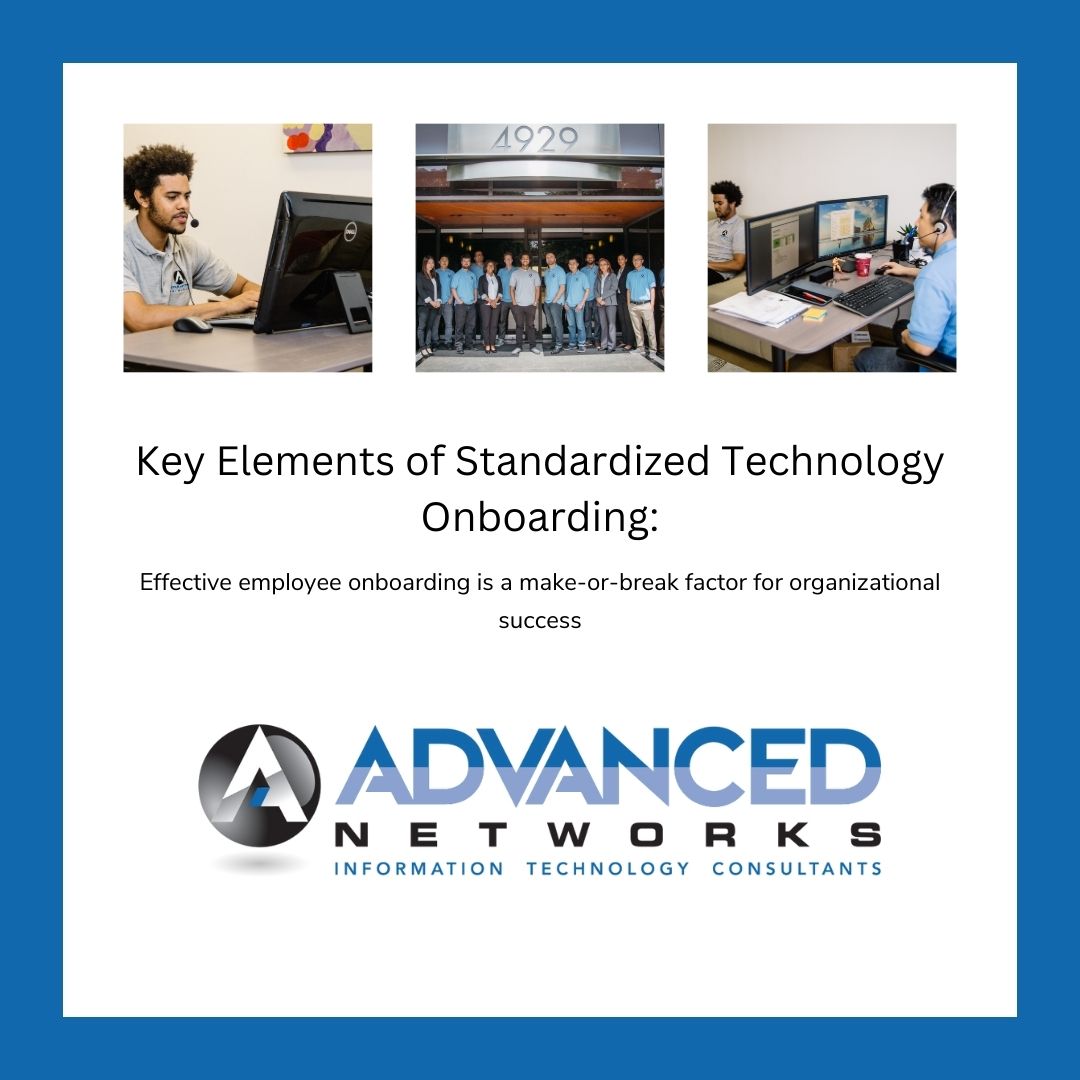
Seamless Onboarding: Elevating Employee Success with Standardized Technology Protocols


Key Elements of Standardized Technology OnboardingSeamless Onboarding: Elevating Employee Success with Standardized Technology Protocols

In the contemporary business landscape, where technological advancements occur at an unprecedented pace, effective employee onboarding is a make-or-break factor for organizational success. Recognizing this, many companies are embracing the idea of standardized technology protocols during the onboarding process. This blog post delves into the myriad advantages and essential components of incorporating standardized technology protocols to ensure a frictionless integration experience for new hires.

  1. Consistency and Efficiency: Inconsistencies during the onboarding process can lead to confusion and delays. Standardized technology onboarding ensures a uniform experience for all new hires, reducing the learning curve and fostering a sense of stability. This consistency, in turn, promotes efficiency as employees can quickly adapt to the established norms.
  2. Faster Integration: Time is of the essence in today’s competitive environment. Standardized technology onboarding expedites the integration of new hires into their roles. When employees are equipped with a standardized set of tools and protocols, they can seamlessly navigate their responsibilities, contributing to projects and tasks more rapidly.
  3. Cybersecurity Preparedness: With cyber threats becoming increasingly sophisticated, cybersecurity training is non-negotiable. Standardized technology onboarding ensures that everyThe Importance of Standardized Technology Onboarding
  4. employee is well-versed in security best practices from day one. This early education is a proactive measure to fortify the organization against potential cybersecurity risks.

Key Elements of Standardized Technology Onboarding:

  1. Digital Training Modules: Develop interactive and engaging digital training modules covering the essential technology tools, software, and security protocols. These modules should be easily accessible, allowing employees to revisit and reinforce their knowledge at their own pace. Utilize multimedia elements, simulations, and quizzes to enhance engagement.
  2. Documentation and Resources: Comprehensive documentation and resources serve as a reference guide for employees. This includes easily understandable information on company policies, IT procedures, and troubleshooting guides. A well-organized and accessible knowledge base empowers employees to navigate technology challenges independently.
  3. Interactive Workshops: Complement digital modules with live and interactive workshops or webinars. These sessions provide new hires with an opportunity to interact with IT professionals, ask questions, and engage in hands-on activities. The collaborative nature of workshops fosters a supportive learning environment and builds a sense of community.
  4. Feedback Mechanism: Establish a feedback loop to continuously improve the onboarding process. Encourage new hires to provide insights on their technology training experience. This feedback can be invaluable in refining content, identifying areas for improvement, and ensuring that the onboarding process remains dynamic and responsive to evolving needs.

Standardized technology onboarding is more than a procedural checkbox; it is a strategic investment in the long-term success of both employees and the organization. By adopting a consistent and comprehensive approach to technology training, companies create a foundation for sustained growth, innovation, and resilience in an ever-evolving digital landscape.

What is a Service Level Agreement – A Definition

What is a Service Level Agreement? We have the definition for You.

Definition: A Service Level Agreement (SLA) is a formal contract or agreement between a service provider and a customer that outlines the level of service the customer can expect. SLAs are common in various industries, including information technology, telecommunications, and business process outsourcing.

Key elements of an SLA typically include:What is a Service Level Agreement?

  1. Service Scope: Defines the services to be provided.
  2. Service Levels: Specifies measurable performance targets or standards that the service provider is expected to meet. This can include response times, resolution times, and uptime percentages.
  3. Responsibilities: Clearly outlines the roles and responsibilities of both the service provider and the customer.
  4. Performance Metrics: Defines how the performance of the service will be measured and assessed.
  5. Penalties and Rewards: Specifies consequences for not meeting the agreed-upon service levels (penalties) and potential rewards or incentives for exceeding them.
  6. Escalation Procedures: Describes the process for handling and escalating issues or disputes.
  7. Reporting: Outlines the frequency and format of performance reports that the service provider will provide to the customer.

SLAs are crucial in ensuring that both parties have a clear understanding of expectations and that the service provider delivers services at the agreed-upon quality. They help manage and maintain a positive relationship between the service provider and the customer.

Definition: Service Scope

The service scopes defines the services that are included in the service level agreement.

The “Service Scope” section of a Service Level Agreement (SLA) outlines the specific services that the service provider is obligated to deliver to the customer. It serves as a comprehensive description of the range and details of the services that the customer can expect. Here are some key aspects typically covered in the Service Scope:

  1. Service Description: Clearly defines each service included in the agreement. This could encompass a wide range of offerings, depending on the nature of the business relationship. For example, in an IT context, services might include software support, system maintenance, help desk services, etc.
  2. Service Boundaries: Specifies the limits and constraints of the services. This helps in avoiding any misunderstandings about what is included and what is not. It may also clarify situations where additional charges may apply for services beyond the agreed-upon scope.
  3. Service Components: Breaks down complex services into individual components or features. This helps in providing a detailed understanding of the various aspects of the services being offered.
  4. Service Hours: Defines the operational hours during which the services will be available. This is crucial for services that need to adhere to specific timeframes, such as customer support or system availability.
  5. Service Locations: Specifies the geographic locations where the services will be provided. This is relevant for businesses that operate in multiple regions or have specific service delivery locations.
  6. Service Exclusions: Clearly identifies any services that are explicitly not covered by the agreement. This helps manage expectations and avoids misunderstandings regarding what the service provider is not responsible for.
  7. Service Upgrades and Enhancements: Addresses how upgrades or enhancements to the services will be handled. This could include provisions for incorporating new technologies or improving service features over time.

By clearly defining the Service Scope, both the service provider and the customer have a shared understanding of what is included in the agreement. This section forms the foundation for the rest of the SLA, ensuring that expectations are aligned and potential issues related to service provision are minimized.

Definition: Service Levels

The “Service Levels” section of a Service Level Agreement (SLA) outlines the specific performance targets or standards that the service provider commits to meeting. These metrics are measurable indicators that help quantify the quality and efficiency of the services being delivered. Here are some common performance targets covered in the Service Levels:

  1. Response Times: This refers to the time it takes for the service provider to acknowledge and respond to a customer’s request or reported issue. Response times are often categorized based on the urgency or severity of the request. For example, critical issues may require a faster response than routine inquiries.
  2. Resolution Times: The resolution time is the duration within which the service provider agrees to resolve and fix a reported problem. It is a crucial metric for services such as technical support, where timely issue resolution is essential for customer satisfaction.
  3. Uptime Percentages: Uptime is a measure of the availability of a service. It is often expressed as a percentage and represents the time during which the service is operational and accessible to users. For example, a 99.9% uptime means the service is expected to be available 99.9% of the time.
  4. Service Reliability: This metric may encompass aspects beyond uptime and could include factors such as system stability, performance consistency, and the ability to handle peak loads without degradation in service quality.
  5. Service Capacity: Specifies the capacity or scalability of the service. This is relevant for services that may experience variable demand, and the service provider commits to ensuring that the capacity is sufficient to meet the customer’s needs.
  6. Security and Compliance Metrics: For services that involve handling sensitive information, the SLA may include specific metrics related to security and compliance. This could include data protection measures, adherence to industry standards, and compliance with relevant regulations.
  7. Quality of Service (QoS): Metrics related to the overall quality of the service, including factors such as data accuracy, performance speed, and user experience.
  8. Monitoring and Reporting: Describes how the service provider will monitor and report on the performance metrics. This includes the frequency and format of performance reports that the service provider will provide to the customer.

These measurable performance targets provide a clear understanding of the expected service quality and allow both the service provider and the customer to assess whether the agreed-upon standards are being met. Regular monitoring and reporting help identify areas for improvement and ensure that the service provider remains accountable for delivering the promised level of service.

Definition: Responsibilities 

The “Responsibilities” section of a Service Level Agreement (SLA) serves as a critical component by clearly defining the roles and responsibilities of both the service provider and the customer. This section helps establish a mutual understanding of who is responsible for what, contributing to the successful implementation and management of the services. Here are key aspects typically covered in the Responsibilities section:

  1. Service Provider Responsibilities:
    • Service Delivery: Clearly outlines the services that the provider is obligated to deliver, including specific tasks and activities.
    • Performance Standards: Defines the measurable performance targets and standards that the service provider is committed to achieving, as outlined in the Service Levels section.
    • Response and Resolution: Describes how the service provider will respond to customer requests, handle reported issues, and meet the specified response and resolution times.
    • Uptime and Availability: Outlines the actions and measures the service provider will take to ensure the agreed-upon uptime and availability percentages are met.
    • Monitoring and Reporting: Details how the service provider will monitor, measure, and report on the performance metrics to the customer.
    • Security and Compliance: Specifies the security measures and compliance requirements that the service provider must adhere to, particularly in industries dealing with sensitive information.
  2. Customer Responsibilities:
    • Information and Cooperation: Requires the customer to provide necessary information and cooperation to facilitate the delivery of services. This could include user access details, system configurations, or other relevant data.
    • Issue Reporting: Outlines the customer’s responsibility to promptly report issues or service disruptions, providing necessary details for effective problem resolution.
    • Access and Permissions: Specifies the customer’s role in providing and managing access permissions required for the service provider to fulfill its responsibilities.
    • Compliance: Requires the customer to adhere to any applicable policies, regulations, or standards necessary for the proper functioning of the services.
    • Testing and Acceptance: Describes the customer’s role in testing and accepting delivered services, ensuring that they meet agreed-upon specifications.
  3. Collaboration and Communication:
    • Communication Protocols: Defines communication channels and protocols between the service provider and the customer for effective collaboration.
    • Escalation Procedures: Outlines the steps and procedures for escalating issues or disputes to higher levels of management if they cannot be resolved at the operational level.

By clearly defining the responsibilities of both parties, the SLA helps prevent misunderstandings, establishes accountability, and provides a basis for effective collaboration. This clarity contributes to a smoother service delivery process and helps maintain a positive and productive relationship between the service provider and the customer.

Definition: Performance Metrics

The “Performance Metrics” section of a Service Level Agreement (SLA) is crucial for establishing the methods and criteria by which the performance of the service will be measured, assessed, and ultimately evaluated. This section ensures transparency and clarity on the metrics that both the service provider and the customer will use to gauge the effectiveness and quality of the services. Here are key components typically covered in the Performance Metrics section:

  1. Key Performance Indicators (KPIs):
    • Response Time: Specifies the time it should take for the service provider to acknowledge and respond to customer requests or reported issues.
    • Resolution Time: Defines the duration within which the service provider commits to resolving and fixing reported problems.
    • Uptime Percentage: Outlines the agreed-upon percentage of time that the service is expected to be operational and accessible to users.
  2. Service Level Objectives (SLOs):
    • Quantifiable Targets: Establishes quantifiable targets for each performance metric, defining what is considered acceptable performance.
    • Thresholds: Sets thresholds for performance metrics, indicating the point at which performance is deemed unsatisfactory.
  3. Quality of Service (QoS) Metrics:
    • Data Accuracy: Specifies the acceptable level of accuracy for data processed or handled by the service.
    • Performance Speed: Defines the expected speed and responsiveness of the service.
    • User Experience: Outlines criteria related to the overall satisfaction and experience of users interacting with the service.
  4. Capacity and Scalability Metrics:
    • Capacity Planning: Describes how the service provider plans to handle variations in demand, ensuring that the service remains scalable and performs well under different loads.
    • Resource Utilization: Measures how efficiently resources are utilized to deliver the service.
  5. Security Metrics:
    • Incident Response Time: Outlines the time frame within which the service provider commits to responding to and addressing security incidents.
    • Compliance Monitoring: Specifies how the service provider will monitor and ensure compliance with security standards and regulations.
  6. Availability and Reliability Metrics:
    • Mean Time Between Failures (MTBF): Measures the average time between service failures.
    • Mean Time to Recovery (MTTR): Specifies the average time it takes to restore the service after a failure.
  7. Monitoring and Reporting:
    • Frequency of Reports: Describes how often performance reports will be generated and shared.
    • Report Format: Specifies the format and content of performance reports, including key metrics, trends, and any deviations from agreed-upon standards.
  8. Benchmarking: May include benchmarking against industry standards or best practices to provide context for evaluating performance.

By defining these performance metrics, the SLA ensures that both parties have a common understanding of the criteria for success and can objectively assess whether the service provider is meeting its obligations. Regular monitoring and reporting help identify areas for improvement and enable data-driven discussions between the service provider and the customer.

Definition: Penalties and Rewards

The “Penalties and Rewards” section of a Service Level Agreement (SLA) outlines the consequences for not meeting the agreed-upon service levels (penalties) and potential rewards or incentives for exceeding them. This section introduces a mechanism to ensure accountability and motivate the service provider to consistently deliver high-quality services. Here are key components typically covered in the Penalties and Rewards section:

  1. Penalties for Non-Compliance:
    • Financial Penalties: Specifies the monetary consequences for failing to meet performance metrics or service levels. This could involve deducting a percentage of fees or imposing fixed penalty amounts.
    • Service Credits: Outlines the conditions under which service credits will be applied. Service credits represent a reduction in the fees charged to the customer and are often proportional to the severity and duration of the service level breach.
  2. Performance Guarantees:
    • Guaranteed Minimum Service Levels: Establishes the minimum acceptable levels for key performance indicators (KPIs). If these minimum levels are not met, penalties may be applied.
    • Graduated Penalties: Defines a tiered penalty structure based on the degree of non-compliance. The severity of the penalty may increase for repeated or prolonged breaches.
  3. Incentives and Rewards:
    • Performance Bonuses: Outlines the conditions under which the service provider may be eligible for performance bonuses or incentives. These are typically tied to exceeding agreed-upon service levels or achieving exceptional performance.
    • Service Level Credits: Specifies scenarios in which the service provider can earn additional service level credits beyond the agreed-upon levels for exceptional performance.
  4. Mutual Agreement for Adjustments:
    • Negotiation for Adjustments: Allows for a negotiation process in the event of extenuating circumstances that may have affected the service provider’s ability to meet the agreed-upon levels. This could involve discussions on adjusting penalties or rewards.
  5. Reporting and Verification:
    • Documentation and Reporting Requirements: Defines the documentation and reporting processes necessary for validating performance levels and determining whether penalties or rewards should be applied.
    • Dispute Resolution: Outlines the process for resolving disputes related to penalties and rewards.
  6. Notification Process:
    • Notification of Breaches: Describes how and when the service provider will be notified of any breaches in service levels and the initiation of penalty processes.
    • Notification of Achievements: Specifies the process for acknowledging and notifying the service provider of exceptional performance deserving of rewards.

Including penalties and rewards in the SLA encourages a proactive approach to maintaining high service quality and incentivizes continuous improvement. It also provides a fair mechanism for addressing performance issues and disputes, fostering a collaborative relationship between the service provider and the customer.

Definition: Escalation Procedures

The “Escalation Procedures” section of a Service Level Agreement (SLA) outlines the process for handling and escalating issues or disputes that may arise during the course of the service delivery. This section is crucial for establishing a structured approach to problem resolution, ensuring that both the service provider and the customer have a clear pathway for addressing and resolving issues. Here are key components typically covered in the Escalation Procedures:

  1. Definition of Issue Severity Levels:
    • Critical Issues: Defines what constitutes a critical or severe issue that requires immediate attention. Critical issues may include system outages, security breaches, or other emergencies.
    • High-Priority Issues: Specifies the characteristics of high-priority issues that are urgent but may not require immediate attention.
  2. Primary Contact Points:
    • Initial Point of Contact: Identifies the initial contact person or team responsible for receiving and addressing reported issues. This is often the first level of support or customer service.
    • Primary Support Teams: Specifies the primary support teams or individuals who handle different types of issues.
  3. Escalation Tiers:
    • Tiered Escalation Structure: Outlines a tiered structure for escalating issues based on severity or complexity. This could involve escalating from lower-level support personnel to higher-level technical experts.
    • Escalation Timeframes: Defines the timeframes within which each tier should respond to and address the reported issue.
  4. Communication Protocols:
    • Notification Process: Describes how and when notifications will be provided to both parties during the escalation process. This ensures transparency and keeps all relevant stakeholders informed.
    • Frequency of Updates: Specifies how often updates or progress reports will be provided during the escalation process.
  5. Escalation Contacts:
    • Contact Information: Provides contact details for individuals or teams at each escalation tier. This includes names, roles, email addresses, and phone numbers.
    • Designated Representatives: Identifies specific representatives from both the service provider and the customer who will be involved in the escalation process.
  6. Resolution Procedures:
    • Action Plans: Describes the steps and action plans that each escalation tier should take to resolve the reported issue.
    • Collaboration and Coordination: Emphasizes the need for collaboration and coordination between the service provider and the customer during the resolution process.
  7. Escalation Closure and Review:
    • Closure Criteria: Specifies the criteria for closing an escalated issue, ensuring that both parties agree on the resolution.
    • Post-Escalation Review: Outlines the process for conducting a post-escalation review to identify root causes, prevent recurrence, and improve future issue resolution.
  8. Dispute Resolution:
    • Dispute Escalation Process: Describes the procedures for escalating disputes related to service levels, penalties, or other disagreements that cannot be resolved at the operational level.

The Escalation Procedures section aims to provide a systematic and transparent approach to addressing issues, ensuring that escalation is a structured process rather than ad-hoc. It helps maintain a collaborative relationship between the service provider and the customer, fostering a sense of accountability and responsiveness.

Definition: Reporting 

The “Reporting” section of a Service Level Agreement (SLA) outlines the specifics of how performance reports will be generated, shared, and communicated from the service provider to the customer. This section is essential for maintaining transparency, tracking progress, and ensuring that both parties have a clear understanding of how the services are performing. Here are key components typically covered in the Reporting section:

  1. Frequency of Reports:
    • Regular Intervals: Specifies the regular intervals at which performance reports will be generated and provided. This could be weekly, monthly, quarterly, or as otherwise agreed upon.
    • Real-Time Reporting: In cases where real-time monitoring is crucial, the SLA may outline procedures for immediate reporting in the event of critical incidents.
  2. Content of Reports:
    • Key Performance Metrics: Identifies the key performance metrics that will be reported. This may include response times, resolution times, uptime percentages, and other relevant indicators defined in the Performance Metrics section.
    • Trends and Patterns: Reports may include analysis of trends and patterns over time, helping both parties identify areas of improvement or potential issues.
    • Comparisons to SLA Targets: Compares actual performance against the agreed-upon service levels and targets outlined in the SLA.
  3. Format of Reports:
    • Structured Format: Defines the structured format in which reports will be presented. This could include tables, graphs, charts, or any other visual representations that facilitate easy comprehension.
    • Customization: Specifies any customization options based on the specific needs or preferences of the customer.
  4. Delivery Method:
    • Delivery Channels: Outlines the channels through which performance reports will be delivered. This could include email, a secure online portal, or other agreed-upon communication methods.
    • Accessibility: Ensures that the chosen delivery method is accessible and convenient for both the service provider and the customer.
  5. Data Accuracy and Validity:
    • Data Sources: Specifies the sources of data used for performance reporting. This ensures that the information presented is accurate, reliable, and relevant.
    • Validation Processes: Describes any validation processes in place to verify the accuracy and validity of the data included in the reports.
  6. Executive Summaries:
    • Summarized Insights: Includes executive summaries that provide high-level insights into the overall performance, highlighting key achievements and areas for improvement.
    • Actionable Recommendations: May include actionable recommendations based on the analysis presented in the reports.
  7. Additional Reporting Requirements:
    • Ad Hoc Reporting: Addresses any provisions for ad hoc reporting in case of specific requests or urgent circumstances.
    • Compliance Reporting: If applicable, outlines reporting related to compliance with industry standards, regulations, or contractual requirements.

The Reporting section ensures that the customer receives timely and relevant information about the performance of the services, empowering them to make informed decisions and hold the service provider accountable. It also serves as a foundation for continuous improvement and collaboration between the two parties.

Summary

In summary, a Service Level Agreement (SLA) is a formal contract between a service provider and a customer that establishes clear expectations and guidelines for the delivery of services. Key components of an SLA include:

  1. Service Scope: Clearly defines the services to be provided, outlining the specific details and components of the service.
  2. Service Levels: Specifies measurable performance targets and standards that the service provider is expected to meet, covering response times, resolution times, uptime percentages, and other relevant metrics.
  3. Responsibilities: Clearly outlines the roles and responsibilities of both the service provider and the customer, establishing accountability and a shared understanding of expectations.
  4. Performance Metrics: Defines how the performance of the service will be measured and assessed, including key performance indicators, service level objectives, and quality of service metrics.
  5. Penalties and Rewards: Outlines consequences for not meeting agreed-upon service levels (penalties) and potential rewards or incentives for exceeding them, fostering accountability and motivation.
  6. Escalation Procedures: Describes the process for handling and escalating issues or disputes, providing a structured approach to problem resolution and collaboration.
  7. Reporting: Outlines the frequency and format of performance reports that the service provider will provide to the customer, ensuring transparency, tracking progress, and facilitating informed decision-making.

These components collectively contribute to a well-defined and structured SLA, promoting a positive and collaborative relationship between the service provider and the customer while ensuring the consistent delivery of high-quality services. Learn more about our Service Level Agreements for our Managed IT Services Los Angeles. 

What You Can Do With Microsoft Co-Pilot

How To Get Microsoft Co-Pilot For Office 365We are creative and artistic when it comes to working. We love to create and do what we are passionate about. Doing what we love brings us join and excitement, but that can all be taken away by the use of computers, typing and busy work. Microsoft Office 365 has notice the announce of doing busy work and did what is loves to do, create. Just released on Martin Luther King Jr. Day is Co-Pilot for Office 365. Now you can have the power and of Ai in all of your Microsoft 365 products and do what you love to do, create.


Copilot For Microsoft Office 365 is More Than a Chat Box

Microsoft Co-Pilot represents a groundbreaking advancement in the realm of software development, offering developers an innovative approach to coding assistance. At its core, Co-Pilot is an AI-powered coding assistant designed to enhance the developer experience by providing real-time suggestions and auto-completions as code is being written.

The concept revolves around leveraging machine learning models trained on vast amounts of code repositories to generate contextually relevant suggestions. As developers type, Co-Pilot predicts the next lines of code, offering a seamless and efficient coding process. This functionality significantly accelerates development tasks, reducing the time spent on repetitive coding patterns.

Integration with popular coding platforms is a key strength of Microsoft Co-Pilot. It seamlessly integrates with widely used Integrated Development Environments (IDEs) and code editors, ensuring compatibility with various workflows. This inclusivity enables developers to harness the power of Co-Pilot within their preferred coding environments, fostering a smooth and familiar coding experience.

Key features and capabilities distinguish Co-Pilot as a transformative tool in the developer’s toolkit. Its ability to understand and adapt to different programming languages, frameworks, and project contexts makes it versatile. Co-Pilot not only suggests code snippets but also provides insightful documentation, facilitating better understanding and learning for developers. Additionally, the tool is designed to foster collaboration by assisting in code reviews and enabling team members to grasp the intricacies of the codebase more efficiently.

In summary, Microsoft Co-Pilot revolutionizes the coding landscape by intelligently assisting developers throughout the coding process. Its concept of leveraging AI to understand context, seamless integration with coding platforms, and a rich set of features make it a valuable asset for developers seeking to boost productivity and streamline their coding workflows.

The Efficiency of Microsoft Co-pilot For Office 365

Microsoft Co-Pilot, as evidenced by GitHub data, stands as a powerful tool with tangible benefits for developers, unlocking unprecedented levels of productivity. According to GitHub statistics, a remarkable 88% of developers utilizing Co-Pilot attest to increased productivity. This transformative impact extends further, with 74% expressing the ability to channel their efforts into more satisfying and creative aspects of their work.

Beyond mere efficiency gains, Co-Pilot addresses the perennial challenge of information retrieval, as 77% of developers report spending less time searching for relevant information or examples. This not only streamlines the development process but also enhances the overall developer experience. GitHub Co-Pilot’s positive influence on productivity, focus, and time management underscores its pivotal role in shaping a more efficient and gratifying coding environment for developers worldwide.

What Office 365 Products Can I use With Co-Pilot?

Microsoft Co-Pilot seamlessly integrates with various Office 365 products, creating a cohesive ecosystem that enhances productivity and collaboration across different tasks. Developers leveraging Co-Pilot can seamlessly incorporate its capabilities into their workflow alongside Office 365 tools. Here’s a list of Office 365 products that can be effectively used in conjunction with Microsoft Co-Pilot:

  1. Microsoft Word: Co-Pilot assists in generating code snippets directly within Word documents, making it convenient for developers to document and share code-related information.
  2. Microsoft Excel: Developers can benefit from Co-Pilot’s suggestions when working on Excel macros or automating tasks, streamlining the coding process within the familiar Excel environment.
  3. Microsoft PowerPoint: Co-Pilot aids in creating dynamic and interactive presentations by offering code suggestions for embedding scripts or automating certain functionalities.
  4. Microsoft Outlook: Integration with Co-Pilot enhances the coding experience for email-related functionalities, allowing developers to seamlessly incorporate custom scripts or automation within Outlook.
  5. Microsoft Teams: Co-Pilot supports collaborative coding within Teams, facilitating real-time assistance and code suggestions during team discussions and collaborations.
  6. Microsoft SharePoint: Developers working on SharePoint-related projects can leverage Co-Pilot to expedite coding tasks, ensuring a more efficient development process.
  7. Microsoft OneDrive: Co-Pilot’s integration with OneDrive allows developers to access their code snippets and collaborative projects from anywhere, fostering flexibility and mobility.
  8. Microsoft Forms: Co-Pilot assists in generating code for custom form functionalities within Microsoft Forms, enhancing the customization options available to developers.
  9. Microsoft Access: Co-Pilot can be utilized to streamline coding tasks within Access databases, improving the efficiency of database-related development work.
  10. Microsoft Planner: Co-Pilot’s coding assistance can be beneficial for developers managing coding tasks and projects within the Planner interface, ensuring accuracy and consistency in coding practices.

The integration of Microsoft Co-Pilot with Office 365 products offers a comprehensive solution for developers, enhancing their coding experience and collaboration within the broader Microsoft ecosystem.

How to Get Microsoft Co-Pilot for Office 365

Unlock the full potential of Microsoft Co-Pilot seamlessly with Advanced Networks, your trusted Managed IT Service Provider in Los Angeles. As pioneers in Information Technology, we offer the expertise to integrate Co-Pilot into your Microsoft Office 365 environment, ensuring a streamlined and efficient coding experience. Whether you’re a developer looking to boost productivity or a business aiming to leverage the power of Co-Pilot across Office 365 products, our team at Advanced Networks is here to facilitate a seamless integration tailored to your needs. Experience the transformative impact of Co-Pilot alongside the comprehensive support and services provided by Advanced Networks. For inquiries or further assistance, don’t hesitate to reach out – your coding efficiency is our priority. Contact us today for a consultation and discover the enhanced possibilities Co-Pilot can bring to your Office 365 environment.

A Step-by-Step Guide: Connecting Your Printer to Your Computer

This step-by-step guide provides a comprehensive overview for connecting your printer to your computer seamlessly. From gathering necessary materials to choosing the right connection type, setting up both wired and wireless connections, to troubleshooting common issues, this guide ensures a hassle-free experience for users of all technical levels.

Connecting your printer to your computer becomes a breeze with this in-depth guide. Begin by gathering the necessary materials, including your printer, computer, and essential cables. Ensure you have all components readily available for a smooth setup. This section provides a detailed list of required materials, emphasizing the importance of checking compatibility between your printer and computer. Assessing compatibility ensures that your devices seamlessly communicate, reducing the risk of connectivity issues during the setup process.

Choosing the Right Connection Type

Once you’ve gathered the necessary materials, the guide delves into the pivotal decision of selecting the right connection type. Explore the advantages and considerations associated with common options such as USB, wireless, and Bluetooth connections. Understanding these connection types empowers you to make an informed decision based on your preferences and the capabilities of your devices. Whether opting for the reliability of a wired USB connection or the convenience of a wireless setup, this guide equips you with the knowledge needed to choose the connection type that best suits your requirements.

Setting Up a Wired Connection

Opting for a wired connection to your printer offers unparalleled reliability and speed. Unlike wireless connections susceptible to interference or signal drops, a wired setup ensures constant communication between your device and printer. This stability is vital for large print jobs or in busy office environments, enhancing overall efficiency. With faster data transfer rates, reduced latency, and a secure connection, wired printing guarantees that your documents are seamlessly and swiftly translated from your device to paper without the uncertainties associated with wireless alternatives.

Wired connections are the easiest to put together because their isn’t a wireless connection to put together. Types of cables are USB-A to USB-C,Parallel Printer Cables, Serial Printer Cables

Setting up a Wireless connection

Embrace the freedom of wireless printing for enhanced convenience and flexibility. Cut the cords and print from any device in your network, promoting a clutter-free workspace. With the ease of mobile printing, you can effortlessly send documents for printing directly from your smartphone or tablet. Enjoy seamless connectivity without the constraints of physical proximity, allowing you to place your printer wherever it suits your workspace best. Wireless printing brings convenience and versatility, streamlining your printing experience for the modern, dynamic workplace.

Optimizing the Your Printing Experience

Optimizing your printing experience goes beyond the initial setup, and this section of the guide focuses on essential tips to ensure peak performance and longevity of your printer.

To begin, regularly updating printer drivers is crucial. Manufacturers release updates to improve compatibility, fix bugs, and enhance overall performance. By keeping your drivers current, you not only ensure seamless communication between your computer and printer but also benefit from the latest features and improvements.

Configuring printer settings for the best results is the next key aspect. Explore the various settings available on your printer and in the accompanying software. Adjusting parameters such as print quality, paper type, and color settings can significantly impact the output. This section provides insights into optimizing these settings to match your specific printing needs, whether it’s high-quality photo prints or efficient document output.

Lastly, maintaining your printer contributes to its longevity and reliable functionality. Regularly clean the printheads, rollers, and any accessible parts to prevent dust or ink buildup. Follow the manufacturer’s guidelines for cleaning and maintenance, and consider using quality consumables, such as ink cartridges and paper, to ensure optimal performance over time. These practical tips collectively contribute to an enhanced and prolonged printing experience, saving you time and resources in the long run.

What type of Workstations To Get For Your Los Angeles Business

Managed IT Service Providers (MSPs) offer a range of workstation-related services to their clients. The specific types of workstations provided can vary based on client needs, industry requirements, and technological advancements. Here are common types of workstations that MSPs may offer:

Desktop Workstations

  • Traditional desktop computers are suitable for office environments.
  • Configurations optimized for general business applications.

Desktop workstations are powerful computing systems designed to deliver optimal performance for a variety of professional tasks. These workstations, typically deployed in office environments, are equipped with robust hardware configurations tailored to handle resource-intensive applications and workflows. Featuring high-performance processors, ample RAM, and often dedicated graphics cards, desktop workstations excel in tasks such as content creation, design, engineering, and data analysis. Their stationary nature allows for consistent, reliable performance, making them ideal for professionals who require a stable computing environment. Desktop workstations offer the convenience of a fixed workspace, fostering productivity in industries where computing power and reliability are paramount. Whether used for complex simulations, 3D modeling, or software development, desktop workstations remain a cornerstone of efficient and powerful computing solutions for businesses.


Laptop WorkstationsLaptop WorkStations:

  • Portable workstations for users who need flexibility and mobility.
  • Configurations tailored for on-the-go professionals.

Laptop workstations represent a versatile and mobile solution for professionals who prioritize flexibility and on-the-go productivity. These portable computing devices combine the power of traditional workstations with the convenience of mobility, enabling users to work from virtually anywhere. Equipped with advanced processors, ample memory, and often dedicated graphics capabilities, laptop workstations cater to a broad range of tasks, including design, development, and business applications. With sleek designs and lightweight profiles, they offer the perfect blend of performance and portability. Ideal for professionals who need to move between meetings, collaborate on projects in various locations, or work remotely, laptop workstations empower users to maintain productivity without sacrificing computing power. Whether in the office, at a client site, or on the road, these workstations provide a seamless and efficient computing experience for modern professionals.

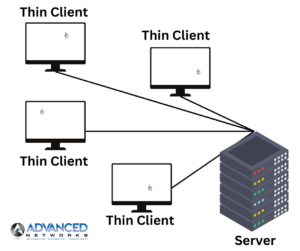
Thin Clients:

  • Lightweight terminals that rely on a central server for processing.
  • Suitable for environments where centralized management is key.

Thin ClientsThin client workstations offer a streamlined and cost-effective computing solution by offloading most of the processing tasks to a central server. These lightweight terminals rely on the server for computing power, storage, and software applications, reducing the need for extensive hardware at the user’s end. Thin client workstations are particularly beneficial in environments where centralized management, security, and resource optimization are top priorities. With minimal local processing, these workstations are easy to deploy, maintain, and secure. They are an excellent choice for organizations seeking efficient, scalable solutions that minimize hardware costs and simplify IT administration. Thin client workstations contribute to a more centralized and agile IT infrastructure, making them a preferred choice for businesses aiming to streamline operations and enhance overall efficiency.
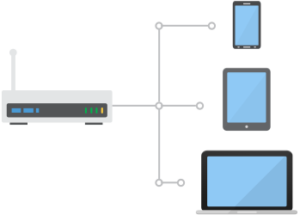
Virtual Desktop Infrastructure (VDI):

  • Hosted desktop environments delivered over a network.
  • Enables remote access and centralized management.

virtual desktop infrastructure Virtual Desktop Infrastructure (VDI) is a technology that enables the creation and management of virtualized desktop environments on a centralized server. In a VDI setup, individual desktop instances run as virtual machines on a server, and users access these desktops remotely using thin clients or other devices. VDI provides a flexible and scalable solution for delivering desktop experiences to end-users, allowing them to access their virtual desktops from anywhere with an internet connection.

One of the key advantages of VDI is centralization. All data and applications are stored and managed on servers in a data center, enhancing security, ease of maintenance, and resource utilization. It also offers improved flexibility, as users can access their virtual desktops from various devices, fostering mobility and remote work.

VDI is particularly valuable for businesses with diverse computing needs, as it allows for efficient resource allocation, rapid provisioning of desktops, and easier management of software updates and patches. This technology plays a crucial role in optimizing IT infrastructure, enhancing security, and providing a more agile and scalable approach to desktop computing in modern enterprises.

High-Performance Workstations:

  • Designed for resource-intensive tasks such as graphic design, video editing, or engineering.
  • Configurations with powerful processors and dedicated GPUs.

High Performance WorkstationsHigh-performance workstations are computing systems engineered to deliver exceptional speed, power, and efficiency, making them well-suited for tasks demanding substantial computational resources. Typically equipped with advanced processors, substantial RAM, and dedicated graphics cards, these workstations excel in handling resource-intensive applications such as 3D rendering, scientific simulations, video editing, and complex data analysis.

Designed to meet the demands of professionals in fields like engineering, design, content creation, and scientific research, high-performance workstations provide the computing muscle required to execute intricate tasks efficiently. These workstations often feature multiple processing cores, high-speed storage solutions, and top-tier graphics capabilities to ensure rapid data processing and visualization.

The reliability and superior processing capabilities of high-performance workstations contribute to increased productivity in industries where time-sensitive, computationally intensive work is the norm. These workstations empower professionals to tackle complex projects with ease, providing a robust foundation for innovation and demanding computational tasks. Whether in design studios, research labs, or engineering offices, high-performance workstations are indispensable tools for those who require uncompromising computing power and speed.

Cloud Workstations:

  • Workstations hosted in the cloud for remote access and collaboration.
  • Ideal for businesses transitioning to cloud-based solutions.

cloud based workstationsCloud workstations represent a modern paradigm in computing, offering a scalable and flexible solution that leverages cloud infrastructure to deliver virtualized desktop environments. With cloud workstations, the traditional model of having physical desktop hardware is replaced by virtual machines hosted in the cloud. Users can access their desktop environments remotely, from a variety of devices, enhancing mobility and facilitating remote work.

One of the key advantages of cloud workstations is the ability to scale resources on-demand. Organizations can easily adjust computing power, storage, and other resources based on their needs without the constraints of physical hardware. This scalability makes cloud workstations a cost-effective solution, as businesses only pay for the resources they consume.

Security is another significant benefit, as data is stored centrally in data centers with robust security measures. Cloud workstations also enable collaboration and access to desktop environments from different locations, fostering a more dynamic and distributed work environment.

Overall, cloud workstations offer a versatile and efficient alternative to traditional desktop setups, providing businesses with the agility, scalability, and accessibility required in the ever-evolving landscape of modern work.

Customized Workstations:

  • Tailored configurations based on specific industry needs.
  • Customized hardware and software setups for specialized tasks.

Customized workstations refer to tailored computing solutions designed to meet specific needs and requirements of individual users or businesses. Unlike off-the-shelf or standard configurations, customized workstations are built with careful consideration of the unique tasks, applications, and performance demands of the end-user or organization.

In the realm of customized workstations, hardware components such as processors, graphics cards, memory, and storage are carefully selected and configured to optimize performance for specific workflows. This might include industries such as graphic design, video editing, 3D modeling, scientific research, or engineering, where specialized applications demand robust computing capabilities.

The customization process allows for the inclusion of features that align precisely with user preferences and business objectives. Whether it’s a focus on graphics processing, memory-intensive tasks, or storage speed, customized workstations provide a level of flexibility and performance tailoring that is particularly valuable in industries where standard solutions may fall short.

By crafting workstations based on individual needs, organizations and professionals can achieve a computing environment that not only meets the immediate requirements but is also scalable and adaptable to future technological advancements or changes in work demands. This approach ensures that computing resources are aligned with the specific demands of the user or business, ultimately enhancing efficiency and productivity.

Security-Centric Workstations:

  • Configurations with enhanced security features.
  • Includes advanced endpoint protection and data encryption.

Security-centric workstations are specialized computing systems designed with a primary focus on implementing robust cybersecurity measures to protect sensitive data and ensure a secure computing environment. These workstations are equipped with advanced security features, both in terms of hardware and software, to mitigate potential threats and vulnerabilities.

Key features of security-centric workstations may include hardware-level security mechanisms such as Trusted Platform Module (TPM) for secure storage of cryptographic keys, secure boot processes, and specialized hardware for encryption and decryption. Additionally, these workstations often come with advanced security software solutions, including endpoint protection, firewalls, intrusion detection systems, and encryption tools.

Security-centric workstations are particularly crucial in industries where data confidentiality and integrity are paramount, such as finance, healthcare, government, and research. These workstations play a critical role in safeguarding against cyber threats, unauthorized access, and data breaches.

By adopting security-centric workstations, organizations can significantly reduce the risk of cyberattacks, ensuring that their computing environments adhere to the highest standards of security compliance. This proactive approach helps to maintain the confidentiality, integrity, and availability of sensitive information, providing a secure foundation for critical business operations.

Remote Desktop Services (RDS):

  • Enables users to access a full desktop remotely.
  • Useful for businesses with remote or distributed teams.

Remote Desktop Services (RDS) is a technology that allows users to access and use desktops and applications remotely, typically over a network or the internet. RDS provides a virtualization platform for delivering desktop and application experiences to users, allowing them to interact with software and files as if they were on a local computer.

Key components and features of Remote Desktop Services include:

Remote Desktop Session Host (RDSH):

Formerly known as Terminal Services, RDSH enables the hosting of Windows-based applications or the full Windows desktop in a centralized location.

Remote Desktop Virtualization Host (RDVH):

This component allows the virtualization of desktops by providing access to virtual machines running on a hypervisor.

Remote Desktop Connection Broker (RDCB):

This service manages the connections between clients and the appropriate virtual desktop or session host.

Remote Desktop Gateway (RD Gateway):

This component enables secure remote access to RDS resources over the internet, providing a gateway for connections.

Remote Desktop Web Access (RD Web Access):

Users can access RDS resources through a web portal, facilitating easy access without needing a dedicated client.

Remote Desktop Services is widely used in business environments to enable remote work, simplify software deployment, and centralize IT management. It allows organizations to provide a consistent and secure computing experience to users, irrespective of their physical location. RDS is particularly valuable for businesses with distributed teams, branch offices, or a need for flexible remote access to applications and desktops.

Workstations for Specific Industries:

Tailored solutions for industries with unique requirements (healthcare, finance, etc.). Compliance-focused configurations to meet industry standards. Managed IT Services Providers typically work closely with their clients to assess their business requirements, evaluate the existing IT infrastructure, and recommend or provide workstations that align with the organization’s goals and operational needs. The goal is to ensure that the workstations are reliable, secure, and capable of supporting the client’s business objectives.

Managed IT Services in Orange County: Understanding What Least Privilege Is and Ways to Implement

Defining Least Privilege

managed IT services Orange County

Managed IT services experts in Orange County commonly advise a regulation of “least privilege” among businesses with networks where this is a useful security measure. This concept is basically synonymous to the “need to know basis” thinking which has defined military operations for a long time.

Basically, if someone doesn’t need access to something, they aren’t given that access. This is stratified from the lowest levels of a corporation to the top, and helps keep sensitive information only available to those who should have access to it.

Complications of Least Privilege

While the idea is easy to grasp, implementing it can be a challenge. It’s quite advisable to seek managed IT services experts in Orange County as a means of avoiding common issues. A few things to get your head around include:

  • Managing Privileged Accounts Across Multiple Platforms
  • Consolidating Privileged Accounts Under The Cloud
  • Handling Internal Privilege Abuse

Managing Privileged Accounts Across Multiple Platforms

With least privilege access design, you’ll have tiers of accounts. Some will be standard, some substandard, and some will have virtually total access.

All these levels of access will be stratified across multiple platforms in most big companies unless you’re already consolidated. Even then, external access through mobile networks will likely initiate static.

Consolidating Privileged Accounts Under the Cloud

Irvine IT support professionals recommend pursuing cloud consolidation as a means of reducing inter-platform privileged account management static internally and externally. But there are challenges here as well. You might want to look into MFA, or Multi-Factor Authentication.

Handling Internal Privilege Abuse

IT experts advise businesses to control IoT access and restrict total access privileges. Sometimes employees “go rogue”. Whenever you provide total access, you open your network up to privilege abuse. IoT is a factor, as is intentional misuse.

Properly Incorporating Least Privilege Infrastructure

At Advanced Networks, our managed IT services team in Orange County can help you determine best practices in managing privileged accounts across multiple platforms, demonstrate whether cloud options are best for your business and outline methodology for handling privilege abuse, as well as associated preventative measures. Contact us for more information.

Managed IT Services in Orange County: 3 Tips to Create a Reliable DR Strategy

managed IT services Orange County

All modern businesses rely on data and IT infrastructure with the interventions of managed IT services in Orange County. This means that disaster recovery plans have shifted from “nice-to-have” to an essential part of business operations. However, building a successful disaster recovery plan for a business is not an easy task. The current business world is complex, especially with the use of multiple platforms.

A successful DR strategy should minimize business downtimes and loss of data by providing unlimited restoration access to essential services quickly. Below are crucial tips for creating a successful DR strategy.

1. Begin with Business Priorities

To create a successful disaster recovery strategy, you should first take into account the various facets of your company’s recovery requirements. This involves identifying the critical processes and services offered by your business. Outline crucial applications and services in your organization alongside the cost of downtime, such as loss of sales or inability to operate.

With the essential process identified, assess the risks of potential threats that you may face and IT resources relied on. Conducting a full inventory will help you identify the critical software and hardware infrastructure required to run them. You should then identify the maximum time required to restore the normal functioning of the services in case of a disaster, and identify key personnel, including non-IT staff, required to restore the systems.

2. Communicate Goals and Responsibilities

Understanding your DR business requirements and identifying various data protection procedures are important. However, communicating your DR goals and responsibilities to all levels of your organization is also vital for a successful strategy.

Communication should begin from the top-level to all persons involved. CEOs and departmental heads should be involved in prioritizing such requirements and assign team members. You should meet and train appropriate staff for a seamless transition in case a disaster strikes as well.

3. Have a Critical Response Team

A successful disaster recovery strategy cannot be implemented without personnel. A critical response team should include external contacts, such as software vendors. Roles and responsibilities should be clearly outlined to avoid duplication of duties. Engaging the services of a managed IT services provider in Orange County can put your company in a better position to prevent and mitigate possible disasters.

A disaster recovery strategy doesn’t prevent disasters from happening, but significantly reduces and lessen its effects. The best plan should help your business get back to its feet quickly. Engaging the services of a managed IT services provider in Orange County will remove the complexities associated with DR strategies. At Advanced Networks, we provide exceptionally managed IT services that help your business get back to normal in case of a disaster. Contact us now for more information.

Advantages of Firewall as a Service from Managed IT Services Firms in Orange County

managed IT services Orange County

Managed IT services firms in Orange County increasingly recommend that clients look into Firewall as a Service (FWaaS). This is one of the latest security innovations defining professional IT circles, and considering the size of cybercrime today, staying abreast of such options is eminently advisable.

Irvine IT support firms commonly advise prospective clientele to consider key advantages in making the decision whether they should incorporate FWaaS. Some of the most important advantages include:

Built-In Scalability

Unless you’ve got a specific reason to do things internally, FWaaS will give you more for less. Managed IT services firms in Orange County can help you manage internally supported firewalls, but you’ll have to scale them out and upgrade all the same. This is costly. MSP options can defer that cost and FWaaS allows for continued scalability and management.

Unification of Policy

Irvine IT support firms advise FWaaS for more effective policy unification. There are firewalls on individual devices, network barriers, some departments aren’t up-to-date on the latest security— many issues develop in terms of unification through non-FWaaS options. Meanwhile, FWaaS naturally unifies, eliminating this operational static.

Maintenance and Applicability

Computational development is predictable and continuous. Old firewalls will be antiquated through new developments, and associated cybercrime. FWaaS options are continuously updated in terms of legal requirements and efficiency. They’re also maintained by the group you’re securing FWaaS through, saving you the trouble.

Internal options seldom have the ability to stay as up-to-date as cloud “as-a-Service” providers can owing to built-in competitive necessity. Their core prerogative is providing cutting-edge services reliably to diverse clientele. Internal firewall management will merely have security as a mandate, and IT personnel busy doing a thousand things simultaneously owing to the nature of the position.

Continuously Effective Firewall Protections

Managed IT services in Orange County through Advanced Networks can help you determine if upgrading to FWaaS is right for your business. Generally, such an upgrade will provide exceptional advantages such as built-in scalability, maintenance, and unification. Contact us for more information.

How Managed IT Services Firms in Orange County Alert Businesses to Emerging Cyberthreats

managed IT services Orange County

The proliferation of cyberattacks has raised tension across all types of businesses, as managed IT services in Orange County helps fight back. Here are five types of cyberthreats that your business should be aware of, in which the ideal solution is to work with cybersecurity experts:

1. More Sophisticated Social Engineering Attacks

Everyone should know about phishing attacks by now, which are deceptive emails that trick people into clicking infected emails. When a stranger befriends someone then turns out to be an attacker, the process is called social engineering. The solution is to inform workers about the dangers of potential threats— Irvine IT support experts can help you with this.

2. Spread of Big Data will Foster IoT Attacks

Data collection keeps scaling up with the rise of IoT, which is inviting to hackers looking to steal confidential data. It’s imperative to regularly take inventory of your digital assets and keep firmware updated.

3. Ransomware Revisited

A common cause of data loss and security breaches in recent years has been ransomware. A reputable managed IT services firm in Orange County stays updated on developing cyberthreats. Reliable solutions include firewalls, virtualization, and encryption.

4. Accidental and Intentional Insider Attacks

Employees can potentially damage networks either accidentally or on purpose. Some employees may attract malware by downloading illegal software. Others may be disgruntled and seek revenge by compromising confidential information. So, it’s crucial to implement strict security policies that limit and track their access.

5. New Types of Security Flaws

A developing type of security concern is known as “asynchronous procedure calls” (ACPs), which are designed to by security. This bug then forces malicious code to run while interrupting the system kernel. The key to blocking this problem is to replace unsupported software with a newer version.

Conclusion

Be aware that hacker schemes are becoming more subtle to get employees to give up internal information or click nefarious links. Outsourcing to a managed IT services firm in Orange County helps make your network safer. If you have further questions about cybersecurity, contact us at Advanced Networks and we’ll be happy to answer them.